 Skip to main content

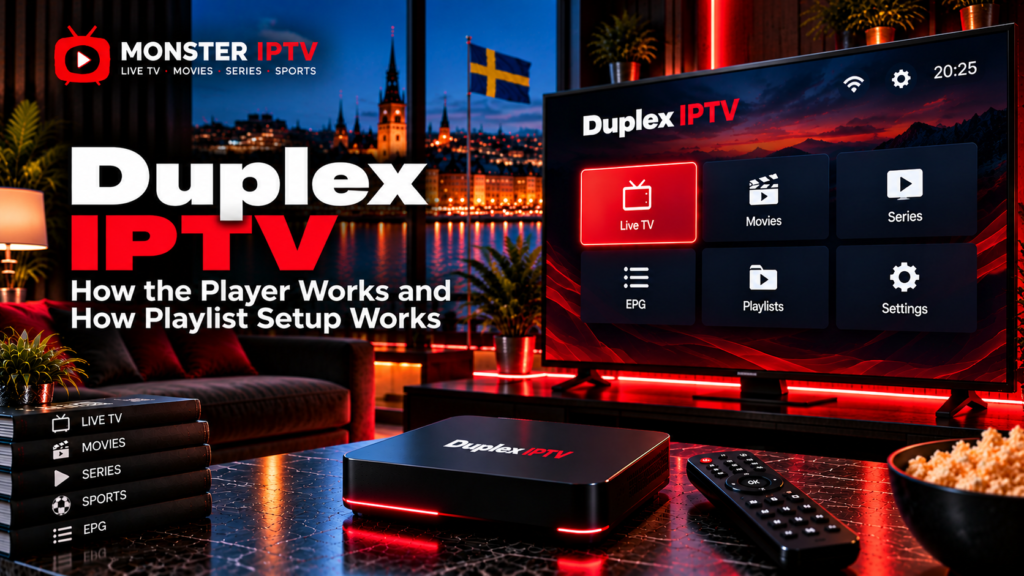
Duplex IPTV is a media player designed to display television streams from playlists supplied by the user or an external IPTV service. The player itself does not provide Swedish channels, sports, films, series, or an IPTV subscription. The original Duplex IPTV documentation describes the application as an empty media player that requires users to add their own playlists.
One reason the topic can be confusing today is that several websites and applications use similar Duplex, DuplexPlay, and Duplex TV names. Users in Sweden should therefore identify the exact app and developer before entering playlist credentials or paying an activation fee.
What Is Duplex IPTV?
Duplex IPTV is designed to sit between your television or streaming device and an external content source.
A typical setup includes:
- Duplex IPTV or a related Duplex player
- Compatible Smart TV or streaming device
- Internet connection
- M3U playlist or compatible account details
- Device ID, Device Key, or MAC address on certain versions
- EPG information where supported
The original Duplex IPTV site describes features including favourites, playlist groups, search, audio-track selection, embedded subtitles, playback position controls, and resume functionality.
The important distinction is simple:
| Duplex IPTV player | IPTV service |
|---|---|
| Provides the viewing interface | Provides the actual streams |
| Loads playlists | Supplies playlist or account details |
| Organizes channels | Determines the channel lineup |
| Can display programme information | Supplies compatible EPG data |
| May require player activation | IPTV subscription is separate |
Paying for the player should therefore not be confused with buying television content.
Is Duplex IPTV the Same as DuplexPlay?
The naming requires some care.
The original Duplex IPTV playlist-management portal is still accessible, and it currently displays a notice stating that the app name is planned to change to DuplexPlay. It also repeats that the application does not include content and requires users to upload their own playlists.
At the same time, other current websites use names such as IPTV Duplex Play and DUPLEX TV for their own media-player offerings. These sites have their own playlist-management and activation systems.
Because of this overlap, do not assume every website containing “Duplex IPTV” belongs to the same developer.
Before entering account details, check:
- Exact app name
- Developer or publisher
- Website domain
- Device ID format
- Playlist-management address
- App-store listing
- Activation terms
Use the information displayed inside your installed app as the starting point.
How Does Duplex IPTV Playlist Setup Work?
The classic Duplex IPTV setup uses a web-based playlist management system rather than requiring users to type a long IPTV URL with a television remote.
The original Duplex IPTV documentation describes the following process:
- Open Duplex IPTV on the device.
- Select the option to add a playlist.
- Note the Device ID and Device Key shown by the app.
- Open the playlist-management website in a browser.
- Enter the Device ID and Device Key.
- Add a playlist.
- Save the playlist information.
- Return to the television.
- Refresh the player.
The current original management portal still asks for a Device ID and Device Key before allowing playlist management.
This browser-based approach can be easier than entering a long M3U address directly on a Smart TV.
For broader IPTV configuration help, see the Monster IPTV installation guides.
What Is a Device ID and Device Key?
A Device ID identifies the specific application installation or device within the Duplex management system.
The Device Key acts as an additional credential when opening the web-based playlist manager.
Together, they allow the management portal to determine which television or device should receive the playlist.
They are not the same as your IPTV username and password.
A typical setup can therefore involve two sets of information:
Duplex information:
- Device ID
- Device Key
IPTV service information:
- M3U URL, or
- Server address
- Username
- Password
Keep both types of credentials private.
Does Duplex IPTV Support M3U?
Yes. M3U playlist loading is central to the original Duplex IPTV workflow.
An M3U URL is a playlist address containing stream information. Depending on the service, it may contain:
- Live TV channels
- Channel groups
- Movies
- Series
- Stream addresses
- EPG references
The original Duplex interface allows users to add a playlist through its browser management portal.
Some newer products using Duplex branding also support playlist URLs, M3U8 files, or account-based login. For example, the current IPTV Duplex Play website describes URL, file, and username/password account methods.
An M3U URL can contain private account credentials, so never publish the complete address in a forum or public screenshot.
Does Duplex IPTV Support Xtream Login?
This depends on the exact Duplex-branded application you are using.
The original Duplex IPTV documentation focuses primarily on adding playlists through its Device ID and Device Key management system.
A newer product called IPTV Duplex Play currently allows users to connect through an account option using a host, username, and password as well as playlist URLs and files.
This is another reason to avoid following a setup guide simply because it contains the words “Duplex IPTV”.
Check what your specific application asks for:
- Device ID and Device Key
- MAC address
- M3U URL
- Host
- Username
- Password
Follow the workflow built into that version.
Which Devices Can Use Duplex IPTV?
The original Duplex IPTV support documentation lists versions for platforms including:
- LG webOS
- Samsung Tizen
- Android
- Android TV
- Amazon Fire TV
- Windows
It also historically offered an Xbox One version.
However, some of those official pages contain older platform information. App-store availability can change over time, particularly on Smart TVs.
Users in Sweden should therefore search the current app store on their exact television or streaming device rather than relying only on an old installation guide.
Samsung Tizen, LG webOS, Android TV, Google TV, and Fire TV are different platforms, and an installation method for one may not work on another.
Does Duplex IPTV Include Swedish Channels?
No.
The original Duplex IPTV developers explicitly state that their application does not provide content or sell IPTV subscriptions.
The playlist or IPTV service determines whether you receive:
- Swedish channels
- Nordic channels
- Sports
- Films
- Series
- International television
- EPG data
Changing the media player does not automatically change the underlying channel lineup.
When comparing published television options separately from the player, you can review the Monster IPTV channel information.

How Does EPG Work With Duplex IPTV?
EPG stands for Electronic Programme Guide.
A compatible programme guide can display:
- Current programme
- Upcoming programme
- Start and end times
- Channel schedule
- Programme information
Whether EPG appears correctly depends on both the player and the data supplied with your playlist.
If channels work but programme information is missing, the video stream itself may not be the problem.
Check:
- EPG source
- Playlist configuration
- Channel mapping
- Device time
- Swedish time zone
Some newer Duplex-branded players explicitly advertise EPG support when programme information is available from the playlist.
Activation Is Separate From an IPTV Subscription
Some Duplex players use a separate activation or licence system.
This payment is for the media-player software, not television channels.
The original Duplex IPTV site historically used per-device activation and clearly separated the app fee from content. Its support documentation also states that activation applies individually to devices.
Other current Duplex-branded players have different activation models.
Before paying, confirm:
- Which developer receives the payment
- Whether the fee is per device
- Whether there is a trial
- Whether activation is recurring or permanent
- Whether refunds are available
- Whether channels are included
Do not assume that paying an activation fee will fix an invalid playlist.
Why Is Duplex IPTV Not Loading Channels?
If the application opens but your channels do not appear, troubleshoot the connection in stages.
First verify the playlist information.
Then check:
- Device ID or Device Key was entered correctly.
- Playlist URL was saved successfully.
- IPTV account is still active.
- The device has internet access.
- The playlist has been refreshed inside the app.
- Other channels from the same playlist work.
- The Smart TV has enough resources to load the list.
If all internet applications fail, investigate the home network.
If Duplex loads normally but only one stream fails, the source itself may be responsible.
For additional troubleshooting, see the Monster IPTV FAQ.
Does Duplex IPTV Affect Streaming Quality?
The player is only one part of the playback chain.
Picture quality can depend on:
- Original stream resolution
- Bitrate
- Video codec
- IPTV provider
- Smart TV hardware
- Internet connection
- Wi-Fi or Ethernet
- Player compatibility
A television capable of 4K cannot transform a lower-resolution IPTV stream into genuine 4K.
Likewise, buffering is not automatically proof that Duplex IPTV is faulty. Test another channel and another streaming app before changing settings.
IPTV Players and Content Rights in Sweden
Using an IPTV player is not in itself what determines whether television content is authorized.
The important question is whether the source has permission to distribute the channels, sports, films, and other copyrighted material being accessed.
Sweden’s Patent and Registration Office, PRV, provides guidance intended to help viewers distinguish legal streaming sources from unauthorized services.
For Swedish users, the practical approach is to treat Duplex IPTV as the playback software and evaluate the content provider separately.
FAQ
Does Duplex IPTV provide channels?
No. The original Duplex IPTV documentation states that it is a media player and does not include television content or IPTV subscriptions.
How do I add a playlist to Duplex IPTV?
The classic setup uses the Device ID and Device Key displayed in the app. These are entered into the web management portal, where the playlist can then be added and refreshed on the television.
Does Duplex IPTV support M3U?
Yes. The original player is built around user-supplied playlists, and current Duplex-branded players also advertise M3U or M3U8 support.
Is Duplex IPTV the same as DuplexPlay?
The current original Duplex IPTV management portal says the app name is planned to change to DuplexPlay. However, several other products use similar Duplex branding, so users should verify the exact developer and website.
Can Duplex IPTV work on Samsung or LG TV?
The original Duplex IPTV documentation includes Samsung Tizen and LG webOS support. Because Smart TV app availability can change, check your current Swedish television app store before relying on older compatibility information.
Why does Duplex show no channels after activation?
Activation normally unlocks the player, not television content. You still need a valid playlist or account from an IPTV service.
Can I use the same Duplex activation on several TVs?
The original Duplex IPTV support documentation describes activation as device-specific. Different current Duplex-branded products may use different licence rules.
Conclusion
Duplex IPTV is a media-player system that loads user-supplied playlists rather than providing television channels itself. Its traditional setup uses a Device ID and Device Key with a browser-based playlist manager, while newer products using similar Duplex branding may also support M3U8 files or account-based login. Swedish users should verify the exact app, developer, current device compatibility, activation terms, playlist method, and content source before setup. For more information about IPTV players, channels, installation, and viewing options in Sweden, visit Monster IPTV.
