 Skip to main content

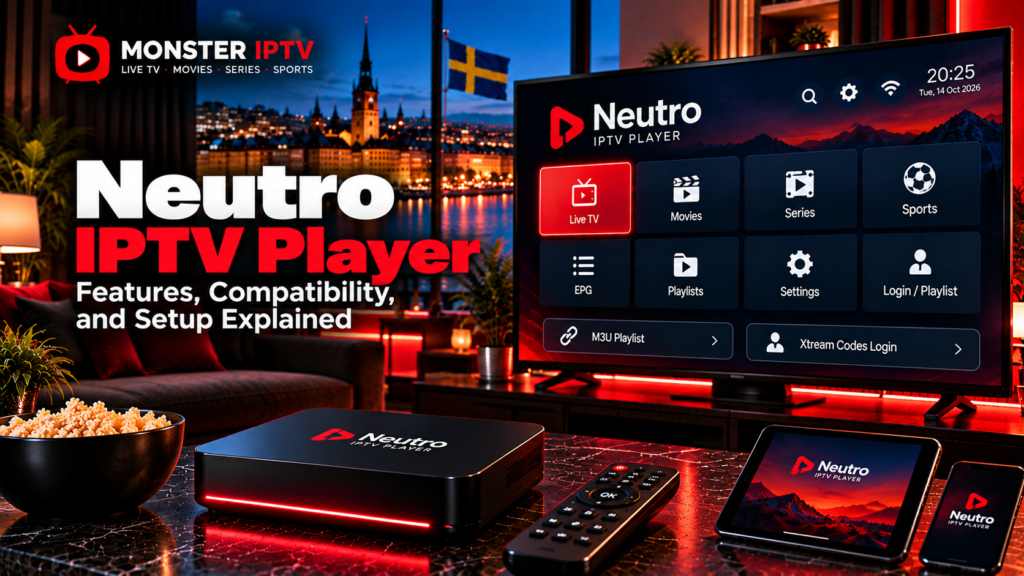
Neutro IPTV Player is a media player designed to display IPTV content supplied by an external service or playlist. The developer states that Neutro does not provide television channels, playlists, usernames, passwords, or streaming subscriptions itself. It is the playback software, while the connected IPTV source determines the actual live TV, movies, series, and other content.
For users in Sweden, the main things to check are device compatibility, the exact Neutro version being installed, the login method supplied by the IPTV provider, and whether features such as EPG, catch-up, subtitles, or multi-screen are supported by both the player and the content source.
What Is Neutro IPTV Player?
Neutro is an IPTV player rather than an IPTV subscription.
Its current official website lists features including:
- Live TV
- Movies
- Series
- Catch-up
- Multi-screen
- Parental controls
- Subtitles
- Multiple audio tracks
- EPG
- VLC and EXO playback engines
- External-player support
- 4K-capable playback where the source and device support it
The official site also provides versions or download options for Windows, macOS, and Android-based devices.
The distinction between the app and the service is important:
| Neutro IPTV Player | IPTV service |
|---|---|
| Provides the viewing interface | Supplies the streams |
| Organizes live TV and VOD | Determines available channels |
| Can display EPG information | Supplies programme-guide data |
| Supports compatible login methods | Supplies account credentials |
| Handles playback | Determines original stream quality |
Installing Neutro therefore does not automatically provide Swedish channels, Nordic channels, sports, films, or series.
Which Devices Support Neutro IPTV Player?
The current Neutro website provides a Windows version and a macOS download, while its Android version is intended for devices such as Android TV, Android boxes, Fire TV devices, and Android smartphones.
Microsoft’s Swedish Store also currently lists Neutro IPTV Player among entertainment applications, including a separate Pro listing.
Depending on the version, you may therefore encounter Neutro on:
- Windows computers
- macOS computers
- Android TV
- Android streaming boxes
- Android phones
- Fire TV or Firestick devices
Do not assume that a Windows installation guide applies directly to Fire TV or Android TV. Menus, installation methods, and remote-control navigation can differ.
For other device-specific options, see the Monster IPTV installation guides.
How Does Neutro IPTV Login Work?
Neutro is designed around external IPTV account information.
Its official technical documentation describes support for XC and XUI-based account systems. These commonly use a portal or server address together with account credentials.
A typical IPTV login may require:
- Server or portal URL
- Username
- Password
Some versions or rebranded builds can simplify this process by embedding the portal address into the application and asking the user only for a username, password, or activation code. Neutro’s developer documentation specifically describes both activation-code and username-only systems for customized versions of the player.
This means the login screen may not look identical on every Neutro installation.
What Is the Neutro Activation Code?
An activation code is an alternative login method used with certain Neutro configurations.
The developer explains that, on supported XC/XUI systems, an activation code can be translated by the connected server into the username and password needed by the app. The user enters one code rather than several separate credentials.
For the viewer, the process may therefore look like this:
- Open Neutro IPTV Player.
- Select the activation-code option if available.
- Enter the code supplied by the IPTV service.
- Allow the app to authenticate.
- Wait for the account and content to load.
Not every Neutro build uses this method. If your provider gives you a normal server URL, username, and password, use the login method intended for that version.
Can Neutro Use M3U Playlists?
Neutro is intended to play user-supplied IPTV content, and versions of the player are commonly used with M3U or M3U8 playlists as well as XC/XUI account systems.
An M3U playlist is essentially a file or URL containing information about streams. It may include channel names, stream addresses, groups, and related metadata.
If your version provides an M3U option, setup normally involves:
- Open the player.
- Choose the playlist option.
- Enter the M3U or M3U8 URL supplied by your service.
- Save the source.
- Allow the channel list to load.
Treat the full playlist URL as private. IPTV playlist addresses can include usernames, passwords, or account tokens directly in the link.
Does Neutro Support EPG?
Yes. Neutro currently lists EPG among its player features.
EPG stands for Electronic Programme Guide and can display:
- Current programmes
- Upcoming programmes
- Channel schedules
- Start and finish times
- Programme information
The player still needs suitable guide data from the connected IPTV source.
If live television works but the guide remains empty, check the EPG source or IPTV account before assuming that the Neutro app itself is faulty.
For viewers in Sweden, also confirm that the device uses the correct local time zone if EPG schedules appear one or two hours out of sync.
Catch-Up and Replay
Neutro’s official feature list includes catch-up support.
Catch-up lets you return to eligible television programmes that have already been broadcast.
However, the player cannot create a replay archive on its own.
Catch-up normally requires:
- A compatible IPTV player
- Provider-side archive support
- A channel enabled for replay
- Correct EPG information
If catch-up appears for some Swedish or Nordic channels but not others, this may be normal. Availability depends on the connected service.

Multi-Screen Viewing
Neutro also lists multi-screen among its current features.
Multi-screen can allow several streams to appear within the application at the same time, which can be useful for monitoring multiple sports events or channels.
There is an important limitation, however.
Your IPTV subscription may restrict the number of simultaneous streams allowed on the account. A player supporting four windows does not automatically mean your subscription permits four simultaneous connections.
Check the rules of the service before using multi-screen.
Parental Controls
The current Neutro feature list includes parental control functionality.
Depending on the build, this can help restrict access to particular channel groups or content.
For a family setup, consider combining app-level protection with parental controls available on the Android TV, Fire TV, or computer itself.
Useful steps can include:
- Locking adult categories
- Protecting settings
- Hiding unnecessary channel groups
- Using a PIN children cannot guess
- Restricting installation of additional apps
These controls are particularly useful when a large IPTV playlist contains many categories.
Subtitles and Audio Tracks
Neutro currently lists subtitle and multiple-audio-track support among its playback features.
Actual availability depends on the stream.
A player may support Swedish subtitles technically, but Swedish subtitles will only appear if the source contains a compatible subtitle track.
The same applies to alternate audio languages.
This is important for viewers in Sweden who want Swedish audio, original-language sound, or Swedish subtitles on international films and series.
VLC, EXO, and External Players
Neutro includes both VLC and EXO playback options according to its official feature information. It can also work with an external player.
Different playback engines can sometimes handle codecs or stream formats differently.
If one channel produces:
- A black screen
- Sound without video
- Video without audio
- Playback errors
trying another available player can help determine whether the problem involves codec compatibility.
It will not fix a stream that is unavailable at the source.
Does Neutro IPTV Player Provide 4K?
Neutro advertises 4K-capable playback, but this does not mean every channel becomes 4K.
Actual picture quality depends on:
- Original stream resolution
- Video bitrate
- Codec
- Device hardware
- Television or monitor
- Internet connection
- IPTV provider
A 1080p source remains a 1080p source even on a 4K television.
When comparing published television content separately from the player, see the Monster IPTV channel information.
Why Is Neutro IPTV Player Buffering?
Buffering can come from several parts of the setup.
Check:
- Whether several channels have the same problem.
- Whether another streaming app works normally.
- Wi-Fi signal quality.
- Whether Ethernet performs better.
- Whether another built-in player works better.
- Whether the IPTV account is active.
- Whether the source stream itself is unstable.
If only one channel is affected, changing the entire home network may not be necessary.
For additional playback troubleshooting, see the Monster IPTV FAQ.
Neutro IPTV Player and Streaming in Sweden
An IPTV player is simply playback software. The legal status of the content depends on where the streams come from and whether the necessary rights exist.
Sweden’s Patent and Registration Office, PRV, explains that unauthorized distribution and streaming of copyrighted television and films can raise copyright issues. PRV also notes that the exact legal assessment of viewing unauthorized streams can depend on the circumstances.
Swedish users should therefore evaluate the IPTV provider separately from Neutro and use content they are authorized to access.
FAQ
Does Neutro IPTV Player include channels?
No. The developer states that Neutro is only a media player and does not supply streaming content, playlists, or IPTV accounts.
Does Neutro work on Windows?
Yes. The official Neutro website currently provides a Windows version, and Microsoft Store listings for Neutro are available.
Does Neutro work on Firestick?
The developer currently describes the Android build as compatible with Android TV, Android boxes, and Firestick devices.
Does Neutro support XC or XUI login?
Yes. Its developer documentation explicitly discusses XC and XUI API-based authentication.
Does Neutro support catch-up?
Catch-up is listed among the official features. The connected IPTV source must also provide replay content.
Can Neutro show an EPG?
Yes. EPG is included in the current feature list, but programme data must come from a compatible source.
Conclusion
Neutro IPTV Player is a flexible IPTV media player for users who already have an authorized content source. Current versions are available across Windows, macOS, and Android-based environments, with features such as EPG, catch-up, multi-screen, parental controls, subtitles, audio selection, VLC and EXO playback, and XC/XUI-based login methods. Swedish users should verify the exact app version, device compatibility, login method, account limits, and content source before setup. For more information about IPTV players, channels, installation, and viewing options in Sweden, visit Monster IPTV.
