 Skip to main content

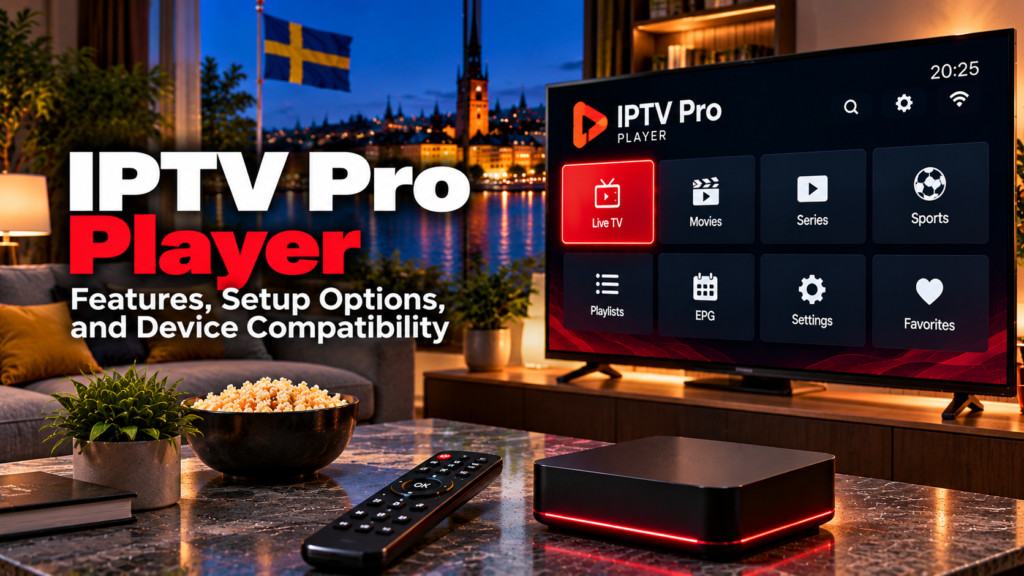
An IPTV Pro Player is an application for playing live TV, movies, series, and other streams from a playlist or IPTV account supplied separately. The important point is that “IPTV Pro Player” is not one universally standardized application. Several current apps use this or very similar names, with different developers, platforms, features, and login methods.
For Swedish users, that means the first step is identifying the exact app before following setup instructions. Current players using the IPTV Pro wording can support combinations of M3U, M3U8, Xtream Codes, EPG, Chromecast, recording, Picture-in-Picture, and other playback tools, but these features are not identical across every app.
What Is IPTV Pro Player?
IPTV Pro Player generally refers to media-player software rather than an IPTV subscription.
A player typically handles:
- Playlist loading
- Live TV playback
- Channel categories
- Movies and series
- EPG information
- Favourites
- Search
- Video and audio playback
The IPTV provider or playlist source handles a different part of the system.
| IPTV Pro Player | IPTV service |
|---|---|
| Provides the interface | Supplies streams |
| Loads M3U or account data | Supplies credentials |
| Displays EPG when available | Supplies programme data |
| Organizes channels | Determines the channel lineup |
| Handles playback | Determines original stream quality |
The current Android app supplied in the search results explicitly says users must provide their own playlist or Xtream Codes credentials and that the application does not provide channels or an IPTV service.
This distinction helps avoid paying for a player while expecting a television subscription to be included.
Why Are There Several IPTV Pro Player Apps?
“IPTV Pro Player” is a descriptive name used by more than one developer.
For example, the Android application supplied for this topic is currently listed on Google Play as IPTV Player: M3U & Live TV by VAT LLC. Its description also refers to the software as an IPTV Pro Player and lists M3U, M3U8, Xtream Codes, EPG, Chromecast, and Picture-in-Picture support.
The supplied Microsoft Store result is a separate Windows application called PRO PLAYER IPTV. Current information for that application describes support for Xtream Codes, M3U/M3U8 playlists, Stalker portals, EPG, catch-up, recording, subtitles, and VOD.
Other unrelated Google Play apps also currently use the exact “IPTV Pro Player” name.
Before installing anything, therefore check:
- App name
- Developer
- Operating system
- Store listing
- Supported login methods
- Privacy information
- Current price or in-app purchases
Do not assume instructions for one “IPTV Pro” application will work with another.
How Does IPTV Pro Player Setup Work?
Setup depends on the player, but the most common connection methods are M3U/M3U8 playlists and Xtream-style accounts.
A normal setup follows these steps:
- Install the intended IPTV player from its official store.
- Open the app.
- Choose the appropriate playlist or login option.
- Enter the credentials supplied by your authorized IPTV service.
- Save the account.
- Wait for channels and EPG information to load.
- Test several streams.
- Organize favourites or categories.
For more device-specific help, see the Monster IPTV installation guides.
M3U and M3U8 Playlist Setup
M3U is one of the most common formats used by IPTV players.
The current Android app associated with the supplied competitor listing supports M3U and M3U8 playlists from either a URL or local file.
An M3U playlist can contain:
- Channel names
- Stream URLs
- Channel groups
- Logos
- EPG references
Some M3U URLs also contain the IPTV username and password directly in the address.
Treat the complete playlist link as private. Avoid posting it in forums, social media posts, or public screenshots.
Xtream Codes Login
Many modern IPTV applications also support Xtream Codes or a similar API-based login.
Instead of entering one long playlist URL, the player normally asks for:
- Server URL
- Username
- Password
The current Android IPTV Player listing supports Xtream Codes for live channels, VOD, and series. The supplied Windows PRO PLAYER IPTV application also supports Xtream account connections.
Xtream login can be more convenient on a television or streaming box because the information is divided into shorter fields.
Does IPTV Pro Player Support EPG?
Many apps using the IPTV Pro Player name support EPG, but this should be checked for the exact application.
EPG stands for Electronic Programme Guide. It can show:
- Current programme
- Next programme
- Programme times
- Channel schedules
- Programme information
The current Android app supplied for this topic includes EPG and channel-guide support. The Windows PRO PLAYER IPTV listing also includes an electronic programme guide.
The player still requires compatible guide data.
If television streams work but the EPG is empty, the problem may be the EPG source rather than the video player.
For viewers in Sweden, also check that the device uses the correct local time zone if programme listings appear at the wrong hour.
Chromecast and Picture-in-Picture
Some IPTV Pro applications offer additional viewing tools.
The current VAT LLC Android application lists:
- Chromecast
- Screen mirroring
- Picture-in-Picture
- Background playback
Picture-in-Picture allows a stream to remain visible in a small window while another app is being used on a compatible Android device.
Chromecast can send compatible streams from a phone or tablet to a larger display.
Neither feature changes the underlying IPTV subscription. The source, stream format, device, and local network still affect whether playback works correctly.
Recording and Catch-Up
Feature availability differs significantly between apps with similar names.
The current Windows PRO PLAYER IPTV application describes support for both live recording and catch-up, while the supplied Android listing focuses on live playback, VOD, EPG, casting, and Picture-in-Picture.
This highlights why users should not assume every IPTV Pro app includes recording.
Recording can depend on:
- Player version
- Device storage
- Stream format
- Application permissions
- IPTV account connection limits
Catch-up also requires the IPTV provider to maintain an archive. A player cannot recreate an old programme if the source has not stored it.

Android, Android TV, and Windows Compatibility
The supplied Android application currently states that it can load playlists on Android phones, tablets, and Android TV.
The Microsoft Store result is instead designed for Windows.
This means “IPTV Pro Player” does not describe one app that automatically works everywhere.
Before choosing a player for Sweden, identify your platform:
- Android phone or tablet
- Android TV
- Google TV
- Windows PC
- Smart TV
- Fire TV
- Apple TV
- iPhone or iPad
Samsung Tizen and LG webOS are different platforms from Android TV, so an Android app cannot automatically be installed directly on those televisions.
Does IPTV Pro Player Include Swedish Channels?
No channel lineup should be assumed based on the player name.
A media player can display whatever compatible content the connected source provides, but the IPTV service determines whether you receive:
- Swedish channels
- Nordic television
- Sports
- News
- Movies
- Series
- International channels
- EPG
- Catch-up
The Android application currently makes clear that it provides no channels of its own.
If you want to compare published television options independently of the player, see the Monster IPTV channel information.
HD, Full HD, and 4K Playback
The word “Pro” does not automatically mean better picture quality.
Streaming quality depends on several parts of the playback chain:
- Original stream resolution
- Bitrate
- Codec
- IPTV source
- Device hardware
- Internet connection
- Wi-Fi or Ethernet
- Player decoding capabilities
A player can support modern formats without making a lower-resolution stream genuine 4K.
Similarly, buffering is not necessarily caused by the player.
If only one channel buffers while others work normally, the issue may be the individual stream. If Netflix, YouTube, and IPTV all have connection problems, the home network is a more likely place to investigate.
Privacy and App Permissions
Because multiple developers use similar IPTV Pro names, checking the app-store privacy information is particularly important.
The current VAT LLC Android listing says the app may share several categories of information with third parties, states that it collects no data according to the developer’s Google Play declaration, and says data is encrypted in transit.
Another current app with the exact IPTV Pro Player name publishes a different data-safety profile.
This reinforces the need to review the exact application rather than relying on the app name alone.
Why Is IPTV Pro Player Not Working?
Start by determining whether the problem involves the player, account, device, or network.
Check:
- M3U URL
- Server address
- Username and password
- IPTV account status
- Internet connection
- App updates
- Device storage
- EPG separately from video playback
- Whether another channel works
- Whether another streaming app works
If an Xtream login fails immediately, recheck the server address and credentials.
If the account loads but one channel fails, the stream itself may be the problem.
If the entire playlist disappears, verify that the subscription or playlist URL is still active.
For more troubleshooting guidance, see the Monster IPTV FAQ.
IPTV Players and Streaming Rights in Sweden
IPTV player software is separate from the content loaded into it.
Sweden’s Patent and Registration Office, PRV, provides guidance on streaming and copyright and encourages viewers to distinguish authorized streaming services from unlawful sources.
For Swedish viewers, the practical approach is to use IPTV Pro Player applications only with content they are authorized to access.
An app being available through Google Play or Microsoft Store does not establish that every third-party playlist loaded into it has distribution rights.
FAQ
Is IPTV Pro Player an IPTV service?
Generally, no. The current apps reviewed for this topic operate as media players and require users to supply their own playlist or IPTV credentials.
Does IPTV Pro Player support M3U?
The current Android application supplied for this topic supports both M3U and M3U8 playlists from URLs or local files.
Can I use Xtream Codes?
Yes, several current apps using IPTV Pro terminology support Xtream Codes login. Check the exact app before setup.
Does IPTV Pro Player work on Android TV?
The current VAT LLC Android application states that it supports Android TV in addition to phones and tablets.
Is there an IPTV Pro Player for Windows?
Yes. A separate PRO PLAYER IPTV application is currently listed through Microsoft Store for Windows.
Does IPTV Pro Player support EPG?
Several current apps with IPTV Pro branding include EPG support. The guide information still needs to come from a compatible IPTV source.
Are all IPTV Pro Player apps the same?
No. Multiple developers currently use the same or very similar names. Their supported platforms, features, prices, privacy policies, and login methods can differ.
Conclusion
IPTV Pro Player is best understood as a category of IPTV playback applications rather than one universal app. Current products using the name can offer M3U and M3U8 playlists, Xtream Codes, EPG, Chromecast, Picture-in-Picture, recording, catch-up, and other features, but compatibility varies between developers and platforms. Swedish users should verify the exact developer, device support, login method, privacy information, and content source before installation. For more information about IPTV players, setup, channels, and viewing options in Sweden, visit Monster IPTV.
