 Skip to main content

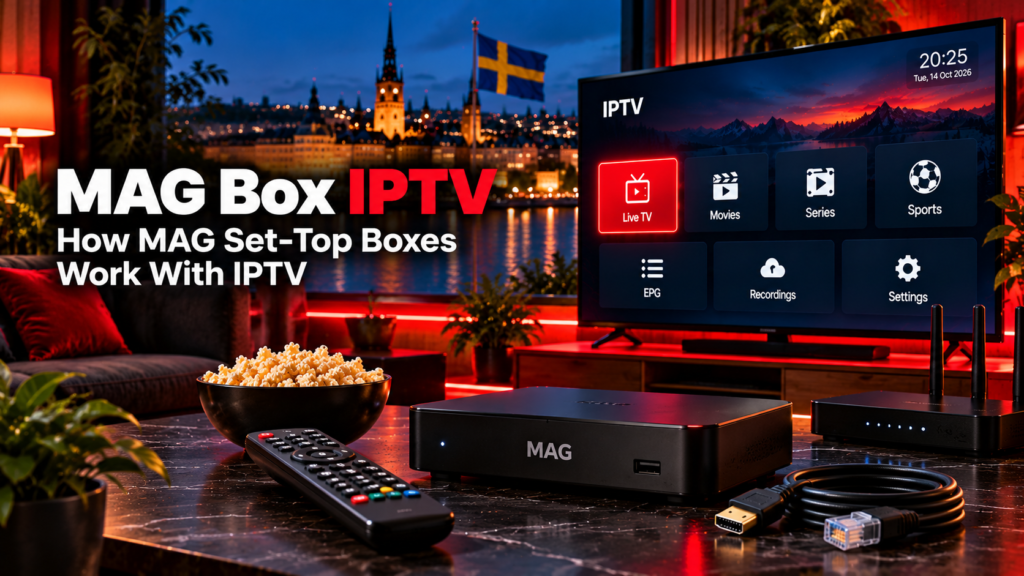
A MAG Box IPTV setup uses a dedicated set-top box to connect a television to an IPTV or OTT service. MAG is a hardware brand made by Infomir, with current devices ranging from traditional Linux-based IPTV boxes to newer Google TV models. The box itself does not automatically include Swedish channels, sports, movies, or an IPTV subscription.
For Swedish users, the important details are the exact MAG model, whether it uses a traditional portal or an app-based connection, the network connection, supported video formats, and the IPTV service connected to it.
What Is a MAG IPTV Box?
A MAG box is a dedicated television media receiver designed for IPTV and OTT services.
Instead of installing an IPTV app directly on a Smart TV, you connect the MAG device to the television through HDMI. The box then handles the IPTV interface and video playback.
A typical setup includes:
- MAG set-top box
- Television with HDMI
- Ethernet or Wi-Fi connection, depending on the model
- Remote control
- IPTV or OTT account
- Portal URL or compatible application
- EPG data where supplied
Infomir’s current MAG range includes Linux-based models such as the MAG540 and MAG544 families, while the MAG555 uses Google TV.
This distinction matters because setup methods are not identical across all MAG boxes.
How Does MAG Box IPTV Work?
Traditional Linux MAG boxes are closely associated with portal-based IPTV systems.
Instead of entering an M3U playlist into a normal player, a user may receive a portal URL from an IPTV operator. The box connects to that portal, and the operator’s middleware controls the television interface, channels, EPG, account permissions, and other available features.
Infomir’s Ministra platform is one example of middleware designed to work with MAG devices.
A simplified connection looks like this:
MAG box → internet connection → IPTV portal → television streams and service information
The exact interface depends on the service provider rather than only on the hardware.
What Is a MAG Portal URL?
A portal URL is the server address that connects a compatible MAG box to an IPTV operator’s middleware.
On traditional Infomir Linux firmware, Infomir documents the portal setting under:
System Settings → Servers → Portals
The user can then enter Portal 1 URL or Portal 2 URL when supported.
A portal URL should come from the television service you are authorized to use. There is no universal MAG portal address that provides IPTV on every box.
Do not use random portal URLs found in forums or public websites.
For broader information about IPTV connection methods, see the Monster IPTV installation guides.
Why Is the MAC Address Important?
Many traditional MAG portal systems identify the box using its MAC address.
The MAC address acts as a hardware identifier that can be linked to an IPTV subscriber account.
This means a provider may request the MAG box’s MAC address before activating portal access.
A MAC-based system is different from an Xtream-style login.
| MAG portal login | Xtream-style login |
|---|---|
| Often associated with a device MAC | Uses username and password |
| Uses a portal URL | Uses a server URL |
| Common on classic MAG setups | Common in IPTV apps |
| Access can be tied to one device | Credentials can be entered into compatible players |
Never assume that changing your box automatically transfers a MAC-bound account. The service may need to register the replacement device.
Classic Linux MAG vs Google TV MAG
Not every modern MAG box uses the same interface.
This is one of the most important details when following a setup guide.
Linux MAG Boxes
Current MAG544 and MAG544w3 models use Linux 4.9. Infomir lists support for M3U, M3U8, PLS, and CUE playlist formats, and the boxes integrate with the Ministra TV platform.
These models follow the traditional MAG approach more closely.
MAG555
The newer MAG555 uses Google TV rather than the classic Linux interface. Infomir lists 2 GB RAM, 16 GB storage, Wi-Fi, Ethernet, Bluetooth, HDMI 2.1, and support for video up to 4K.
Because it uses Google TV, users should not assume that an old tutorial showing System Settings → Servers → Portals applies directly to the MAG555.
Modern Google TV MAG devices can use applications and operator-specific software instead.
Current MAG Models Available in Sweden
Swedish electronics retailers currently list models including the MAG544w3 and MAG555.
Their designs target different types of users.
| Model | Platform | Network | Maximum listed video mode |
|---|---|---|---|
| MAG544 | Linux 4.9 | Ethernet | 4K |
| MAG544w3 | Linux 4.9 | Ethernet + Wi-Fi | 4K |
| MAG555 | Google TV | Ethernet + Wi-Fi | 4K |
The MAG544w3 includes built-in dual-band Wi-Fi, while the standard MAG544 does not include the same integrated wireless module.
Always check the exact suffix when buying a MAG device. Two models with similar numbers can have different networking features.
Does a MAG Box Support 4K?
Current MAG544-series devices support output up to 2160p, and the MAG555 supports 4K video formats including HEVC and AV1.
However, owning a 4K-capable MAG box does not mean every IPTV stream will be displayed in 4K.
Picture quality still depends on:
- Source resolution
- Video bitrate
- Codec
- IPTV service
- Television
- HDMI connection
- Network conditions
A Full HD source remains Full HD even when played through a 4K set-top box.

Ethernet or Wi-Fi for a MAG Box?
For IPTV, a wired Ethernet connection can be useful when the router is close to the television because it removes Wi-Fi signal quality from the troubleshooting chain.
Current MAG544 and MAG555 specifications include 100 Mbps Ethernet. Wi-Fi is built into the MAG544w3 and MAG555, while the standard MAG544 is designed without built-in Wi-Fi.
Wi-Fi may still be convenient when running a cable is impractical.
If playback becomes unstable, compare Ethernet and Wi-Fi before assuming the IPTV box itself is faulty.
How Does EPG Work on MAG IPTV?
EPG stands for Electronic Programme Guide.
In a portal-based MAG system, the guide is usually supplied and controlled by the IPTV operator’s middleware.
It may display:
- Channel schedules
- Current programme
- Upcoming programmes
- Programme descriptions
- Start and finish times
The box cannot create accurate EPG information if the connected IPTV service does not provide suitable guide data.
If channels play normally but the programme guide suddenly disappears, Infomir recommends contacting the provider when an external portal controls the interface.
Can a MAG Box Use M3U?
Some MAG models support M3U playlists technically.
For example, Infomir lists M3U and M3U8 among the supported playlist formats for MAG544 and MAG544w3.
However, playlist-format support does not mean every portal-based MAG setup works like an Android IPTV player.
If your IPTV provider gives you a portal URL and MAC-based access, follow that method rather than assuming an M3U URL should be entered somewhere else.
The service and firmware determine the practical setup.
Does a MAG Box Include Swedish Channels?
No.
A MAG box is hardware. The connected television service determines the available channel lineup.
That may include:
- Swedish channels
- Nordic channels
- Sports
- Movies
- Series
- International television
- EPG
- Catch-up
The box model itself does not determine which channels you receive.
If you want to compare published content separately from the hardware, see the Monster IPTV channel information.
Why Is My MAG Portal Not Loading?
Portal problems can have several causes.
Start by checking:
- Portal URL is entered correctly
- IPTV account is active
- Provider has the correct MAC address
- Internet connection works
- Ethernet cable is connected properly
- Wi-Fi signal is stable on wireless models
- Box firmware is current
- Provider portal supports the specific MAG generation
Compatibility between older middleware and newer devices can matter. Infomir currently notes that MAG540 and MAG544 boxes may show compatibility warnings when connecting to outdated versions of an operator’s Ministra portal.
If the error appears only after the portal begins loading, contact the IPTV provider before factory-resetting the device.
For broader troubleshooting, see the Monster IPTV FAQ.
Should You Buy an Older MAG Box?
Older MAG models can still appear in Swedish second-hand listings or remain in existing installations.
Before buying one, check:
- Firmware support
- Video codec support
- Maximum resolution
- Wi-Fi availability
- Portal compatibility
- HDMI support
- Whether the provider still supports that model
Infomir maintains newer MAG generations alongside archived products, so an old box should not automatically be assumed to have the same capabilities as a current MAG544 or MAG555.
A cheaper second-hand box may not be useful if the intended IPTV service no longer supports its software generation.
MAG Boxes and IPTV Content in Sweden
Using a set-top box is not what determines whether IPTV content is authorized.
The important issue is the source of the television streams and whether the provider has the necessary rights to distribute them.
Sweden’s Patent and Registration Office, PRV, provides guidance on lawful streaming and copyright. Swedish users should evaluate the content source separately from the MAG hardware.
The fact that a portal loads successfully does not by itself prove that every stream available through it has distribution rights.
FAQ
What is a MAG Box IPTV setup?
It is an IPTV setup using an Infomir MAG set-top box connected to a television and an IPTV or OTT service.
Do MAG boxes need a portal URL?
Traditional Linux MAG setups commonly use a portal URL. Newer Google TV MAG devices can use a different app-based approach.
Where do I enter the portal URL on a classic MAG box?
Infomir documents the path as System Settings → Servers → Portals on compatible Linux MAG firmware.
Does a MAG box need a MAC address?
Many portal-based services use the box’s MAC address to identify and authorize the device.
Can a MAG box play 4K IPTV?
Current MAG544-series and MAG555 devices support 4K output, but the source must also provide compatible 4K content.
Does MAG555 work like older MAG boxes?
Not exactly. MAG555 uses Google TV, while models such as MAG544 use Linux. Setup methods and application options can therefore differ.
Does a MAG box come with IPTV channels?
No. The box is playback hardware. Channels and subscriptions come from the connected television service.
Conclusion
MAG Box IPTV remains a practical way to use a dedicated set-top box for internet television, but setup depends heavily on the exact MAG generation. Traditional Linux models such as MAG544 are closely associated with portal and MAC-based IPTV systems, while the MAG555 uses Google TV and a more app-oriented environment. Swedish users should verify the model, portal compatibility, networking, video support, firmware, and IPTV source before setup. For more information about IPTV boxes, installation, channels, and viewing options in Sweden, visit Monster IPTV.
