 Skip to main content

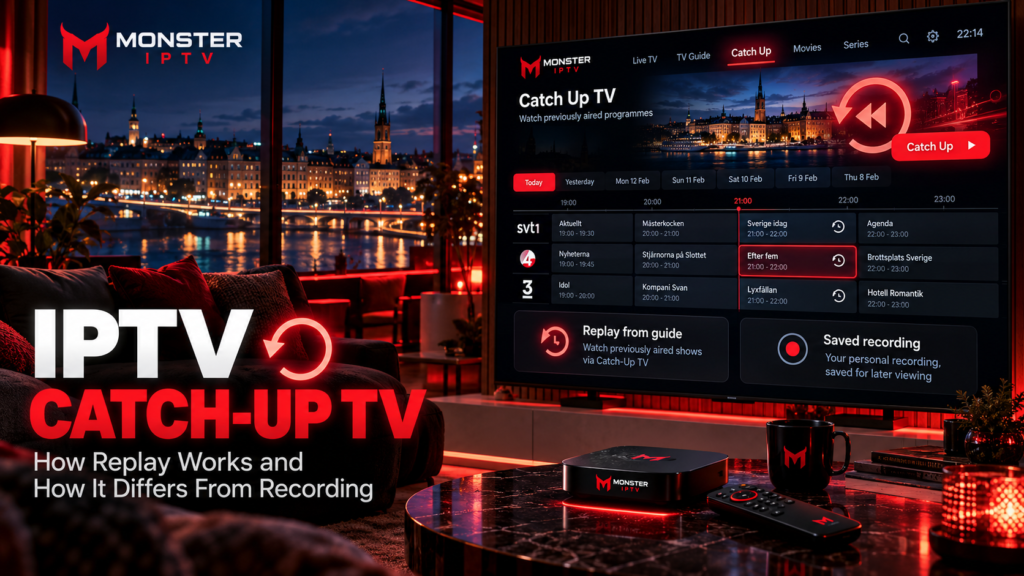
IPTV catch up lets you watch a television programme after its original live broadcast without manually recording it first. The television provider normally keeps an eligible broadcast available for a limited period, and a compatible IPTV player lets you select the earlier programme from the EPG.
Catch-up should not be confused with recording, timeshift, restart TV, or video on demand. These features can look similar from the viewer’s perspective, but they work differently and have different limitations.
For viewers in Sweden, catch-up availability can vary by provider, channel, programme, rights agreement, IPTV player, and connection method.
What Is IPTV Catch Up?
Catch-up TV is a replay feature linked to previously broadcast live television.
Instead of selecting a programme in advance and recording it yourself, the IPTV or television service makes certain past broadcasts available from its own system.
Formuler describes catch-up as a function where the service provider continuously records supported channels on its side, allowing users to return to earlier programmes without making their own recording. Availability depends on the service and channel.
A typical catch-up experience looks like this:
- Open the IPTV player.
- Open the EPG or programme guide.
- Navigate backwards to an earlier programme.
- Select a programme marked as available for replay.
- Start watching.
If a programme is outside the provider’s available replay period, it normally disappears from the guide.
How Does Catch-Up TV Work?
The key difference from ordinary live IPTV is that the earlier broadcast must still be available somewhere.
With provider-based catch-up, supported television streams are retained on the provider’s infrastructure for a limited period.
Your IPTV player does not necessarily store the programme.
Instead, the app:
- Loads the channel list
- Reads the EPG
- Identifies programmes with replay availability
- Requests the archived stream when you select one
This explains why installing an IPTV app that supports catch-up does not automatically create catch-up for every channel.
The service must provide the replay stream as well.
Formuler’s MYTVOnline documentation, for example, says catch-up availability depends on the connected service provider.
IPTV Catch Up vs Recording
Catch-up and recording both allow you to watch something after it aired, but the underlying process is different.
| Feature | IPTV Catch Up | Recording |
|---|---|---|
| Who saves the programme? | Usually the service/provider | User’s device or recording service |
| Must you schedule it? | Usually no | Usually yes |
| Storage needed on your device? | Usually no | Often yes |
| Availability period | Controlled by provider | Depends on storage and recording system |
| Works on every channel? | No | Depends on service and device |
| Linked to EPG | Commonly | Often used for scheduling |
Formuler’s recording system illustrates the difference clearly. MYTVOnline catch-up relies on provider-side availability, while scheduled recordings can be stored on a connected USB drive or supported storage.
Recording is therefore useful when you specifically want to keep a programme yourself, while catch-up is useful when you missed something that has already aired.
Catch-Up vs Timeshift
Timeshift is another feature that is frequently confused with catch-up.
Catch-up: Go back to a programme that was broadcast earlier.
Timeshift: Pause, rewind, or resume the live programme you are currently watching.
For example, imagine a football match starts at 20:00.
If you start watching at 20:20 and rewind to the beginning, that is generally timeshift or restart functionality.
If you return the following day and select the completed match from yesterday’s programme guide, that is catch-up.
On supported Formuler setups, Cloud Timeshift allows viewers to rewind a current live programme, while catch-up is used to access past EPG events. Formuler notes that Cloud Timeshift depends on service and channel support.
Catch-Up vs Restart TV
Restart TV, sometimes called Start Over, is closely related to timeshift.
It allows a programme that is currently being broadcast to start again from the beginning.
You might turn on a Swedish news programme halfway through and select “watch from start”.
Catch-up goes further back and can provide programmes that have already finished.
The exact terminology varies between IPTV apps and traditional Swedish TV operators.
For example, Telia Play currently lets customers start both ongoing and previous programmes on supported channels, but Telia states that replay is not available for every programme and channel.
Catch-Up vs Video on Demand
Catch-up is also different from VOD.
Catch-up TV follows the broadcast schedule.
VOD provides a separate catalogue that you choose from whenever it is available.
A film broadcast on a live movie channel at 21:00 might appear in catch-up after the broadcast.
The same film could also exist separately in a VOD library.
Those are two different sources, even if the viewer sees the same film.
This distinction matters when troubleshooting. A working VOD library does not prove that catch-up is working correctly, and vice versa.
Why Is the EPG Important?
The Electronic Programme Guide, or EPG, is central to most catch-up systems.
The guide tells the IPTV player:
- What was broadcast
- Which channel carried it
- When it started
- When it ended
- Which earlier programme the user selected
Without accurate EPG information, navigating historical programmes becomes much harder.
Some IPTV players display a symbol next to channels or programmes that support replay. In MYTVOnline, for example, supported past programmes are marked inside the EPG and can be selected for playback.
An EPG alone does not create catch-up, however.
You need both valid programme information and a replay stream supplied by the service.
How Far Back Can IPTV Catch Up Go?
There is no universal catch-up period.
The retention window is determined by the provider and can also vary by channel.
Formuler’s documentation notes that catch-up content has a limited shelf life and says supported services can commonly retain content for periods such as 1 to 14 days, depending entirely on the connected service.
You should therefore avoid assuming that every channel offers:
- 24 hours
- 3 days
- 7 days
- 14 days
Even within the same IPTV service, different channels may have different replay availability.
If a particular programme matters to you, recording may be more suitable when the device and service allow it.

Does Every IPTV Channel Support Catch Up?
No.
Catch-up can depend on several factors:
- Provider support
- Channel support
- Programme rights
- IPTV player
- Account configuration
- Connection method
- EPG availability
Even an IPTV player with excellent replay features cannot retrieve an archive that the service does not provide.
This is why changing apps does not necessarily solve missing catch-up.
Before troubleshooting the player, check whether the affected channel actually has replay available.
When comparing available television content, you can also review the Monster IPTV channel information to understand the published channel selection separately from player features.
Does M3U Support IPTV Catch Up?
Sometimes, but not automatically.
M3U is fundamentally a playlist format. Whether catch-up works depends on the additional information provided in the playlist, the service, and the IPTV player’s implementation.
This is an area where device-specific instructions matter.
For example, Formuler states that its MYTVOnline catch-up feature is not available through its M3U playlist method, while other IPTV applications may implement replay differently.
Therefore, do not generalize one player’s limitation to every IPTV application.
If catch-up is important, check support for your exact combination of:
- IPTV service
- IPTV player
- Login method
- Device
Which Devices Can Use Catch-Up TV?
Catch-up is not tied to one device type.
It can potentially be available on:
- Smart TVs
- Android TV
- Google TV
- Firestick
- Apple TV
- Formuler boxes
- Android phones
- iPhone and iPad
- Computers
The important factor is whether the IPTV player on that device supports the provider’s replay method.
For guidance on setting up IPTV players across common platforms, see the Monster IPTV installation guides.
Why Is IPTV Catch Up Not Working?
If live TV works but replay does not, troubleshoot catch-up separately.
Check Whether the Channel Supports Replay
Go backwards in the EPG.
If there is no replay or catch-up symbol, the channel may not have an archive available.
Refresh the EPG
An outdated programme guide can prevent older programmes from appearing correctly.
Refresh the playlist and EPG if your player provides those options.
Check the Date and Time
Incorrect device time or time-zone settings can shift EPG information.
For viewers in Sweden, make sure the device is using the correct local time configuration.
Test Another Catch-Up Channel
If one channel fails but another replay channel works, the issue may be specific to that programme or source.
Restart the App
Close and reopen the IPTV player, then reload the account.
For broader playback problems, the Monster IPTV FAQ provides additional IPTV troubleshooting information.
Does Catch Up Require Extra Storage?
Provider-based catch-up generally does not require you to store the programme locally because the archived stream is supplied remotely.
Recording is different.
For example, Formuler requires suitable storage for local scheduled recordings, such as a compatible USB device on most supported configurations.
This distinction can influence which feature is more practical.
If you simply want to watch yesterday’s programme, catch-up may be easier.
If you want to keep something beyond the replay period, recording may be more suitable where supported and permitted.
IPTV Catch Up in Sweden
Catch-up is already familiar to Swedish viewers because mainstream television services increasingly combine live TV with replay and streaming.
Telia Play, for example, allows customers to access current and previous programmes on supported channels, while explicitly noting that not every programme can be replayed.
When comparing IPTV services in Sweden, ask specifically about:
- Catch-up availability
- Which channels support it
- Replay duration
- EPG support
- Device compatibility
- Restart TV
- Recording options
- Storage requirements
Do not treat “catch-up included” as meaning that every Swedish, Nordic, sports, movie, or international channel automatically has an archive.
FAQ
What does IPTV catch up mean?
It means watching an earlier television broadcast from a replay archive instead of watching it live.
Is catch-up the same as recording?
No. Catch-up normally uses an archive made available by the provider. Recording generally stores a programme after you or the recording system schedules it.
Is catch-up the same as timeshift?
No. Timeshift mainly pauses or rewinds a live programme. Catch-up lets you return to previously completed broadcasts.
Do I need an EPG for catch-up?
Most IPTV catch-up systems use EPG data to identify and select earlier programmes, although implementation varies between apps.
Why does catch-up work on some channels but not others?
Replay availability depends on the service, channel, programme, rights, and technical configuration.
Can I save a catch-up programme permanently?
Normally, the catch-up copy disappears when the provider’s retention period expires. A separate recording feature may be required if you want to retain a programme longer.
Does catch-up work on Smart TV?
It can, provided the IPTV app installed on the Smart TV supports the replay system used by your service.
Conclusion
IPTV catch up gives viewers a convenient way to return to programmes they missed without scheduling a recording in advance. Catch-up normally relies on a provider-side archive, while recording uses a separate storage or PVR system, timeshift controls a live programme, and VOD comes from an independent on-demand library. Before relying on replay, check the exact channel, retention period, EPG, player, device, and connection method. For more information about IPTV setup, channels, and viewing options for users in Sweden, visit Monster IPTV.
