 Skip to main content

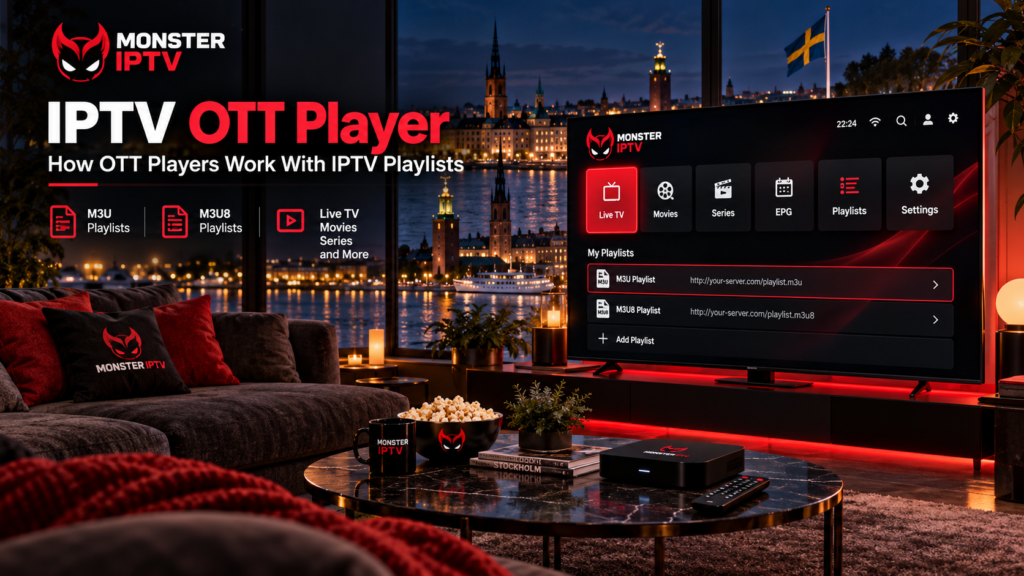
IPTV OTT Player is a media-player application that lets users load their own IPTV playlists and watch them on compatible televisions and streaming devices. The player does not provide television channels or an IPTV subscription. Instead, it organizes content supplied through an external playlist, URL, file, or compatible account login.
This distinction is especially important because search results also contain another product called OttPlayer. Although the names are similar, OttPlayer at ottplayer.tv and IPTV OTT Player at simpletv.live are separate player products with different account and playlist-management systems.
For viewers in Sweden, the main things to check are the exact app, supported television platform, playlist format, EPG availability, parental controls, and the content source being connected.
What Is IPTV OTT Player?
IPTV OTT Player is designed as a bring-your-own-content application.
Its current official site states that users can add playlists through a URL, login credentials, or an M3U8 file. It can then organize live television and other supported media inside a TV-friendly interface.
Current features include:
- Playlist management
- Channel and category organization
- Favourites
- EPG
- Subtitle options
- Parental PIN locks
- Multiple playlists
- Recently added content
- M3U8 and TS playback options
- Browser-based playlist management
The player and IPTV service are separate parts of the setup.
| IPTV OTT Player | IPTV content source |
|---|---|
| Provides the viewing interface | Provides the actual streams |
| Organizes playlists | Supplies playlist details |
| Can display EPG | Supplies programme data |
| Offers parental controls | Determines available channels |
| Runs on the device | Determines original stream quality |
Installing the app therefore does not automatically provide Swedish channels, Nordic television, sports, movies, or series.
What Does OTT Mean in IPTV OTT Player?
OTT stands for over-the-top, a broad term for delivering video or television through an internet connection rather than through traditional terrestrial, cable, or satellite distribution.
IPTV is also internet-based television, although the term can describe several different delivery systems.
In everyday app names, “OTT player” and “IPTV player” are often used loosely. The important practical question is not the label but what connection methods the application supports.
IPTV OTT Player is built around external playlists and account information, so users need a compatible source before the application can display anything.
Which Devices Support IPTV OTT Player?
The current IPTV OTT Player website lists availability for several television platforms, including:
- Samsung Tizen
- LG webOS
- Android TV
- Roku
- Amazon Fire TV
- Whale OS
Its homepage also provides separate installation links for these environments.
Samsung currently has an official store listing for IPTV OTT Player. Samsung’s page identifies the seller as OTT Player and lists playlist URLs, account login, file uploads, EPG, subtitle controls, playlist organization, and PIN-protected categories among the available functions.
Availability can still depend on your exact television model and region.
Before installation, Swedish users should confirm:
- The television operating system.
- Whether the app appears in the current device store.
- Which playlist method their IPTV source provides.
- Whether a separate player activation is required.
For setup options on other devices, see the Monster IPTV installation guides.
How Does IPTV OTT Player Playlist Setup Work?
The application currently supports several ways of adding content.
Add a Playlist by URL
The official setup information says users can enter:
- Device MAC address
- Playlist name
- Playlist URL
The player then associates that playlist with the device.
This is commonly used when an IPTV service supplies an M3U or M3U8 address.
Upload a Playlist File
Users can also upload an M3U8 playlist file rather than entering a hosted URL.
This can be useful when the playlist is stored locally instead of being supplied as a permanent web address.
Add an Account With Login Details
IPTV OTT Player also supports an account method using:
- MAC address
- Playlist name
- Host
- Username
- Password
This is similar to the account-based login used by many IPTV applications.
Use the method supplied by your authorized IPTV service rather than converting credentials unnecessarily.
What Is the MAC Address Used For?
IPTV OTT Player uses the device MAC address as part of its web-based playlist-management system.
The app’s website allows users to manage playlists from a browser using the device MAC and Device Key.
This approach avoids typing long playlist URLs with a television remote.
A typical workflow is:
- Open IPTV OTT Player.
- Find the MAC address and Device Key shown by the app.
- Open the official playlist-management page on a phone or computer.
- Enter the device information.
- Add the playlist or account.
- Save the changes.
- Refresh the application on the television.
The MAC address is not the same as your IPTV username or password.

Does IPTV OTT Player Support M3U8?
Yes.
The official site specifically supports playlist file uploads in M3U8 format and playlist URLs. It also offers M3U8 and TS stream-format options where supported by the playlist.
M3U and M3U8 playlists commonly contain information such as:
- Channel names
- Stream URLs
- Channel groups
- Logos
- Programme-guide references
An IPTV playlist URL may contain account credentials, so avoid sharing the complete link publicly.
How Does EPG Work?
EPG stands for Electronic Programme Guide.
IPTV OTT Player currently includes an EPG feature that can display programme schedules when suitable information is supplied by the playlist provider.
A working guide can show:
- What is currently playing
- Upcoming programmes
- Programme times
- Channel schedules
- Programme descriptions
The app cannot create accurate guide information when the content source does not provide it.
For users in Sweden, also check that the television uses the correct Swedish local time if programmes appear at the wrong hour.
Parental Controls and Playlist Organization
IPTV OTT Player provides several tools for managing large playlists.
Samsung’s current app information includes the ability to hide categories and protect categories with a PIN. The official website also describes category sorting, favourites, playlist organization, and parental controls.
These features can be useful for:
- Hiding unused international categories
- Keeping Swedish channels easier to find
- Creating favourite channel lists
- Restricting adult categories
- Simplifying navigation for children
Device-level parental controls can provide an additional layer where needed.
IPTV OTT Player vs OttPlayer
These names are easy to confuse.
IPTV OTT Player is the product at simpletv.live. It uses device details and supports URLs, account credentials, or playlist-file uploads.
OttPlayer at ottplayer.tv is a separate platform. Its current Google Play listing says users create an OttPlayer account, upload an M3U8 playlist to the OttPlayer website, and then associate devices with that playlist. It supports HLS, RTSP, UDP/TS, and RTMP streaming protocols.
OttPlayer is also currently available through Sweden’s Apple App Store for iPhone, iPad, and Apple TV.
Therefore, a tutorial for OttPlayer should not automatically be followed when setting up IPTV OTT Player.
Does IPTV OTT Player Include Channels?
No.
The IPTV OTT Player website explicitly states that it does not provide content or playlists. Samsung’s current app listing says the same thing.
The connected IPTV source determines whether you receive:
- Swedish channels
- Nordic television
- Sports
- Movies
- Series
- International channels
- EPG
- Replay or archive content
If you are comparing published channel options separately from the media player, see the Monster IPTV channel information.
Why Is IPTV OTT Player Not Loading My Playlist?
If the app opens but no channels appear, check the setup in stages.
First verify the playlist URL, host, username, and password.
Then check:
- Correct device MAC
- Correct Device Key
- Active IPTV account
- Internet connection
- Playlist file format
- Whether another channel loads
- Whether the app needs refreshing
- Whether the original playlist server is reachable
If all streaming applications on the television have problems, troubleshoot the home network.
If only one channel fails, the individual stream may be responsible.
For broader playback troubleshooting, see the Monster IPTV FAQ.
Does the Player Control HD or 4K Quality?
Only partly.
The media player must be able to decode the stream, but picture quality primarily depends on the source.
Important factors include:
- Original resolution
- Bitrate
- Video codec
- IPTV source
- Television hardware
- Wi-Fi or Ethernet
- Internet connection
A 4K television cannot convert a lower-resolution source into genuine 4K simply because the player supports modern video playback.
IPTV Players and Content Rights in Sweden
An IPTV player is simply software for viewing streams. Whether the content is authorized depends on its source and the rights held by the service providing it.
Sweden’s Patent and Registration Office, PRV, provides guidance about lawful streaming and copyright, including information intended to help viewers understand unauthorized streaming services.
Swedish users should therefore evaluate the IPTV playlist or provider separately from the player itself.
FAQ
Does IPTV OTT Player provide IPTV channels?
No. The developer states that users must bring their own content or playlist.
Does IPTV OTT Player support playlist URLs?
Yes. The app supports playlist URLs as well as file and account-based setup methods.
Does IPTV OTT Player support M3U8?
Yes. The official site specifically lists M3U8 playlist-file and stream-format support.
Can I use IPTV OTT Player on Samsung TV?
Samsung currently lists IPTV OTT Player in its Smart TV application catalogue. Exact availability should still be checked on your television and Swedish app-store region.
Does IPTV OTT Player have parental controls?
Yes. Current documentation includes category hiding and PIN locking.
Is IPTV OTT Player the same as OttPlayer?
No. IPTV OTT Player at simpletv.live and OttPlayer at ottplayer.tv use different websites and playlist-management systems.
Conclusion
IPTV OTT Player is a bring-your-own-content media player that can load IPTV playlists through URLs, files, or account credentials and provide features such as EPG, favourites, category management, subtitles, and parental controls. Swedish users should verify the exact app, device compatibility, playlist format, MAC or Device Key requirements, and content source before setup. They should also avoid confusing IPTV OTT Player with the separate OttPlayer service that appears in similar search results. For more information about IPTV players, channels, installation, and viewing options in Sweden, visit Monster IPTV.
