 Skip to main content
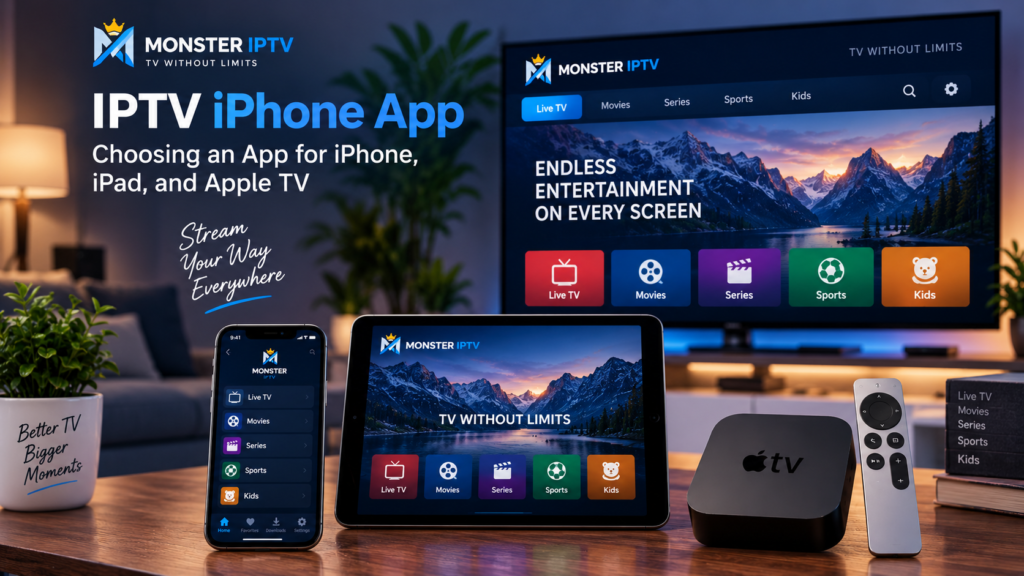
Choosing an IPTV iPhone app is not simply a matter of searching for “IPTV” in the App Store and installing the first result. Different players support different playlist formats, EPG systems, Apple devices, and viewing features.
For users in Sweden, it is also important to check the Swedish App Store rather than relying on recommendations written for another country. An app available for iPhone may not have an Apple TV version, while another player may work across iPhone, iPad, and tvOS.
The best choice is therefore the app that supports your IPTV connection method, your Apple device, and the features you actually need.
What Is an IPTV iPhone App?
An IPTV app on iPhone is normally a media player that displays internet television streams supplied by another source.
The player itself does not necessarily provide live TV, Swedish channels, sports, movies, or series.
For example, the current Swedish App Store listing for IPTV Smart Player states that the app displays content added by the user and does not provide playlists or content itself. It supports M3U and live IPTV streams.
A typical IPTV setup therefore has separate parts:
- the IPTV player
- an M3U or M3U8 playlist, or compatible login details
- the actual media streams
- EPG data, when available
- an internet connection
Understanding this distinction makes choosing and troubleshooting an app much easier.
What Should You Look for in an IPTV App for iPhone?
There is no universal best IPTV app for every iPhone user. Start by checking compatibility and functionality.
M3U and M3U8 Support
M3U and M3U8 are widely used playlist formats.
If your IPTV setup gives you an M3U URL, make sure the application supports that format before paying for additional features.
Some players also support Xtream-style account details, where you enter a server address, username, and password instead of manually importing a playlist.
EPG Support
EPG stands for Electronic Program Guide.
A good EPG makes live TV easier to browse because you can see programme names, schedules, and upcoming broadcasts alongside your channel list.
If EPG matters to you, check whether the app can:
- automatically load guide information
- accept an external EPG URL
- display a grid-style TV guide
- match guide information to channels correctly
Favourites and Search
Large IPTV playlists can become difficult to navigate on a phone.
Useful features include favourites, channel groups, recently watched content, search, and category management.
These features may seem minor during installation but can make a major difference during everyday use.
Picture-in-Picture
Picture-in-Picture can be useful if you want to continue watching while using another iPhone or iPad application.
Support varies between IPTV apps and may also depend on the stream format being played.
App Privacy
Before installing any IPTV player, review its App Store privacy information.
Apple displays information supplied by developers about data collection and tracking. Different IPTV players can have very different privacy practices, so the app’s privacy section is worth checking before adding playlists or account details.
Examples of IPTV Apps Available on Apple Devices in Sweden
Rather than declaring one application the “best”, it is more useful to compare verified device support.
IPTV Smart Player
IPTV Smart Player is currently available in the Swedish App Store for iPhone and iPad. Its listing supports M3U and live IPTV playback, but its current compatibility information does not list Apple TV.
This illustrates an important point: an IPTV iPhone app is not automatically an Apple TV app.
IPTVX
IPTVX is another option currently listed in Sweden. Its App Store information lists support for iPhone, iPad, and Apple TV, with tvOS support as well as M3U, M3U8, Xtream API, EPG, Picture-in-Picture, AirPlay, and multiple playlists.
This can make it relevant for someone who wants a similar IPTV environment across several Apple devices.
UHF
UHF is also currently listed in the Swedish App Store for iPhone, iPad, and Apple TV. Its listing supports M3U8 and Xtream sources and includes features such as EPG and favourites.
App features, purchases, and compatibility can change, so check the current Swedish App Store listing before choosing.
How to Set Up IPTV on an iPhone or iPad
The precise process depends on your chosen player, but most apps follow a similar pattern.
- Open the App Store on your iPhone or iPad.
- Search for a compatible IPTV player.
- Check its supported devices and playlist formats.
- Install and open the application.
- Select the option to add a playlist or account.
- Enter your M3U URL or other supported credentials.
- Add EPG information if your setup requires a separate guide source.
- Save the configuration and allow the channel list to load.
Apple’s current instructions confirm that iPhone and iPad apps are downloaded through the App Store using the Get or purchase button.
Keep IPTV credentials private. Playlist URLs can sometimes contain account information and should not be posted publicly.
Monster IPTV users who need help with different devices can also review the IPTV installation guides.
Can Apple TV Play IPTV?
Yes, Apple TV can play IPTV when you install a compatible tvOS IPTV player and provide an appropriate playlist or account.
Apple confirms that Apple TV 4K and Apple TV HD support downloadable applications through the App Store. Apple TV third generation does not provide the same ability to download new App Store applications.
For a modern Apple TV setup, the process is generally:
- Open the App Store on Apple TV.
- Search for an IPTV player with tvOS support.
- Install the app.
- Add your authorized playlist or account information.
- Configure EPG, favourites, and other settings.
Do not assume that an IPTV app you use on your iPhone is available on Apple TV. Check the App Store compatibility section for Apple TV or tvOS.
Best IPTV App for Apple TV: What Matters Most?
The best IPTV app for Apple TV depends on how you watch.
A strong Apple TV player should ideally offer:
- native tvOS support
- Siri Remote-friendly navigation
- M3U, M3U8, or your required login format
- EPG integration
- favourites
- clear channel categories
- reliable full-screen playback
- subtitles and audio track selection where required
Apps such as IPTVX and UHF currently list Apple TV compatibility in Sweden, but that does not mean either is automatically best for every user.
Your playlist format, Apple TV model, preferred interface, and required features should make the decision.
Can You Stream IPTV From iPhone to Apple TV With AirPlay?
AirPlay provides another option when the IPTV app itself supports compatible video output.
Apple’s Swedish support documentation confirms that video can be streamed from an iPhone or iPad to Apple TV using AirPlay. In normal use, the devices should be connected to the same Wi-Fi network.
The general method is:
- Connect the iPhone and Apple TV to the same network.
- Start playback in the IPTV app.
- Tap the AirPlay control if the app supports it.
- Select your Apple TV.
AirPlay support can vary by application and stream. A native Apple TV IPTV app may provide a better living-room interface because it does not require your phone to act as the playback source.
iPhone vs iPad vs Apple TV for IPTV
Each Apple device suits a different viewing style.
| Device | Main advantage | What to check |
|---|---|---|
| iPhone | Portable viewing | Mobile interface, data use, Picture-in-Picture |
| iPad | Larger portable screen | EPG layout, multitasking, playlist management |
| Apple TV | Big-screen viewing | Native tvOS support, remote navigation |
| iPhone + AirPlay | Flexible casting | AirPlay support and network connection |
For daily television viewing, Apple TV may be more convenient. For travel or occasional viewing, an iPhone or iPad app can be simpler.
You can also review the Monster IPTV FAQ for general setup and device questions.

Common IPTV App Problems on iPhone and Apple TV
Playlist Does Not Load
Check the M3U URL or login details carefully. Avoid extra spaces and make sure the complete URL was entered.
EPG Is Missing
The channel streams and programme guide can come from separate sources. Refresh the EPG and check whether the player needs a separate EPG address.
An App Is Missing on Apple TV
An iPhone app does not automatically include tvOS support. Search for the app directly in the Apple TV App Store and verify device compatibility.
Streaming Buffers
Buffering can result from Wi-Fi, the internet connection, network congestion, the original stream, or the player.
Try another stream and compare performance before reinstalling the application.
AirPlay Does Not Work
Confirm both devices are on the same network and that the particular application supports AirPlay video output. Apple notes that AirPlay availability can depend on the app being used.
FAQ
What is the best IPTV iPhone app?
There is no single best option. Choose an app based on playlist support, EPG features, privacy, interface, and compatibility with your current iOS version.
Can I use an IPTV app on both iPhone and Apple TV?
Some apps support both platforms, while others are limited to iPhone and iPad. IPTVX and UHF currently list iPhone, iPad, and Apple TV support in the Swedish App Store.
Does an IPTV iPhone app include channels?
Not necessarily. Many applications are players only and require the user to provide an authorized playlist or streaming source.
Can Apple TV play IPTV without an iPhone?
Yes. Compatible Apple TV models can install native tvOS IPTV players directly from the App Store.
Can I use M3U on an iPhone?
Yes, provided your chosen IPTV player supports M3U playlists. Several players currently available in Sweden list M3U or M3U8 support.
Conclusion
Choosing an IPTV iPhone app should start with device and format compatibility rather than a generic “best app” ranking. Check whether the player supports your M3U, M3U8, EPG, or account format, whether you need iPhone and iPad only or native Apple TV support, and whether features such as AirPlay and favourites matter to you. For users in Sweden who want additional IPTV setup information and device guidance, visit Monster IPTV.
