 Skip to main content

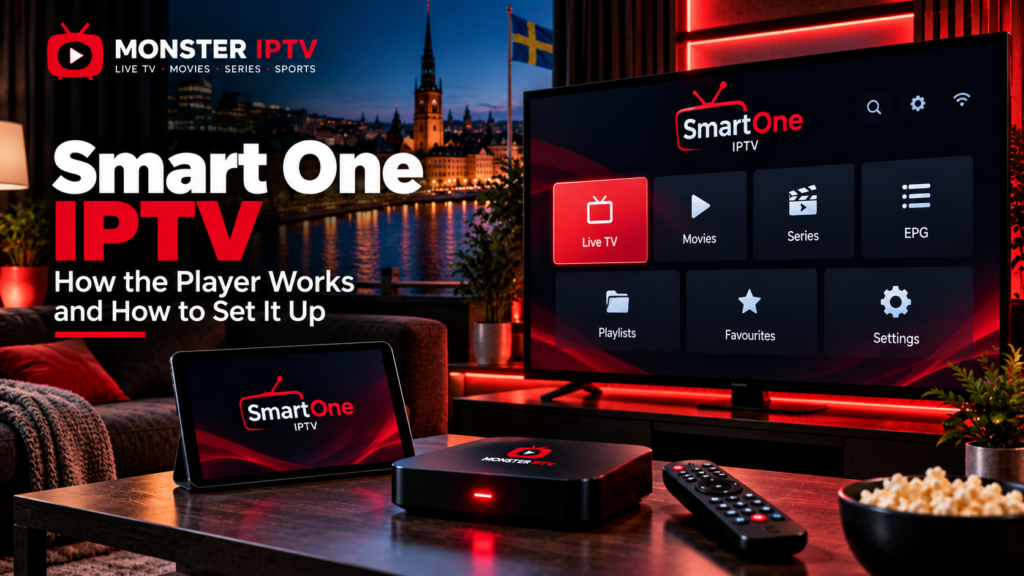
Smart One IPTV is a media player used to organize and watch television streams supplied through an external IPTV service or playlist. The application itself does not provide television channels or an IPTV subscription. According to SmartOne’s official documentation, users must supply their own content source, such as an M3U playlist or compatible account credentials.
The player is available across several television and streaming platforms, but installation and supported features can vary by device. For viewers in Sweden, the most important checks are device compatibility, app-store availability, login format, EPG support, and whether the television service you connect to the player has appropriate content rights.
What Is Smart One IPTV?
SmartOne IPTV is an IPTV player rather than a television provider.
Its purpose is to receive information from an IPTV source and present it in a television-friendly interface. Depending on the platform and account configuration, the player can organize:
- Live TV
- Movies
- Series
- Channel categories
- Favourites
- EPG information
- Catch-up where supported
- Multiple playlists
- Parental controls
The Android version currently supports M3U playlists and XC API login, along with EPG, catch-up when supplied by the provider, favourites, and parental controls.
This distinction is important. Installing the app alone does not automatically provide Swedish channels, Nordic channels, sports, movies, or series.
Which Devices Support Smart One IPTV?
SmartOne publishes support for a broad range of television platforms.
Its current compatibility information includes:
- Samsung Smart TVs
- LG webOS and older NetCast TVs
- Android TV
- Android boxes
- Android phones and tablets
- Google TV devices
- Amazon Fire TV
- Fire Stick
- VIDAA OS televisions
- Foxxum-powered televisions
- Vestel-based televisions
- iOS and tvOS
- Xiaomi devices
- Several other Smart TV platforms
The exact feature set can differ between platforms. SmartOne’s compatibility matrix specifically tracks differences in features such as parental lock, EPG information, subtitles, multi-audio support, aspect ratio, and buffer controls.
Do not assume that every function available on an Android TV version will behave identically on Samsung, LG, or another platform.
If you need broader device-specific help, the Monster IPTV installation guides cover several common IPTV setups.
How to Install Smart One IPTV
Installation depends on the device.
Samsung Smart TV
SmartOne provides a dedicated version for Samsung Tizen televisions and states that supported models can install the application through Samsung’s TV app environment.
A normal setup is:
- Open the Samsung Apps section.
- Search for SmartOne IPTV.
- Confirm that the app is intended for your television.
- Install it.
- Open the application.
App availability can still depend on model and region, so check directly on the television before paying for any app-related activation.
LG Smart TV
For supported LG webOS televisions, SmartOne’s documentation directs users to install the application through the LG Content Store. Its current support information lists webOS generations from older models through recent versions.
The general process is:
- Press Home on the LG remote.
- Open the television’s app store.
- Search for SmartOne IPTV.
- Install and open the player.
Older LG televisions using NetCast have a separate SmartOne installation method.
Android TV and Google TV
SmartOne’s official instructions state that the Android TV version can be installed from Google Play.
The Google Play listing confirms support for M3U playlists and XC API accounts.
Smart One IPTV Setup: What Details Do You Need?
After installation, you need to connect the player to your IPTV source.
SmartOne’s own playlist management system currently supports several formats, including M3U playlists, server-based account details, and portal configurations.
Two methods are especially common.
M3U Playlist
An M3U URL contains information the application uses to retrieve available streams.
You will normally need:
- Playlist name
- M3U URL
- Optional EPG URL, depending on the setup
Keep your M3U URL private because it may contain account-specific information.
XC or Xtream-Style Login
The Android app describes this option as XC API. It typically requires:
- Account name
- Server address
- Username
- Password
SmartOne’s support documentation confirms compatibility with Xtream-style panels and similar systems that use the same type of API.
Neither login format automatically determines picture quality or channel availability.

How Does the SmartOne Device Management System Work?
SmartOne also provides an online device-management system.
According to its official site, registered users can manage multiple televisions, control which playlists or accounts are associated with devices, and make certain app-level changes from one account.
For some Smart TV setups, users may need to associate the television’s device identifier or MAC information with the playlist through the SmartOne website.
SmartOne’s support instructions state that after device activation, the playlist or account information must be added through its web-based system and the application then reloaded.
Follow the instructions displayed by your exact version of the app rather than entering device details on an unrelated third-party website.
Does Smart One IPTV Provide Channels?
No.
SmartOne repeatedly states in its official documentation that it is a video player and does not sell or supply IPTV subscriptions, television channels, playlists, or streaming content.
This means there are two separate components:
| Smart One IPTV | IPTV content source |
|---|---|
| Media player | Supplies authorized streams |
| Organizes channels | Determines channel availability |
| Displays EPG | Supplies EPG data where available |
| Supports playlists | Supplies M3U or account credentials |
| Provides playback controls | Determines stream quality |
Paying for or activating an IPTV player should not be confused with purchasing television content.
When comparing available television content, you can separately review the Monster IPTV channel information.
Does Smart One IPTV Support EPG?
Yes, SmartOne lists EPG support among its player features, although the actual programme information depends on the data supplied by your IPTV source.
EPG stands for Electronic Programme Guide.
It can display:
- Current programmes
- Programme start times
- Upcoming television
- Channel schedules
If channels play correctly but the EPG is empty, the problem may involve the EPG source rather than the video stream.
For viewers in Sweden, also check that the television or streaming device is using the correct local time and time zone.
Does Smart One IPTV Support Catch-Up?
The current Android listing includes TV archive and catch-up functionality, but explicitly states that catch-up requires provider support.
This means installing SmartOne does not create an archive by itself.
Catch-up requires the connected television service to retain earlier programmes and make them available to the player.
The same principle applies to:
- Replay
- Movies
- Series
- EPG
- Additional audio tracks
- Subtitles
The player can only display features supported by both the app and the connected source.
Parental Controls and Hidden Categories
SmartOne lists parental lock and category-hiding features among its supported functions.
These can be useful in households where children use the television.
Depending on the device version, you may be able to:
- Hide categories
- Restrict content
- Use parental controls
- Create favourites
- Reduce clutter in the channel list
Because SmartOne’s compatibility matrix shows that features can differ by television model, verify parental-control support on your exact device before relying on it.
Can Smart One IPTV Play 4K?
The Android listing states that the player supports video resolutions up to 4K UHD.
However, player compatibility alone does not guarantee 4K playback.
Actual quality depends on:
- Original stream resolution
- Video codec
- Bitrate
- IPTV source
- Device hardware
- Television
- Internet connection
- Home network
A 4K television and 4K-compatible player cannot convert a lower-resolution source into genuine 4K.
Why Is Smart One IPTV Buffering?
Buffering can have several causes.
Check:
- Whether all channels are affected.
- Whether other streaming apps work normally.
- Wi-Fi signal strength.
- Router performance.
- Whether the IPTV player is updated.
- Whether the original stream is having problems.
- Whether Ethernet performs better than Wi-Fi.
The SmartOne Google Play listing itself notes that streaming performance depends partly on the internet connection and the stability of the connected IPTV provider.
If one channel has problems but others play normally, the issue is less likely to be the entire application.
For additional troubleshooting, see the Monster IPTV FAQ.
Smart One IPTV in Sweden: What Should You Check?
Before setting up Smart One IPTV in Sweden, verify:
- Your exact television or streaming device
- App availability on that platform
- M3U or XC compatibility
- EPG support
- Catch-up requirements
- Parental controls if needed
- Swedish and Nordic channel requirements
- Home network quality
- Content distribution rights
Also verify that you are installing the intended SmartOne application. App stores can contain similarly named IPTV players, so check the developer, official documentation, and platform before purchasing or activating software.
The player and IPTV service should always be evaluated separately.
FAQ
Is Smart One IPTV an IPTV provider?
No. SmartOne states that it is a media player and does not provide channels, playlists, or IPTV subscriptions.
Does Smart One IPTV support M3U?
Yes. SmartOne’s official system and current Android listing support M3U playlists.
Does SmartOne support Xtream login?
The player supports XC API or Xtream-style account information on supported versions.
Can I use Smart One IPTV on Samsung TV?
SmartOne provides installation guidance for supported Samsung Tizen televisions through Samsung’s app environment.
Does Smart One IPTV work on LG TV?
Yes, SmartOne documents support for compatible LG webOS and older NetCast televisions.
Does the app include an EPG?
The player supports EPG functionality, but usable programme information depends on the EPG data supplied by the connected service.
Can SmartOne manage more than one TV?
SmartOne’s online platform includes multi-device management for registered devices and their associated playlists or accounts.
Conclusion
Smart One IPTV is primarily a media player that connects compatible Smart TVs and streaming devices to an external IPTV source through formats such as M3U or XC API. Before setting it up, confirm that the app supports your exact device, identify the connection method supplied by your service, configure the EPG and parental controls where needed, and remember that the player itself does not include television channels. For more information about IPTV setup, channels, and viewing options for users in Sweden, visit Monster IPTV.
