 Skip to main content

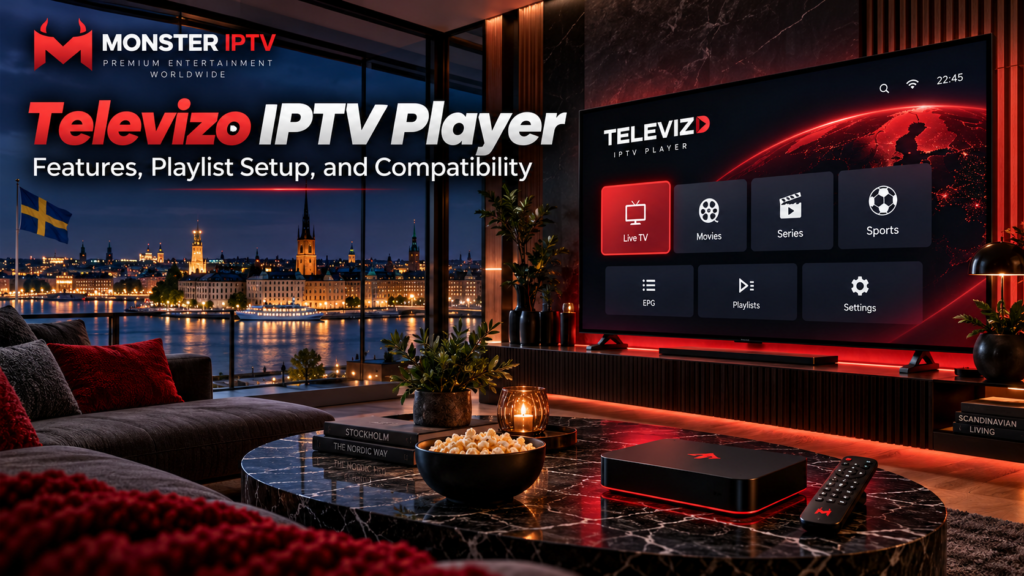
Televizo IPTV Player is an Android-based media player designed for people who already have an IPTV playlist or compatible television service. It does not provide channels itself. Instead, users add their own playlist, and Televizo organizes the available live TV and related information in a television-friendly interface. The developer describes it as a player for Android phones, tablets, and TVs.
For Swedish viewers, Televizo can be useful when an IPTV provider supplies a compatible playlist, but the app and the IPTV subscription should be treated as two separate products.
What Is Televizo IPTV Player?
Televizo is playback software rather than a television provider.
Its current Google Play listing includes support for:
- Multiple playlists
- Electronic Programme Guide (EPG)
- Catch-up
- Chromecast
- Channel sorting and search
- Parental controls
- Favourites
- Multiple video and audio tracks
- Subtitle selection
The listing also states clearly that Televizo does not provide content and requires users to add their own playlist.
This distinction is important:
| Televizo player | IPTV service |
|---|---|
| Provides the viewing interface | Supplies the streams |
| Loads playlists | Supplies playlist credentials |
| Displays EPG when available | Supplies guide data |
| Provides search and favourites | Determines available channels |
| Handles playback | Determines original stream quality |
Installing Televizo alone will therefore not provide Swedish channels, Nordic TV, sports, movies, or series.
Which Devices Are Compatible With Televizo?
The official Televizo website describes the app as an IPTV video player for Android phones, tablets, and TVs. It also provides an APK download and refers to using the Downloader application from Google Play or Amazon Appstore for TV installation.
The Swedish Google Play listing currently shows Televizo as available for phone, television, desktop-compatible environments, and tablet categories within Google Play.
In practical terms, Televizo is primarily relevant to:
- Android phones
- Android tablets
- Android TV
- Google TV devices
- Compatible Android TV boxes
- Some Fire TV setups using the developer’s APK method
Do not assume that a television described simply as a “Smart TV” can run Televizo natively.
Samsung TVs commonly use Tizen, while LG TVs use webOS. Those operating systems are different from Android TV.
If Televizo is unavailable on your television, a compatible external streaming box may be required. You can also review the Monster IPTV installation guides for other device and player options.
How Does Televizo Playlist Setup Work?
Televizo requires playlist information from the television or IPTV service you are authorized to use.
The exact menu names can change between versions, but the general process is:
- Install Televizo from the official source.
- Open the application.
- Choose the option to add a playlist.
- Select the appropriate playlist or account format.
- Enter the information supplied by your provider.
- Save the playlist.
- Allow channels and programme information to load.
- Test several channels.
- Configure favourites and parental controls if needed.
Older Televizo release information from the same application package confirms support for both M3U and Xtream Codes playlists, while current Televizo-focused documentation continues to describe both connection methods.
M3U Playlist Setup
An M3U playlist usually arrives as one long URL.
It can contain information about:
- Channel names
- Stream addresses
- Groups
- Channel logos
- Related metadata
With an M3U setup, you generally add the URL as a new playlist and allow Televizo to download and organize its contents.
M3U URLs can include private account credentials directly in the address. Do not publish your complete URL on social media, public forums, or screenshots.
Xtream Codes Setup
Xtream-style login separates the information into individual fields.
A typical account requires:
- Server URL
- Username
- Password
Televizo added support for Xtream Codes playlists in earlier official releases, and subsequent versions expanded support for categories and series within those playlists.
This method can be easier on a television because users do not have to type one very long M3U URL.
Use whichever login format your IPTV provider supplies. There is usually no benefit in converting credentials unnecessarily.
How Does EPG Work in Televizo?
Televizo supports an Electronic Programme Guide, or EPG.
EPG information can show:
- Current programme
- Next programme
- Programme start time
- Programme end time
- Channel schedule
However, Televizo cannot create programme schedules if the connected playlist does not contain or reference suitable EPG data.
If television channels work but the guide is empty, check the playlist and EPG source before reinstalling the app.
Swedish viewers should also make sure the device uses the correct local time zone if EPG listings appear an hour or two out of position.
Does Televizo Support Catch-Up?
Yes. Catch-up support is listed among the current Google Play features.
Catch-up allows viewers to return to programmes that have already aired, but the IPTV provider must maintain an archive.
The complete chain is usually:
IPTV source + catch-up-enabled channel + EPG data + compatible player
If Televizo displays catch-up for one channel but not another, this does not necessarily indicate an app problem.
The second channel may simply have no archive available.
Chromecast Support
The current Televizo listing also includes Chromecast support.
This can be useful when watching from an Android phone or tablet and sending compatible playback to a larger screen.
Casting still depends on:
- The stream format
- Chromecast compatibility
- Local network connection
- Device software
- IPTV source
Both devices should normally be connected to the same home network for straightforward casting.

Favourites, Search, and Playlist Organization
Large IPTV playlists can contain many groups, which makes navigation important.
Televizo currently offers sorting, searching, favourites, and support for multiple playlists.
These tools can help Swedish users organize:
- Swedish television
- Nordic channels
- Sports
- News
- Children’s content
- International categories
The channel lineup itself still comes from the connected service.
If you are comparing published content separately from the player, see the Monster IPTV channel information.
Parental Controls
Televizo includes parental controls through its playlist editor.
This can help households restrict selected categories or content.
For a stronger family setup, combine player-level restrictions with the parental controls available on Android TV, Google TV, or the streaming device itself.
Useful steps include:
- Protecting restricted groups
- Using a PIN
- Hiding unwanted categories
- Restricting app installation
- Separating children’s viewing from adult content
The exact controls available can depend on the Televizo version.
Audio Tracks and Subtitles
The current app supports selection of video tracks, audio tracks, and subtitles.
This can be useful in Sweden when a stream includes:
- Swedish subtitles
- Original-language audio
- Swedish audio
- Multiple commentary tracks
The player can only display tracks that are actually included in the stream.
Installing Televizo cannot add Swedish subtitles to content that does not contain them.
Does Televizo Support HD and 4K?
A media player can decode compatible video, but it does not determine the original resolution of a stream.
Picture quality depends on factors such as:
- Source resolution
- Bitrate
- Video codec
- IPTV provider
- Device hardware
- Television
- Wi-Fi or Ethernet connection
A 4K television cannot turn a Full HD source into genuine 4K simply because it is using a different IPTV app.
The same applies to buffering. Changing players can sometimes resolve compatibility problems, but it cannot repair a stream that is unstable at the source.
Why Is Televizo Buffering or Not Loading?
If Televizo is not working correctly, troubleshoot the setup step by step.
First check whether the problem affects one channel or the entire playlist.
Then verify:
- Internet connection
- M3U URL or login credentials
- IPTV subscription status
- EPG separately from video playback
- Wi-Fi signal
- Available device storage
- Current Televizo version
- Whether other streaming apps work
If one channel fails while other channels work normally, the stream itself may be responsible.
If every streaming application buffers, investigate the home internet connection first.
For more general troubleshooting, see the Monster IPTV FAQ.
Is Televizo Free?
The current Swedish Google Play listing describes Televizo as containing advertisements and offering in-app purchases.
This means users should distinguish between:
- Installing the player
- Optional app purchases
- Paying for an IPTV subscription
These are separate transactions.
Check the current price shown in Google Play in Sweden before purchasing any premium feature because app pricing can change.
Privacy and App Permissions
It is also worth reviewing Google Play’s current Data Safety section before installation.
The Swedish listing states that the app may collect several types of data and may share certain categories with third parties. It also states that data is encrypted in transit and that users can request deletion of data.
These disclosures can change when the application is updated, so the current store page should be checked rather than relying on an old review.
Televizo and IPTV Content in Sweden
Televizo itself is simply a media player. Whether the connected television content is authorized is a separate issue.
Sweden’s Patent and Registration Office, PRV, explains that copyright questions can arise when copyrighted films or television are streamed from unlawful services. PRV also notes that EU case law has addressed streaming through a media player, while the legal assessment has not been clarified for every possible form of unlawful streaming in Sweden.
For Swedish users, the practical approach is to use Televizo with television and streaming sources that they are authorized to access.
FAQ
Does Televizo IPTV Player include channels?
No. The developer explicitly states that Televizo is only a video player and does not provide content.
Does Televizo support multiple playlists?
Yes. Multiple-playlist support is included in the current Google Play feature list.
Does Televizo support M3U?
Televizo has supported M3U playlists alongside other IPTV playlist formats. The playlist must come from your own compatible service.
Does Televizo support Xtream Codes?
Yes. Xtream Codes playlist support was added to Televizo in earlier official releases and has been expanded in later versions.
Does Televizo support EPG?
Yes. EPG support is included in the current app. The connected service must supply compatible programme information.
Can Televizo use Chromecast?
Yes. Chromecast is listed among the current Google Play features.
Can I install Televizo on iPhone or Apple TV?
The official developer site describes Televizo as an Android player for phones, tablets, and TVs. Users should not assume that a native iPhone or Apple TV version is available.
Conclusion
Televizo IPTV Player is an Android-focused media player for users who already have a compatible IPTV playlist or account. Its current features include multiple playlists, EPG, catch-up, Chromecast, favourites, search, parental controls, subtitle selection, and multiple audio or video tracks. Swedish users should verify their device compatibility, playlist format, EPG source, app permissions, and IPTV content source before setup. For more information about IPTV players, channels, installation, and viewing options in Sweden, visit Monster IPTV.
