 Skip to main content

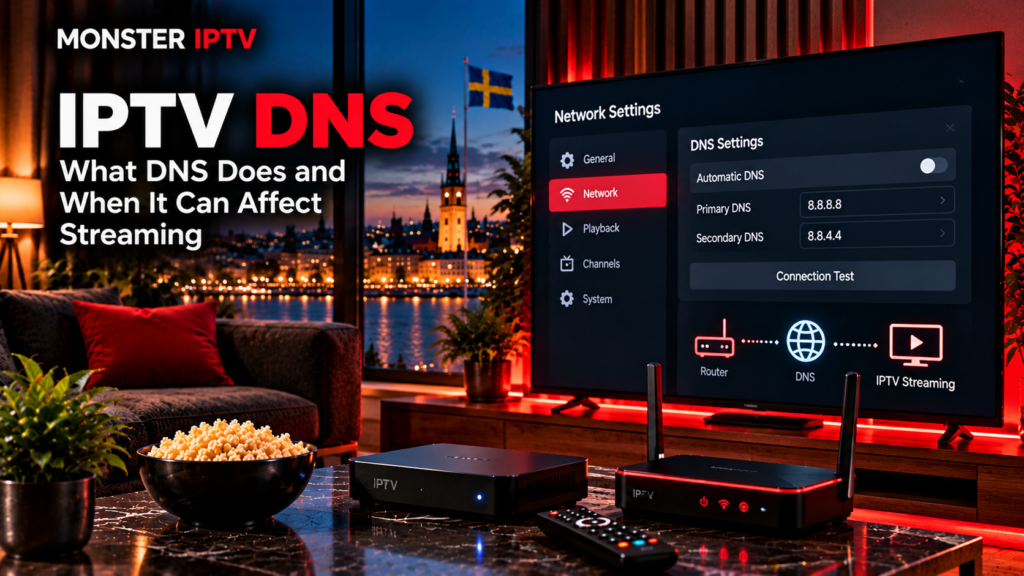
IPTV DNS settings determine how an IPTV device translates a server name, such as a portal or streaming hostname, into the numerical IP address needed to establish a connection. DNS can affect how quickly a service is found, whether a hostname resolves correctly, and in some situations which CDN endpoint is selected.
What DNS normally does not do is increase your broadband speed or magically repair a weak IPTV stream. Once a device has resolved the server address and established the connection, continuous playback depends much more on the IPTV source, network route, Wi-Fi or Ethernet connection, bitrate, device performance, and server capacity.
Understanding this difference makes DNS a useful troubleshooting tool without treating it as a universal fix.
What Does DNS Mean?
DNS stands for Domain Name System.
People usually connect to websites and online services using names rather than numerical IP addresses. DNS performs the translation between the two.
For example, an IPTV app may receive a portal address or playlist containing a hostname. Before it can contact that server, the device asks a DNS resolver for the corresponding IP address.
Google describes public DNS as a recursive resolution service that translates domain names and caches the results to make future lookups faster.
A simplified IPTV connection looks like this:
IPTV app → DNS lookup → server IP address → IPTV server → stream
DNS is therefore involved near the beginning of many connections, but it is not responsible for carrying the entire video stream.
How DNS Is Used by IPTV
An IPTV service can depend on DNS at several points.
Your player may need to resolve domains used for:
- IPTV portal login
- M3U playlist retrieval
- Xtream-style server connections
- Authentication
- EPG downloads
- Channel logos
- Video servers
- Content delivery networks
If the DNS resolver cannot correctly translate one of those domains, the app may display an error even though the internet connection itself is working.
Typical symptoms can include:
- Portal not loading
- Playlist failing to update
- Login server unavailable
- EPG not downloading
- Channels failing before playback starts
These are different from a stream that starts normally and then repeatedly buffers.
Can Changing DNS Improve IPTV Streaming?
Sometimes, but the effect is often misunderstood.
A different DNS resolver can help when the existing resolver is:
- Responding slowly
- Temporarily unavailable
- Returning outdated information
- Failing to resolve a particular domain correctly
- Directing a CDN request differently
Google notes that streaming services often use DNS-based content delivery networks. The resolver used can sometimes influence which CDN endpoint is returned, so DNS can indirectly affect performance in certain situations.
However, changing DNS does not increase the bandwidth of your internet connection.
If you have a 100 Mbps connection, switching DNS does not turn it into a faster broadband package.
DNS mostly affects the process of finding servers. It does not normally control the continuous flow of video after the connection has been established.
When DNS Is Probably Not the Cause of Buffering
If a channel loads successfully and then freezes every few seconds, DNS should not be your first assumption.
More likely causes include:
- Weak Wi-Fi
- Network congestion
- IPTV server congestion
- Insufficient available bandwidth
- High stream bitrate
- Device performance
- Video codec problems
- Problems affecting one individual channel
- Account connection limits
A useful test is to compare several channels.
If only one channel buffers, the problem is unlikely to be your DNS settings.
If all streaming services struggle, including services unrelated to IPTV, investigate your internet connection and home network first.
For general troubleshooting steps, see the Monster IPTV FAQ.
ISP DNS vs Public DNS
Most home internet connections use DNS automatically supplied by the internet provider.
Cloudflare explains that devices normally use an ISP-provided resolver unless the user manually chooses another DNS service.
Two widely used public options are:
| DNS provider | Primary IPv4 | Secondary IPv4 |
|---|---|---|
| Cloudflare | 1.1.1.1 | 1.0.0.1 |
| Google Public DNS | 8.8.8.8 | 8.8.4.4 |
Cloudflare publishes 1.1.1.1 and 1.0.0.1 as its standard public resolver addresses. Google publishes 8.8.8.8 and 8.8.4.4 for Google Public DNS.
Neither resolver is automatically the fastest for every Swedish household.
Performance can vary according to ISP, routing, location, caching, and the online service being accessed.
Should You Change DNS for IPTV?
Changing DNS is reasonable as a troubleshooting test when:
- A hostname fails to resolve
- An IPTV portal suddenly cannot be found
- EPG or playlist updates fail
- Your ISP’s DNS resolver appears unavailable
- You want to compare resolver response times
It is less useful when:
- The stream starts but constantly buffers
- Wi-Fi signal is poor
- The IPTV server itself is overloaded
- Only one channel is broken
- Your device cannot decode the video format
The best approach is to change one thing at a time. If the problem remains exactly the same after changing DNS, return to the original setting and investigate another part of the connection.
Changing DNS on an IPTV Device
The exact menus depend on the operating system and device manufacturer.
A general process is:
- Open the device’s network settings.
- Select the active Wi-Fi or Ethernet connection.
- Find DNS or IP configuration.
- Change DNS from automatic to manual if supported.
- Enter the preferred primary and secondary resolver.
- Save the settings.
- Restart the device.
- Test the same channels again.
Google recommends recording your original DNS settings before making changes so you can restore them if necessary.
For device-specific IPTV setup information, see the Monster IPTV installation guides.
Router DNS vs Device DNS
DNS can often be changed in two places.
Change DNS on One Device
Changing DNS directly on a Smart TV, Android TV box, computer, or other IPTV device affects only that device.
This is useful when testing whether DNS is involved in an IPTV problem.
Change DNS on the Router
Changing the router’s DNS settings can affect many devices on the home network.
This can be convenient, but it also makes troubleshooting less precise because every compatible device may start using the new resolver.
Some operating systems, browsers, and apps can also use encrypted DNS or their own resolver settings, so the router’s DNS choice does not always control every DNS request.
Does DNS Affect IPTV Startup Time?
It can.
A DNS lookup must often finish before an application can contact its server. If the resolver is slow or unreachable, the connection can take longer to begin.
Cloudflare and Google both document DNS latency as a factor that can delay connections to internet services.
Once the hostname has been resolved and cached, however, subsequent requests may not need a fresh DNS lookup immediately.
This is why switching to another resolver may make an app feel faster in some cases without changing the actual bitrate of a live channel.

DNS and CDN Selection
Content delivery networks, or CDNs, distribute streaming content through servers in different locations.
DNS can sometimes participate in choosing which CDN server is returned to a user.
Google explains that multimedia services may use DNS-based CDNs and that resolver location can influence the server selected.
For Swedish viewers, a well-connected resolver will normally try to provide sensible results for European services.
However, using a public DNS resolver does not guarantee that you will receive a faster or geographically closer streaming server.
Routing decisions involve more than DNS alone.
Does Changing DNS Hide IPTV Traffic?
No.
Changing DNS is not the same as using a VPN.
A DNS resolver helps translate domain names into IP addresses. It does not normally hide the destination of your internet connection from your ISP or encrypt the complete IPTV video stream.
Protocols such as DNS over HTTPS and DNS over TLS can encrypt DNS queries between your device and the DNS resolver, but that protection applies to DNS traffic rather than the entire streaming session. Cloudflare and Google both provide documentation for encrypted DNS transports.
Users should therefore not treat a DNS change as an anonymity tool.
DNS Blocking and IPTV in Sweden
DNS has also appeared in Swedish discussions about blocking access to unauthorized IPTV services.
Sweden’s 2025 public inquiry into illegal IPTV described DNS as one possible level at which internet traffic or domain access can be blocked. The same report also explained that users can choose alternative DNS resolvers rather than the one automatically supplied by an ISP.
That technical possibility should not be confused with normal troubleshooting.
If access to a service is restricted for legal or rights-enforcement reasons, changing DNS should not be treated as a way to evade that restriction.
DNS settings also do not determine whether an IPTV service has permission to distribute its content.
DNS Problems vs IPTV Server Problems
A quick comparison can help narrow down the cause.
| Symptom | DNS may be involved? |
|---|---|
| Portal hostname cannot be found | Yes |
| Playlist URL using a domain will not resolve | Yes |
| EPG domain cannot be reached | Possibly |
| Stream begins normally but buffers constantly | Usually not |
| One channel is offline | Usually not |
| All internet services are slow | Wider network issue likely |
| IP address works but hostname does not | DNS is a strong possibility |
| Login server has changed domain | Possibly |
Do not change several router, player, DNS, and IPTV settings at the same time. Testing one variable at a time makes it much easier to identify the real problem.
FAQ
What is IPTV DNS?
IPTV DNS refers to the DNS resolver used by an IPTV device or app to translate portal, playlist, authentication, EPG, and streaming hostnames into IP addresses.
What DNS should I use for IPTV?
There is no single best DNS for every connection. Common public resolvers include Cloudflare 1.1.1.1 and Google 8.8.8.8, but your ISP’s DNS may already perform well.
Will changing DNS stop IPTV buffering?
Usually not if buffering occurs after the stream has already started. DNS can affect server lookup and sometimes CDN selection, but it does not increase your internet bandwidth.
Can DNS affect an IPTV portal?
Yes. If a portal uses a hostname and DNS cannot resolve it correctly, the portal may fail to load.
Does DNS affect M3U playlists?
It can if the M3U URL or the streams inside the playlist use domain names. DNS must resolve those names before the device can connect.
Should I change DNS on the router or IPTV device?
For troubleshooting, changing DNS on one IPTV device is usually easier because it limits the test to that device. Router-level changes can affect the whole network.
Is public DNS the same as a VPN?
No. Public DNS resolves domain names. A VPN changes how network traffic is routed and can encrypt traffic between your device and the VPN server.
Conclusion
IPTV DNS can affect how quickly an IPTV app finds its portal, playlist, EPG server, or streaming hostname, and a resolver problem can sometimes prevent a service from loading completely. However, DNS is only one small part of IPTV delivery and usually will not solve persistent buffering, weak Wi-Fi, insufficient bandwidth, device limitations, or problems at the stream source. Test DNS changes methodically rather than treating them as a guaranteed performance fix.
For more information about IPTV setup, players, network troubleshooting, and viewing options for users in Sweden, visit Monster IPTV.
