 Skip to main content

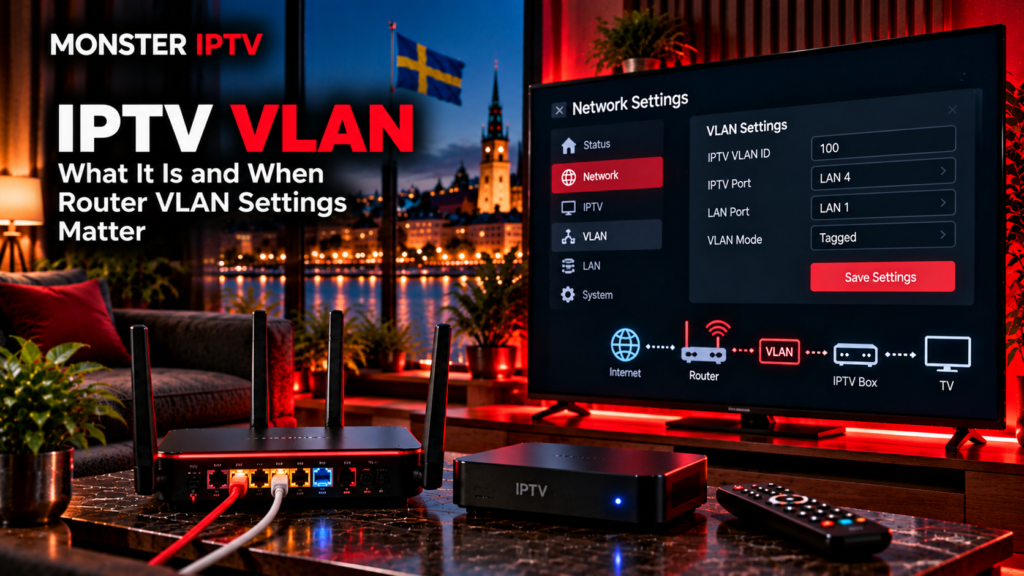
An IPTV VLAN is a logically separated network used to keep certain television traffic apart from ordinary internet traffic. It is most relevant when an internet service provider delivers its own managed TV service through a set-top box and requires the router to handle a particular VLAN.
For ordinary IPTV or OTT apps that stream over your normal internet connection, special VLAN settings are usually not something you configure yourself. If your IPTV app already works on a Smart TV, Android TV, Fire TV, Apple TV, or computer through normal Wi-Fi or Ethernet, changing VLAN settings without instructions from your ISP can create problems rather than solve them.
The key is to know whether you are dealing with provider-managed IPTV or an ordinary internet-based streaming service.
What Is a VLAN?
VLAN stands for Virtual Local Area Network.
A VLAN allows network traffic to be separated logically even when several services travel through the same physical router, Ethernet cable, or fibre connection.
An internet provider might separate:
- Normal internet traffic
- IPTV traffic
- VoIP telephone traffic
The router then needs to know which traffic belongs to which virtual network.
Modern routers commonly use IEEE 802.1Q tagging for this purpose. A VLAN tag includes an identifier that allows networking equipment to place traffic into the correct virtual network.
TP-Link’s current router documentation explains that some ISPs require separate VLAN IDs for internet, VoIP, and IPTV services, while others do not require VLAN configuration at all.
When Does IPTV Need a VLAN?
VLAN settings matter primarily when the internet provider requires them.
A typical setup might look like:
Fibre connection → router → IPTV VLAN → dedicated LAN port → provider TV box
The router receives several services over the same WAN connection and separates the IPTV traffic before sending it to the television box.
TP-Link’s current IPTV/VLAN setup guide allows a router to assign specific VLAN IDs and dedicate individual LAN ports to IPTV, internet, or VoIP according to ISP requirements.
This is very different from opening an IPTV app on a television and streaming through the ordinary internet connection.
IPTV VLAN in Sweden
Swedish operator-managed television provides a useful real-world example.
Telia currently states that its IPTV traffic, including both unicast and multicast traffic, is distributed through a separate virtual LAN in its access network to help maintain service quality.
That does not mean every person using IPTV in Sweden should manually create a Telia VLAN.
If you use equipment supplied and configured by the operator, the required network separation may already be handled automatically.
VLAN configuration becomes more relevant when you:
- Replace the ISP router with your own router
- Use a managed switch
- Connect an operator TV box through custom network equipment
- Need to reproduce the ISP’s network configuration
- Have been specifically given VLAN settings by your provider
If your Swedish ISP provides a router and TV box that already work together, changing those settings is normally unnecessary.
Provider IPTV vs OTT IPTV
This distinction prevents a lot of router configuration mistakes.
Provider-Managed IPTV
This is television delivered as part of an ISP’s managed network service.
It may involve:
- Dedicated VLAN
- Provider set-top box
- Multicast
- IGMP
- Dedicated LAN port
- ISP-specific router configuration
OTT IPTV or Streaming Apps
This type of service runs over the ordinary internet connection.
Examples include an IPTV player receiving streams through:
- M3U
- M3U8
- Xtream-style login
- HTTPS
- Normal unicast streams
In this situation, the television app generally behaves like any other internet application.
A special VLAN for IPTV is normally unnecessary unless your internet connection itself requires VLAN tagging.
For device and app configuration rather than router VLAN settings, see the Monster IPTV installation guides.
What Is an IPTV VLAN ID?
A VLAN ID is the number used to identify a particular virtual network.
If an ISP requires VLAN configuration, it should provide the necessary values.
A router may ask for fields such as:
- Internet VLAN ID
- IPTV VLAN ID
- VoIP VLAN ID
- VLAN priority
- 802.1Q tagging
- IPTV multicast VLAN ID
TP-Link specifically instructs users to enter the VLAN values required by their ISP when Custom IPTV/VLAN mode is used.
Do not copy a VLAN ID from an unrelated Swedish forum post, another ISP, or another country.
A VLAN ID that works for one provider may be completely wrong for another.
What Does 802.1Q Mean?
802.1Q is the standard commonly used to add VLAN information to Ethernet traffic.
When traffic is tagged, networking equipment can identify which virtual network it belongs to.
For example, the WAN connection could carry:
- Internet traffic on one VLAN
- IPTV on another VLAN
- Telephone service on another VLAN
The router can then send the IPTV traffic to the LAN port where the set-top box is connected.
TP-Link’s Custom IPTV mode specifically includes 802.1Q configuration when required by the ISP.
The important point for home users is simple: do not enable or change 802.1Q values unless you know what your provider requires.
What Is Bridge Mode for IPTV?
Some routers offer an IPTV Bridge Mode.
In this configuration, a particular LAN port is assigned directly to the IPTV service rather than requiring the user to manually enter several VLAN values.
TP-Link explains that its Bridge mode can be used when the ISP does not require the user to enter VLAN information. A selected LAN port is then assigned to the IPTV set-top box.
This should not be confused with putting the entire router into modem bridge mode.
The terminology varies by router manufacturer, so check the manual for your exact model.

What Are IGMP Proxy and IGMP Snooping?
VLAN and multicast are related in many provider IPTV networks, but they are not the same thing.
IGMP, or Internet Group Management Protocol, is used in IP multicast environments so devices can join or leave multicast groups.
A router may include settings such as:
- IGMP Proxy
- IGMP Snooping
- IGMP version
- Multicast routing
ASUS’s current IPTV router documentation includes IGMP Snooping and multicast-related options as part of IPTV configuration.
IGMP Proxy
IGMP Proxy helps multicast traffic move between the WAN side and the home network where required.
IGMP Snooping
IGMP Snooping helps switches and routers avoid sending multicast traffic to devices that have not requested it.
These settings can matter for operator-managed multicast IPTV.
They usually have much less relevance to an ordinary streaming app receiving standard unicast video over the internet.
How to Configure IPTV VLAN on a Router
Only configure VLAN values after obtaining the correct information from your ISP.
A typical router workflow is:
- Log in to the router administration interface.
- Open the IPTV/VLAN or LAN IPTV section.
- Enable IPTV/VLAN if required.
- Select the ISP profile if one exists.
- Otherwise choose Custom mode.
- Enter the ISP-provided VLAN IDs.
- Set 802.1Q tagging according to the ISP instructions.
- Assign the correct LAN port to IPTV if required.
- Save the configuration.
- Connect the provider’s TV box to the assigned port.
TP-Link currently uses Advanced → Network → IPTV/VLAN on supported routers and provides Bridge and Custom modes depending on the ISP setup.
ASUS routers commonly place related options under LAN → IPTV, although menus vary between models and firmware versions.
Should You Change VLAN Settings to Fix Buffering?
Usually not.
If your IPTV app already connects and starts playing normally, VLAN configuration is unlikely to be the reason a channel occasionally buffers.
More common causes include:
- Weak Wi-Fi
- Congested home network
- Stream-server problems
- High video bitrate
- Device performance
- Internet routing
- Problems with one specific channel
A VLAN configuration error more often produces symptoms such as:
- Provider TV box receives no service
- Portal does not connect
- IPTV LAN port does not work
- Internet works but operator TV does not
- Router replacement breaks the provider’s TV service
Changing random VLAN values is not a useful general buffering fix.
For playback and network troubleshooting, see the Monster IPTV FAQ.
What If IPTV Stops Working After Replacing the Router?
This is one of the situations where VLAN settings genuinely deserve attention.
If the operator’s original router worked but a new third-party router does not, check whether the ISP requires:
- Internet VLAN
- IPTV VLAN
- 802.1Q tagging
- Dedicated IPTV LAN port
- IGMP Proxy
- IGMP Snooping
- Multicast routing
Router support also matters.
ASUS documents multi-service WAN functionality on supported models specifically for situations where several VLAN profiles, including IPTV, must pass through the WAN connection.
If the router cannot reproduce the configuration required by the ISP, keeping the operator’s router or using compatible networking equipment may be easier.
Do Smart TV IPTV Apps Need a VLAN?
Usually no.
If you install an IPTV app on:
- Samsung Smart TV
- LG Smart TV
- Android TV
- Google TV
- Fire TV
- Apple TV
and the service works through your normal household internet connection, the app normally uses the same internet network as other streaming applications.
The VLAN configuration discussed by router manufacturers is mainly relevant to ISP-managed services, special WAN requirements, and dedicated set-top boxes.
Do not create a separate router VLAN simply because the word “IPTV” appears in the application name.
Can a Separate Home VLAN Be Useful Anyway?
Advanced users sometimes create their own LAN VLANs to isolate Smart TVs, streaming boxes, IoT devices, or guest devices.
That is a home-network security and segmentation decision.
It is different from the IPTV VLAN ID supplied by an ISP.
A user-created VLAN might separate a television from computers on the home network, but it does not automatically improve IPTV quality or satisfy an operator’s IPTV configuration requirements.
Keep these two concepts separate:
ISP IPTV VLAN: Required by the provider’s network architecture.
Home LAN VLAN: Created by the user for local network segmentation.
FAQ
What is IPTV VLAN?
IPTV VLAN is a virtual network used to separate certain IPTV traffic from other network services. It is commonly relevant to provider-managed IPTV and set-top boxes.
Do I need a VLAN for IPTV?
Only if your ISP or network design requires one. Ordinary IPTV apps streaming through a normal internet connection generally do not require a special IPTV VLAN.
Where do I get the IPTV VLAN ID?
Get it from your internet or television provider. Do not guess or copy a VLAN ID from an unrelated setup.
What is 802.1Q IPTV tagging?
802.1Q tagging adds VLAN identification information to Ethernet traffic so routers and switches can place IPTV packets into the correct virtual network.
Does IPTV VLAN improve streaming quality?
Not by itself. Correct VLAN configuration can be essential for an ISP-managed TV service to function, but creating an unnecessary VLAN does not increase internet speed or automatically reduce buffering.
Do M3U IPTV apps require a VLAN?
Normally no. M3U-based apps generally receive streams through the normal internet connection unless the ISP has a separate networking requirement.
Why did IPTV stop working after I changed routers?
The old ISP router may have been automatically handling VLAN tagging, multicast, or dedicated IPTV ports. The replacement router may need equivalent settings.
Conclusion
IPTV VLAN settings matter when a television service is delivered through a network that deliberately separates IPTV from ordinary internet traffic. This is particularly relevant to ISP-managed television, dedicated set-top boxes, multicast, and households replacing provider networking equipment with their own routers. In Sweden, Telia confirms that its managed IPTV traffic uses a separate virtual LAN, which illustrates why correct router handling can matter. For ordinary IPTV apps using standard internet streaming, special VLAN configuration is usually unnecessary. Always use the settings supplied by your ISP rather than guessing VLAN IDs or changing router options simply to troubleshoot buffering.
For more information about IPTV devices, network setup, players, and viewing options in Sweden, visit Monster IPTV.
