 Skip to main content

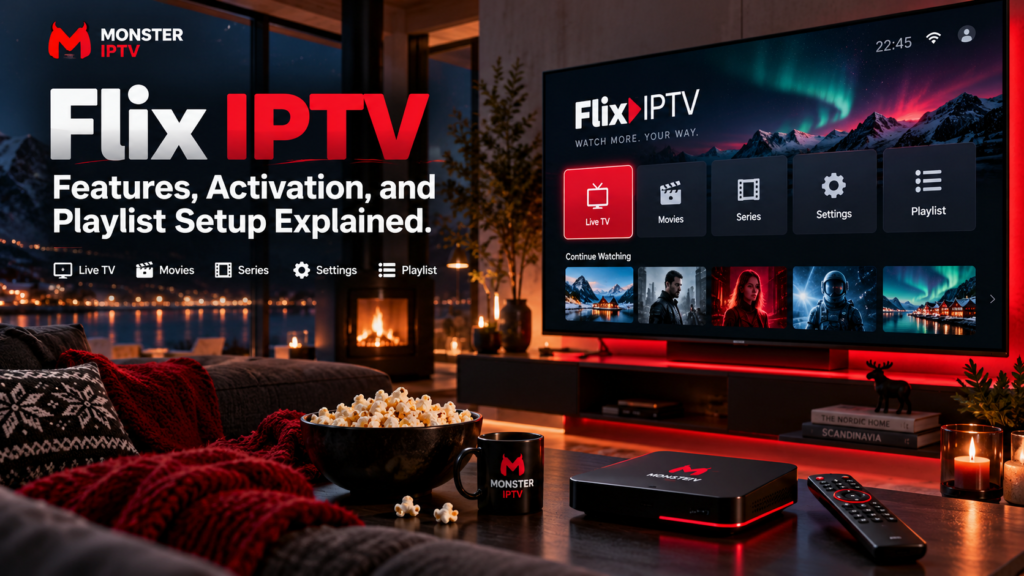
Flix IPTV is commonly searched as an IPTV player for Smart TVs, Android devices, Fire TV, computers, and other streaming platforms. The important point is that Flix IPTV players generally do not provide television channels themselves. You install the player, connect your own authorized IPTV source, and then use the app to organize live TV, movies, series, EPG information, and other supported features.
There are also several IPTV apps and websites using similar “Flix” names. Swedish users should therefore verify the developer, official website, supported login method, and activation process before entering IPTV credentials or making a payment.
What Is Flix IPTV?
One current product associated with the search term is Flix Pro Player at flixproplayer.com.
Its official terms describe it as an IPTV media player that displays content added by the user. The company states that the player does not provide playlists or television content and can work with user-supplied streams and Xtream Codes API sources.
In practical terms, the setup consists of two separate parts:
| Flix IPTV player | IPTV content source |
|---|---|
| Plays and organizes streams | Supplies the actual television streams |
| Provides the interface | Determines available channels |
| Can manage playlists | Supplies M3U or Xtream credentials |
| Can display EPG information | Supplies programme data where available |
| May require app activation | IPTV subscription is separate |
Paying to activate a player does not automatically include Swedish channels, Nordic television, sports, films, or series.
How Does Flix IPTV Activation Work?
The current Flix Pro Player website separates player activation from playlist management.
Its setup flow is:
- Install Flix Pro Player on a supported device.
- Open the application.
- Add your playlist or IPTV account.
- Activate the device where required.
The official website says activation is available through an in-app purchase. It also provides a web login that uses the device’s MAC Address and Device Key for playlist management.
This means there may be two separate payments in a complete IPTV setup:
- Payment for the media player or premium app features
- Payment to an IPTV provider for television content
Always check which product you are actually purchasing before paying.
How to Add a Playlist to Flix IPTV
The exact process can vary by Flix-branded application, but Flix Pro Player currently supports both M3U and Xtream-style playlists.
A common setup looks like this:
- Install and open the player.
- Find the device information or playlist menu.
- Note the MAC address and device key if the app uses web management.
- Open the official playlist-management page.
- Enter the required device details.
- Add the M3U or Xtream information supplied by your authorized provider.
- Save the playlist.
- Restart or refresh the player.
The Flix Pro Player site specifically provides a Manage Playlists section for this purpose.
If you are unfamiliar with IPTV players or login formats, the Monster IPTV installation guides explain common setup methods across popular devices.
M3U vs Xtream Codes on Flix IPTV
Two connection methods are especially common.
M3U Playlist
An M3U URL is a playlist address containing information about channels and streams.
Depending on the provider, it may include:
- Live TV
- Channel groups
- Movies
- Series
- EPG references
M3U links can contain usernames or passwords inside the URL, so do not share them publicly.
Xtream Codes API
An Xtream-style login normally requires:
- Server URL
- Username
- Password
Flix Pro Player’s current terms specifically say that it can load playlists through the Xtream Codes API.
Neither login method guarantees a particular picture quality. HD, Full HD, or 4K playback depends on the original stream, player, codec, device, and network.
Which Devices Can Use Flix IPTV?
Flix Pro Player currently promotes support across multiple platforms and provides downloads for Android, Fire TV, and Windows. Its official terms also describe Android and iOS applications.
Samsung’s current app information also lists Flix Pro Player for compatible Samsung Smart TVs and describes support for Xtream playlists, favourites, subtitles, audio tracks, and parental controls.
Depending on the exact version, users may encounter Flix-branded players on:
- Samsung Smart TV
- Android TV
- Google TV
- Fire TV
- Android phones and tablets
- iPhone or iPad
- Windows
- Other supported Smart TV platforms
Compatibility should always be verified on the exact device.
Do not assume that a Flix IPTV tutorial written for Android TV also applies to LG webOS, Samsung Tizen, Apple TV, or Fire TV.
Be Careful With Similar Flix IPTV Apps
This is particularly important for Swedish users.
The Swedish Apple App Store currently lists an application called Flix – IPTV Media Player. It is published by Juye Symons, not under the Flix Pro Player identity shown on flixproplayer.com.
The App Store listing says the application supports Xtream API accounts, live TV, EPG, movies, series, catch-up where supplied by the provider, and multiple accounts. It also clearly states that the app does not include streaming content.
Because these products have similar names, do not assume they are the same application.
Before installation, compare:
- App name
- Developer
- Official website
- App-store listing
- Login method
- Device requirements
- Privacy information
- Activation terms
This can help prevent you from entering account credentials into the wrong app.

What Features Does Flix Pro Player Include?
According to the current Flix Pro Player terms and official app listings, features can include:
- M3U playback
- Xtream Codes support
- Live TV
- Favourites
- Search
- External EPG sources
- Parental controls
- Picture-in-picture
- Chromecast support
- External media players
- Subtitle selection
- Audio-track selection
Some features are associated with the premium version rather than the basic player.
Features can also vary between devices.
For example, picture-in-picture on a phone may behave differently from playback on a Smart TV.
How Does EPG Work?
EPG stands for Electronic Programme Guide.
A compatible EPG can display:
- Current programmes
- Upcoming programmes
- Start times
- Programme descriptions
- Channel schedules
Flix Pro Player’s premium terms specifically list the ability to add external EPG sources.
However, the app cannot create accurate programme information if your IPTV source does not provide compatible EPG data.
If channels work but programme listings are missing, check the EPG configuration separately from the playlist.
For viewers in Sweden, also make sure the device uses the correct local time zone if schedules appear at the wrong time.
Does Flix IPTV Support Catch-Up?
Catch-up support depends on the exact Flix app and IPTV provider.
The separate Flix – IPTV Media Player on Apple’s Swedish App Store lists TV archive and catch-up functionality when the connected IPTV provider supports it.
Catch-up means watching programmes that were broadcast earlier.
The player cannot create replay content if your IPTV provider has not stored it.
So both elements must support the feature:
Compatible player + provider catch-up archive = replay may be available
If catch-up is important to you, confirm support before choosing the player or subscription.
Parental Controls and Family Viewing
Flix Pro Player’s current premium feature list includes parental control functionality. Samsung’s app information also mentions parental control support.
Depending on the app version, parental controls can help restrict selected content or protect access with a PIN.
For families, also consider device-level parental controls on the Smart TV, Fire TV, Android TV, or Apple device.
App controls and device controls can work together rather than relying on one setting.
Why Is Flix IPTV Buffering?
Buffering is not necessarily caused by the Flix IPTV player.
Possible causes include:
- Weak Wi-Fi
- Network congestion
- Unstable source stream
- High video bitrate
- IPTV provider problems
- Device limitations
- Unsupported codec
- Outdated player version
Start by testing another channel.
If one channel buffers and others work normally, the problem may be the individual source stream.
If YouTube, Netflix, IPTV, and other streaming services all perform poorly, investigate the home network.
You can also test Ethernet instead of Wi-Fi where your device supports it.
For additional troubleshooting, see the Monster IPTV FAQ.
Does Flix IPTV Include Swedish Channels?
The player itself does not determine the channel lineup.
Swedish channels, Nordic television, sports, films, and other content depend entirely on the playlist or IPTV provider connected to the app.
Flix Pro Player explicitly states that it does not provide content or playlists.
When comparing services, check the exact channels you need rather than choosing a player based on advertised channel totals.
You can separately review the Monster IPTV channel information when comparing published channel availability.
Is Flix IPTV Legal in Sweden?
An IPTV player is simply software for playing streams.
The legal question concerns the source of the television content and whether the required rights exist.
Flix Pro Player’s own terms state that users should only play content they are authorized to access and that the player itself does not supply copyrighted television material.
For Swedish users, this means the player and the IPTV provider should be evaluated separately.
Installing Flix IPTV does not by itself establish whether the connected channels are authorized.
FAQ
Does Flix IPTV provide channels?
Flix Pro Player states that it provides the player only and does not supply television content or playlists.
Does Flix IPTV support M3U?
Yes. Current Flix Pro Player information describes M3U playlist support.
Does Flix IPTV support Xtream Codes?
Yes. Flix Pro Player supports Xtream Codes API playlists according to its current terms.
Is Flix IPTV activation the same as an IPTV subscription?
No. Player activation unlocks the application or premium features. The television subscription or playlist comes from a separate provider.
Can I use Flix IPTV on Samsung TV?
Samsung currently lists Flix Pro Player among its Smart TV apps, although compatibility still depends on the television model and regional app availability.
Is the Flix app on Apple’s Swedish App Store the same as Flix Pro Player?
Not necessarily. The supplied Swedish App Store listing identifies Flix – IPTV Media Player as an app by Juye Symons, while flixproplayer.com identifies Flix Pro Player separately.
Why is my playlist not loading?
Check the server URL, M3U address, username, password, device connection, subscription status, and whether the source is reachable. One incorrect character can prevent an IPTV account from loading.
Conclusion
Flix IPTV can be a useful IPTV player setup when you already have an authorized playlist or IPTV account, but users should distinguish the player from the content provider and also distinguish between similarly named Flix applications. Before activation, verify the developer, device compatibility, playlist format, premium features, EPG requirements, and the rights associated with the content source. For more information about IPTV players, channels, installation, and viewing options for users in Sweden, visit Monster IPTV.
