 Skip to main content

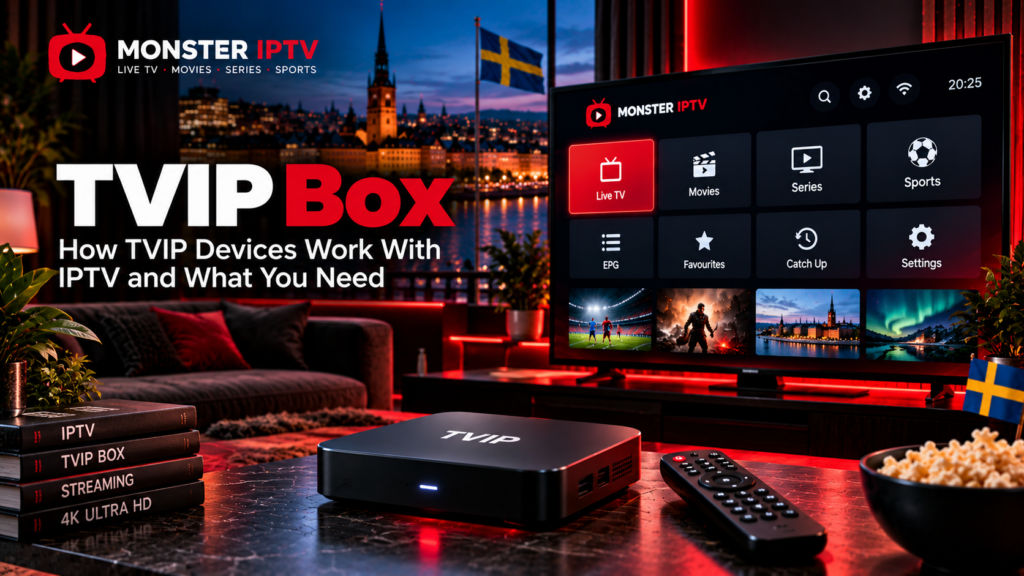
A TVIP box is a dedicated media player that connects to a television and can receive internet-based television through a compatible IPTV service. Instead of relying on a Smart TV app, the box provides its own interface, remote control, network connection, and support for formats such as IPTV portals and M3U playlists.
The hardware itself does not automatically include television channels or an IPTV subscription. Swedish retailer Satpro describes TVIP devices as technical playback units that require users to choose their own compatible apps or services.
For Swedish users, the main things to understand are the exact TVIP model, portal or playlist setup, network connection, EPG support, and the IPTV service connected to the device.
What Is a TVIP Box?
A TVIP box is a set-top media player designed primarily for internet-delivered television and multimedia playback.
A typical setup includes:
- TVIP S-Box
- Television with HDMI
- Internet connection
- Ethernet or Wi-Fi, depending on model
- Remote control
- IPTV portal or playlist details
- Compatible television service
Once configured, the box can provide a traditional television-style interface for live TV, EPG information, and other features supported by the connected service.
Unlike a conventional terrestrial or satellite receiver, a TVIP device obtains its content through an IP network.
Does a TVIP Box Include IPTV Channels?
No.
The box is hardware. It does not prove that any particular Swedish channels, sports packages, films, series, or Nordic channels are included.
Satpro specifically states that its TVIP boxes are sold as playback devices without television channels or included content.
This distinction is important when comparing products advertised as a TVIP box IPTV solution.
There are two separate components:
| TVIP box | IPTV service |
|---|---|
| Hardware player | Supplies the content |
| Connects to television | Determines channel lineup |
| Supports portals or playlists | Supplies login details |
| Can display EPG | Supplies programme data |
| Handles video playback | Determines available streams |
Buying a TVIP box therefore does not automatically create an IPTV subscription.
What Is the TVIP 605?
The TVIP S-Box v.605 is one of the best-known models in the TVIP range and remains commonly listed by Swedish IPTV hardware retailers.
Current specifications published for the v.605 include:
- Amlogic S905X chipset
- 1 GB RAM
- 8 GB flash storage
- HDMI
- Ethernet
- Two USB ports
- MicroSD
- Dual-band 2.4 GHz and 5 GHz Wi-Fi
- Bluetooth
- Video output up to 3840 × 2160 with HDR support
The model has been offered with Linux or Android-based firmware depending on configuration.
These specifications should not be assumed for every TVIP device.
Newer models such as the v.705, v.706, v.710, v.725, v.726, and v.730 have different hardware and software configurations.
TVIP 605 vs Newer TVIP Boxes
The v.605 is an older generation, so buyers comparing used or new TVIP equipment should look beyond the model name.
Current Swedish retail listings include newer devices such as:
- TVIP S-Box v.705
- TVIP S-Box v.706
- TVIP S-Box v.710
- TVIP S-Box v.725
- TVIP S-Box v.726
- TVIP S-Box v.730
Some newer models use Android 11, newer codecs, or different network hardware. For example, Satvision currently lists the v.710 with Android 11, 4K HDR output, Ethernet, 1 GB RAM and 8 GB flash storage, but without built-in Wi-Fi.
This shows why the exact model matters.
A newer model is not automatically better for every user, particularly if you specifically need Wi-Fi, Bluetooth, certain apps, or a particular portal system.
How Does IPTV Setup Work on a TVIP Box?
TVIP devices can support different connection systems.
The exact options depend on the model and firmware, but two common approaches are:
- Web portal or middleware connection
- M3U playlist
TVIP’s own documentation for its TMS environment shows that an S-Box can connect through the TV settings by selecting the content source and entering the service address and account information. It also documents device identification through the MAC address in supported deployments.
For general IPTV setup guidance across other boxes and devices, see the Monster IPTV installation guides.
How Does Portal Setup Work?
A portal setup allows the TVIP box to load a television interface supplied by the IPTV service.
On many TVIP configurations, the general process is:
- Connect the TVIP box to the television.
- Connect it to the internet.
- Open Settings.
- Open TV settings.
- Select a web portal as the content source.
- Open the portal setup menu.
- Enter the portal URL supplied by the provider.
- Apply the settings.
- Restart or reload the television interface.
Portal-based services may also use the device’s MAC address for authentication.
TVIP documentation confirms that MAC addresses can be used as the unique device identifier in supported TVIP server configurations.
Never enter a random portal URL copied from a forum. Use only the details supplied by the service you are authorized to access.

What Is the MAC Address Used For?
Every network device has identifying information, and TVIP portal systems can use a MAC address to associate a specific box with an IPTV account.
With a MAC-based portal setup, the service may need:
- TVIP MAC address
- Portal URL
- Account activation on the provider’s side
The MAC address can normally be found in the device settings or on a label on the box.
Do not confuse a MAC address with a password. It identifies network hardware and should still be shared only where necessary for your legitimate service setup.
Can You Use an M3U Playlist on a TVIP Box?
Many TVIP configurations support M3U playlists as an alternative to portal-based IPTV.
With this method, the IPTV service provides an M3U URL that contains stream information.
A general M3U setup involves:
- Open TV settings.
- Select M3U Playlist as the content source.
- Open the playlist configuration.
- Enter the M3U URL.
- Apply the settings.
- Restart or refresh the TV interface.
Third-party TVIP setup documentation consistently describes M3U as a supported alternative on compatible firmware.
An M3U URL may contain account credentials inside the address, so do not publish it in screenshots, forums, or support chats that are publicly visible.
Portal vs M3U: Which Is Better?
Neither method is automatically better.
| Portal | M3U |
|---|---|
| Often tied to a specific device | Playlist-based |
| May use MAC authentication | Usually uses a URL |
| Can provide a full TV interface | Depends more on player interface |
| Provider controls portal environment | More portable in some setups |
| Setup depends on middleware | Setup depends on playlist support |
The better choice depends on the service, device firmware, and features you need.
If your provider supplies one specific connection method, use that method rather than trying to convert it unnecessarily.
How Does EPG Work on a TVIP Box?
EPG stands for Electronic Programme Guide.
A working EPG can show:
- Current programme
- Upcoming programmes
- Start and finish times
- Programme descriptions
- Channel schedules
The TVIP hardware can display guide information when the connected middleware or playlist supplies compatible EPG data.
An empty guide does not necessarily mean the box is faulty.
Possible causes include:
- Missing EPG source
- Incorrect channel mapping
- Incorrect time zone
- Provider-side EPG issue
- Outdated portal information
For Swedish viewers, make sure the device is configured for the correct local time if programme schedules appear shifted.
Ethernet or Wi-Fi for TVIP IPTV?
Both can be suitable, depending on the model.
The TVIP 605 supports Ethernet and dual-band Wi-Fi according to published specifications.
However, not every TVIP box includes Wi-Fi. Satvision’s current v.710 listing, for example, specifically states that the model uses Ethernet and does not have built-in Wi-Fi.
Ethernet can be useful when:
- The router is close to the television
- Wi-Fi signal is weak
- The home network is congested
- High-bitrate streams are unstable
Wi-Fi provides more flexibility where running a cable is inconvenient.
Why Is a TVIP Box Buffering?
Buffering can come from several parts of the system.
Possible causes include:
- Weak Wi-Fi
- Internet instability
- Router congestion
- High stream bitrate
- IPTV source problems
- Incorrect network settings
- Device firmware issues
Test more than one channel before deciding that the TVIP hardware is responsible.
If one channel buffers while others work correctly, the source stream may be the issue.
If YouTube, IPTV, and other internet services all perform poorly, investigate the network connection.
For more troubleshooting information, see the Monster IPTV FAQ.
Does TVIP Support 4K?
Several TVIP models support video output up to 4K.
The v.605 specifications list video resolution up to 3840 × 2160 with HDR support, while current Swedish listings also advertise 4K support on newer models.
However, a 4K-compatible TVIP box cannot turn a lower-quality source into genuine 4K.
Actual quality depends on:
- Original IPTV stream
- Video codec
- Bitrate
- TVIP model
- Television
- HDMI connection
- Network performance
When comparing channel availability separately from hardware, you can also review the Monster IPTV channel information.
Is a TVIP Box Legal in Sweden?
The TVIP box itself is simply media hardware.
Using an IPTV-capable device is not what determines whether a television service is authorized. The relevant issue is whether the service has the necessary rights to distribute the television, sports, films, and other copyrighted material being accessed.
Swedish viewers should therefore evaluate the content source separately from the hardware.
A box supporting M3U, portals, EPG, or 4K does not establish the legal status of the service connected to it.
FAQ
Does a TVIP box come with IPTV channels?
No. The hardware does not automatically include television channels or an IPTV subscription.
Does TVIP 605 support Wi-Fi?
Yes. Published specifications for the TVIP S-Box v.605 list dual-band 2.4 GHz and 5 GHz Wi-Fi as well as Ethernet.
Does TVIP 605 support 4K?
The published v.605 specifications list video output up to 3840 × 2160 with HDR support.
Can TVIP use an M3U playlist?
Compatible TVIP firmware can use M3U playlists as a content source. Exact menus can vary between models and firmware versions.
What is a TVIP portal?
A portal is a server-based television interface supplied by a compatible IPTV service. The box connects using the portal URL and may use its MAC address for identification.
Where can I find a TVIP 605 manual?
The TVIP S-Box user manual covers the v.605 along with several related TVIP models. Current manual archives list the document as a four-page English manual.
Is Ethernet better than Wi-Fi?
Not automatically, but Ethernet can reduce problems caused by weak wireless signal or Wi-Fi congestion when a wired connection is practical.
Conclusion
A TVIP box provides dedicated hardware for IPTV playback through compatible portals, M3U playlists, middleware, and network connections. The TVIP 605 remains a familiar model, but newer TVIP boxes can have different operating systems, Wi-Fi capabilities, codecs, and hardware, so always check the exact model before following a setup guide. Remember that the box itself does not supply television content, and Swedish viewers should evaluate the connected IPTV service separately. For more information about IPTV devices, channels, installation, and viewing options in Sweden, visit Monster IPTV.
