 Skip to main content
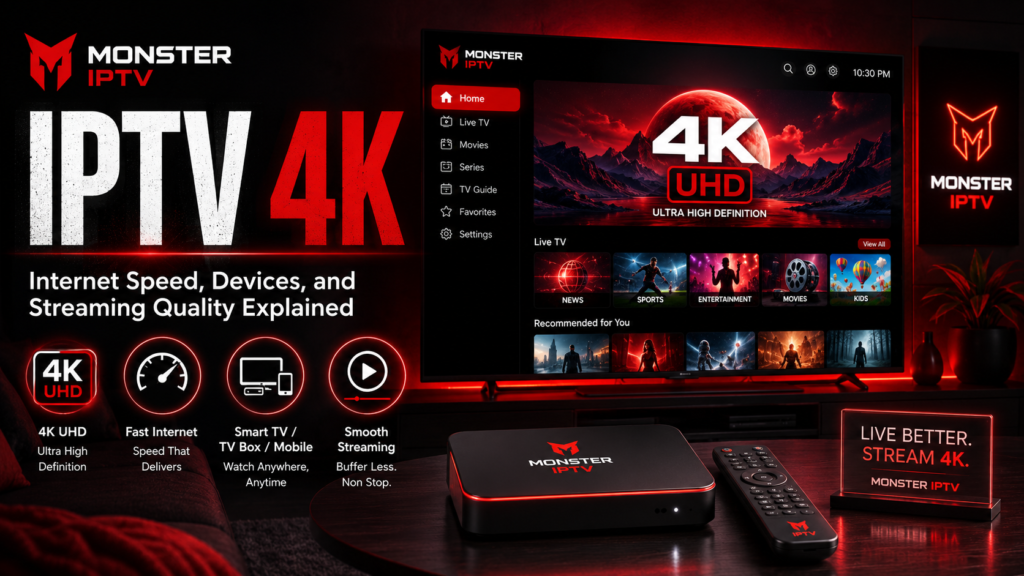
IPTV 4K means watching IPTV content delivered at or around Ultra HD resolution, typically 3840 × 2160 pixels. But seeing “4K” in a channel name does not automatically guarantee true 4K picture quality. The source stream, bitrate, compression, frame rate, IPTV player, streaming device, television, and internet connection all affect what you finally see on screen.
For viewers in Sweden, a stable broadband connection and compatible 4K hardware are important, but raw internet speed is only part of the story. Two IPTV streams labelled 4K can look very different if they use different source material or compression.
What Does IPTV 4K Actually Mean?
Consumer 4K UHD televisions normally use a resolution of 3840 × 2160 pixels. Samsung’s current Swedish 4K TV specifications, for example, list 3840 × 2160 as the native resolution of its UHD models.
That resolution contains four times as many pixels as 1920 × 1080 Full HD.
In an IPTV setup, however, resolution is only one part of image quality.
A 4K stream can also vary according to:
- bitrate
- compression codec
- frame rate
- original source quality
- HDR support
- amount of compression
- whether the video is native 4K or upscaled
- network stability
This is why a high-quality Full HD stream can sometimes appear cleaner than a heavily compressed stream labelled 4K.
Monster IPTV currently describes its service as including HD, FHD, 4K and UHD content, rather than claiming that every available stream is 4K.
How Much Internet Speed Do You Need for IPTV 4K?
There is no universal IPTV speed requirement because different streams use different bitrates and compression methods.
As a useful reference point, YouTube currently recommends a sustained internet speed of approximately 20 Mbps for 4K UHD playback, compared with 5 Mbps for 1080p HD.
That does not mean 20 Mbps will be enough for every 4K IPTV stream.
You also need to leave capacity for:
- other devices using the connection
- smartphones and tablets
- game downloads
- cloud backups
- video calls
- other simultaneous streams
Monster IPTV’s own FAQ takes a more conservative approach and recommends around 100 Mbit/s with a wired connection for a good overall IPTV experience. That should be understood as the provider’s practical recommendation, not a technical minimum for every 4K video stream.
For a Swedish household with fibre or fast broadband, therefore, total connection speed may be less important than whether the connection remains stable while the television is streaming.
Why Wi-Fi Can Affect 4K IPTV
You may have a fast broadband subscription and still experience buffering.
The speed advertised by your internet provider describes the connection to your home. Your Smart TV or IPTV box still has to communicate with the router.
Wi-Fi performance can be affected by:
- distance from the router
- walls and floors
- interference
- router placement
- crowded wireless networks
- other devices using bandwidth
Google’s YouTube guidance specifically notes that hard-wiring the internet connection can help with video streaming.
If 4K IPTV buffers over Wi-Fi, testing Ethernet is therefore one of the most useful troubleshooting steps. It helps determine whether the wireless network is the bottleneck.
You can also review the Monster IPTV FAQ for the site’s current connection recommendations.
What Devices Do You Need for 4K IPTV?
Every important part of the playback chain must support the video you are trying to watch.
4K Television
A 4K television should have a native UHD display resolution, normally 3840 × 2160.
If you watch a 4K stream on a Full HD screen, the television cannot physically display all of the source pixels.
Compatible Streaming Device
If you use an external box, Apple TV, Android TV device, or other media player, that device must support the required resolution and video format.
For example, Apple’s current setup documentation says Apple TV 4K requires a compatible 4K television for 4K output and notes additional HDMI requirements when using 4K HDR.
Do not assume that every older IPTV box supports modern 4K formats simply because it has an HDMI port.
Compatible IPTV Player
The IPTV app must also be able to decode or pass the stream correctly.
An app may work perfectly for HD content but encounter problems with certain high-resolution codecs or formats on an older device.
Before changing hardware, check the relevant Monster IPTV installation guides for the player and platform you use.
4K, UHD and HDR Are Not the Same Thing
These terms are often grouped together, but they describe different characteristics.
4K or UHD primarily refers to resolution.
HDR, or High Dynamic Range, relates to brightness range, contrast, and colour information.
A television can support 4K resolution without supporting every HDR format. Similarly, a video can be 4K SDR rather than 4K HDR.
Current Samsung 4K televisions sold in Sweden, for example, list 3840 × 2160 resolution separately from HDR and HDR10+ support in their technical specifications.
So, “4K HDR” tells you more about the video than “4K” alone.

Are All IPTV Services the Same Quality?
No.
Even when two IPTV services offer the same television programme, the technical quality of their streams can differ.
Important variables include:
Source Resolution
The original content may be produced in 720p, 1080p, or 4K.
A service cannot create genuine native 4K detail if its source is only HD.
Bitrate
Bitrate describes how much data is used to represent the video over time.
Higher bitrate can preserve more detail, but bitrate alone does not guarantee quality because compression efficiency and source material also matter.
Compression
Video compression reduces the amount of data required for streaming.
Strong compression can create:
- blockiness
- blurred detail
- banding
- motion artefacts
These problems are especially noticeable during football, hockey, motorsport, and other fast-moving content.
Frame Rate
Sports can benefit from a higher frame rate because motion appears smoother.
Resolution and frame rate are separate. A 4K stream at one frame rate may therefore look very different from another 4K stream.
Native 4K vs Upscaled 4K
This is an important distinction when evaluating IPTV streaming quality.
Native 4K means the underlying video source contains 4K-resolution image information.
Upscaling means lower-resolution content is processed to fit a 4K output.
Many modern televisions include their own upscaling technology. Samsung, for example, lists 4K upscaling among the picture features of its current Swedish UHD televisions.
Upscaling can improve how HD content looks on a large 4K screen, but it does not recreate all the detail contained in a genuinely native 4K source.
This is one reason not to judge IPTV quality from the resolution label alone.
How to Improve IPTV 4K Streaming Quality
If a 4K stream buffers, freezes, or looks worse than expected, troubleshoot systematically.
Start with these checks:
- Test another 4K stream.
- Run a speed test on the same network.
- Compare Wi-Fi with Ethernet where possible.
- Restart the IPTV player and streaming device.
- Restart the router.
- Make sure the device is actually configured for 4K output.
- Check whether the IPTV player is up to date.
- Test the same stream on another compatible device.
If HD works perfectly but every 4K stream struggles, the issue may involve available bandwidth, device decoding capability, or the higher demands of the 4K source.
If only one stream has problems, changing your entire home network may not help because the problem could be specific to that source.
Does a Faster Connection Automatically Improve Picture Quality?
No.
Once your connection can reliably deliver the stream’s required bitrate, additional internet speed does not create extra resolution.
For example, moving from 100 Mbps to 500 Mbps will not turn a Full HD IPTV source into 4K.
Picture quality depends on the content being delivered.
A faster connection can still be useful in a household where several people are streaming, downloading files, gaming, or using cloud services at the same time.
The important metric is enough stable available bandwidth, rather than simply buying the fastest broadband package available.
Does a 4K IPTV Box Guarantee 4K?
No.
A device labelled as a 4K box means it can support 4K output under certain conditions. It does not guarantee that every IPTV stream will be delivered in native 4K.
For genuine 4K viewing, you need the full chain to support it:
4K source → compatible IPTV service → sufficient network → compatible player → 4K-capable device → 4K television
A limitation anywhere in that chain can affect the final result.
FAQ
What is IPTV 4K?
IPTV 4K refers to IPTV video delivered at Ultra HD resolution, generally 3840 × 2160 pixels.
How fast should my internet be for 4K IPTV?
There is no single requirement for every IPTV service. As a general streaming reference, YouTube recommends about 20 Mbps sustained for 4K UHD. IPTV requirements can be higher or lower depending on bitrate and compression.
Is 100 Mbps enough for IPTV 4K?
For one stream, 100 Mbps provides substantially more bandwidth than the general 4K recommendation used by major video platforms, assuming the connection is stable. Monster IPTV also currently recommends around 100 Mbit/s as a practical broadband target for its service.
Are all IPTV streams the same quality?
No. Resolution, bitrate, compression, frame rate, source quality, and network delivery can all differ.
Does 4K always look better than Full HD?
Not necessarily. A heavily compressed or upscaled 4K stream can look worse than a high-quality Full HD source.
Do I need a 4K TV for 4K IPTV?
Yes, if you want to see the content at its full 4K display resolution. Your streaming device and playback chain must also support the required 4K format.
Conclusion
IPTV 4K is about more than seeing “4K” beside a channel name. True streaming quality depends on resolution, source quality, bitrate, compression, device capability, television resolution, and the stability of your internet connection. For viewers in Sweden, a reliable wired or strong Wi-Fi connection and properly configured 4K hardware are the best starting points. If you want to review available streaming information and compatible setup options, visit Monster IPTV.
