 Skip to main content

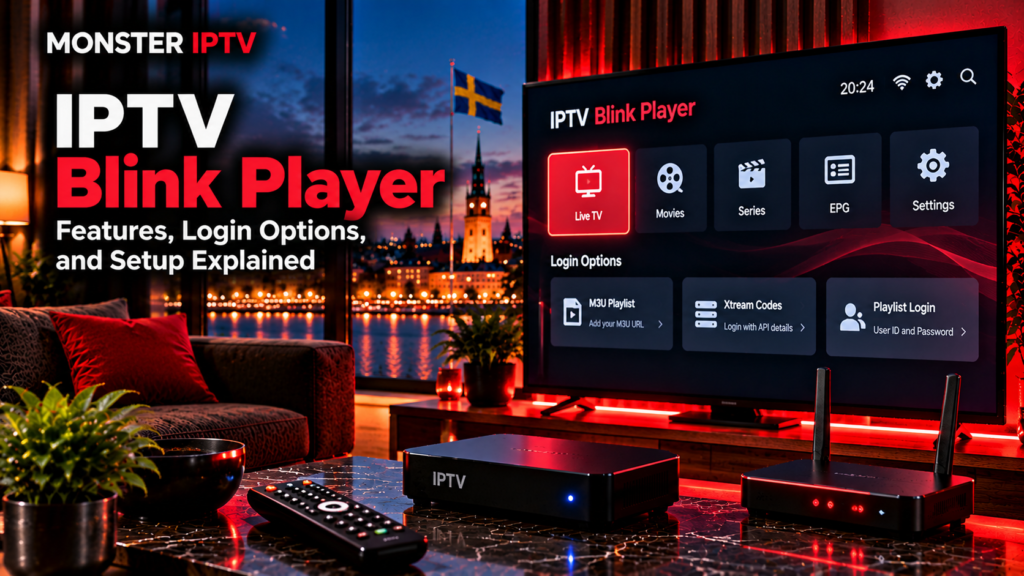
IPTV Blink Player is a media player for people who already have IPTV credentials or a compatible playlist. It does not provide an IPTV subscription or television channels itself. The current Android app supports both Xtream Codes API login and M3U playlist URLs, while the developer also offers an iOS version and a browser-based WebTV option.
For users in Sweden, the main things to understand are which version to install, whether your IPTV service supplies Xtream or M3U details, how EPG and parental controls work, and which features depend on the player versus the television provider.
What Is IPTV Blink Player?
Blink Player is playback software that organizes content supplied by another service.
Its current Google Play listing describes support for live television, movies, series, search, favourites, multiple users, parental controls, subtitles, internal playback, and external players. The developer also states clearly that Blink Player does not host or sell IPTV streams or subscriptions.
The distinction is simple:
| IPTV Blink Player | IPTV service |
|---|---|
| Provides the viewing interface | Provides television streams |
| Accepts M3U or login credentials | Supplies the credentials |
| Displays channels and categories | Determines the channel lineup |
| Can display EPG where available | Supplies programme information |
| Provides player controls | Determines original stream quality |
Installing the app alone therefore does not provide Swedish channels, Nordic television, sports, movies, or series.
Which Devices Support Blink Player?
The developer currently describes the Android version as suitable for:
- Android phones
- Android tablets
- Android TV
- Android set-top boxes
- Fire TV devices
- Nvidia Shield
The current Google Play listing also identifies the application for phone and TV use.
For Apple users, IPTV BLINK PLAYER PRO is currently available through the App Store for iPhone and iPad. The Swedish App Store listing also shows recent version activity and Live TV with EPG support.
The developer additionally provides a browser-based WebTV player that supports major browsers including Chrome, Firefox, Safari, Opera, and Edge.
If Blink Player is not suitable for your device, see the Monster IPTV installation guides for other IPTV player options.
How Does IPTV Blink Player Login Work?
Blink Player currently supports two main account methods on Android:
- Xtream Codes API
- M3U playlist URL
These approaches contain similar account information but present it differently.
Xtream Codes Login
An Xtream-style login normally requires:
- Server or portal URL
- Username
- Password
The official Blink Player website describes Android and iOS setup using a username, password, and portal URL.
This login method can be convenient on a television because each item is entered into a separate field.
M3U Playlist Login
The current Google Play listing also supports standard M3U playlist URLs.
An M3U URL can contain information about:
- Live channels
- Stream addresses
- Channel groups
- Logos
- Programme-guide references
Some M3U links contain account credentials directly inside the URL, so keep the full link private.
How to Set Up IPTV Blink Player
The exact menu layout can change after app updates, but the basic setup is straightforward.
- Install the official Blink Player version for your device.
- Open the app.
- Choose Xtream Codes or M3U, depending on your IPTV account.
- Enter the server URL, username, and password, or paste the M3U URL.
- Save the account.
- Wait for the player to load the available content.
- Open Live TV and test several channels.
- Check EPG, subtitles, favourites, and other settings as needed.
The important part is using the login format supplied by your television service rather than converting credentials unnecessarily.
Does Blink Player Support EPG?
Yes. The current Google Play update notes include Live with EPG, and the Swedish iOS listing also refers to EPG support in recent version information.
EPG stands for Electronic Programme Guide.
A working guide can display:
- Current programme
- Upcoming programme
- Channel schedule
- Start and finish times
The player still needs suitable EPG data from the connected IPTV service.
If channels work but the programme guide is empty, check the account or EPG source before assuming that the player itself is faulty.
Swedish users should also make sure the device uses the correct local time zone if programme times appear shifted.
Favourites and Search
Blink Player includes search and favourites in its current Android feature list.
These tools can be useful when an IPTV account contains many categories.
For example, you can make commonly used television easier to reach by saving:
- Swedish channels
- Nordic channels
- News
- Sports
- Children’s television
- Movie channels
The player can organize the content, but the actual channel lineup comes from the IPTV service.
If you want to compare published television options separately from the player, see the Monster IPTV channel information.
Multi-User Support
The current Android app supports multiple users or profiles.
This can make the interface easier to share in a household because different people can organize their preferred content separately.
However, app profiles should not be confused with IPTV connection limits.
An IPTV subscription may allow only one simultaneous stream even when the player itself supports several users. The account provider determines how many devices can watch at the same time.

Parental Controls
Blink Player currently lists PIN-protected parental controls among its Android features.
This can help families restrict selected categories or content.
Useful steps can include:
- Setting a PIN
- Restricting adult categories
- Keeping children’s content easier to find
- Protecting player settings
- Combining app controls with device-level parental controls
The exact options can vary between Android and iOS versions.
Subtitles and Multiple Languages
Blink Player supports embedded subtitles and dynamic language switching according to both its current Google Play listing and developer website.
This can be particularly useful in Sweden when streams include:
- Swedish subtitles
- Original-language audio
- Alternative audio tracks
- International subtitle options
The player cannot create subtitles that are not present in the original stream or supplied metadata.
Built-In vs External Player
Blink Player includes its own internal media player, but the Android listing also says users can open streams through external applications such as VLC or MX Player.
An external player can sometimes help when a stream behaves differently because of:
- Video codec
- Audio codec
- Container format
- Hardware decoding
Changing the player will not fix a stream that is unavailable at the IPTV source.
If one channel produces an error while all other channels work, the problem may be specific to that stream rather than Blink Player itself.
What Is Blink WebTV Player?
The developer also offers a browser-based version called Blink WebTV Player.
Its current documentation says the web player supports Xtream API login using a username, password, and portal URL. It is intended to run in browsers such as Chrome, Firefox, Safari, Opera, and Edge.
The browser option can be useful on a computer where you do not want to install a separate IPTV application.
Browser playback can still differ from Android or iOS because web browsers do not support every video format in exactly the same way.
Does Blink Player Include Swedish Channels?
No.
The developer explicitly states that Blink Player does not provide content, subscriptions, or television streams.
The connected IPTV service determines whether you receive:
- Swedish channels
- Nordic channels
- Sports
- Movies
- Series
- International television
- EPG information
This also means changing from one player to another does not automatically change the available television content.
Why Is IPTV Blink Player Buffering?
Buffering can originate from the app, device, network, or stream source.
Check the problem methodically:
- Test several channels.
- Check another streaming application.
- Compare Wi-Fi with Ethernet where possible.
- Confirm the IPTV account is active.
- Restart the player.
- Check whether the Android app is updated.
- Try the internal or external player if available.
- Check whether only one channel is affected.
The current Android app was updated on August 10, 2026, and the version notes include stability fixes for television playback and login-related issues.
If every online service on the device is slow, investigate the internet connection first.
For broader troubleshooting, see the Monster IPTV FAQ.
Privacy and App Information
Google Play’s current Data Safety section says the Android app may share app information, performance data, and device or other identifiers with third parties. It also currently states that the developer declares no data collection, that data is encrypted in transit, and that the listed data cannot be deleted through the stated mechanism.
These declarations can change when an application is updated, so review the current store listing before installation.
It is also sensible to avoid entering IPTV account credentials into unofficial copies of the app.
IPTV Blink Player and Streaming in Sweden
The player itself is simply software. Whether the television content is authorized depends on the source connected to it.
Sweden’s Patent and Registration Office, PRV, explains that the legal position around streaming from unlawful sources involves copyright considerations and that EU case law has addressed streaming through media players, while not every possible streaming situation has been clarified by Swedish courts.
For Swedish viewers, the practical approach is to use Blink Player only with content they are authorized to access.
FAQ
Does IPTV Blink Player provide channels?
No. Blink Player states that it does not provide, host, or sell IPTV subscriptions or streams.
Does Blink Player support Xtream Codes?
Yes. The current Android listing supports Xtream Codes API login.
Does Blink Player support M3U?
Yes. The current Android app supports standard M3U playlist URLs.
Can I use Blink Player on Android TV?
Yes. The developer currently lists Android TV among the supported Android environments.
Is Blink Player available for iPhone?
Yes. IPTV BLINK PLAYER PRO is currently listed for iPhone and iPad in Apple’s App Store.
Does Blink Player support EPG?
Yes. The current Google Play version notes include Live TV with EPG support.
Can Blink Player use an external video player?
Yes. The Android listing currently includes external-player integration, including support for players such as VLC and MX Player.
Conclusion
IPTV Blink Player is a multi-platform IPTV media player for users who already have a compatible television source. The current Android version supports both Xtream Codes and M3U login, along with EPG, favourites, multiple users, parental controls, subtitles, built-in playback, and external-player integration. Separate options are also available for iPhone and iPad, Fire TV, and browser-based viewing. Swedish users should verify the official app, login method, device compatibility, account limits, privacy information, and content source before setup. For more information about IPTV players, channels, installation, and viewing options in Sweden, visit Monster IPTV.
