 Skip to main content
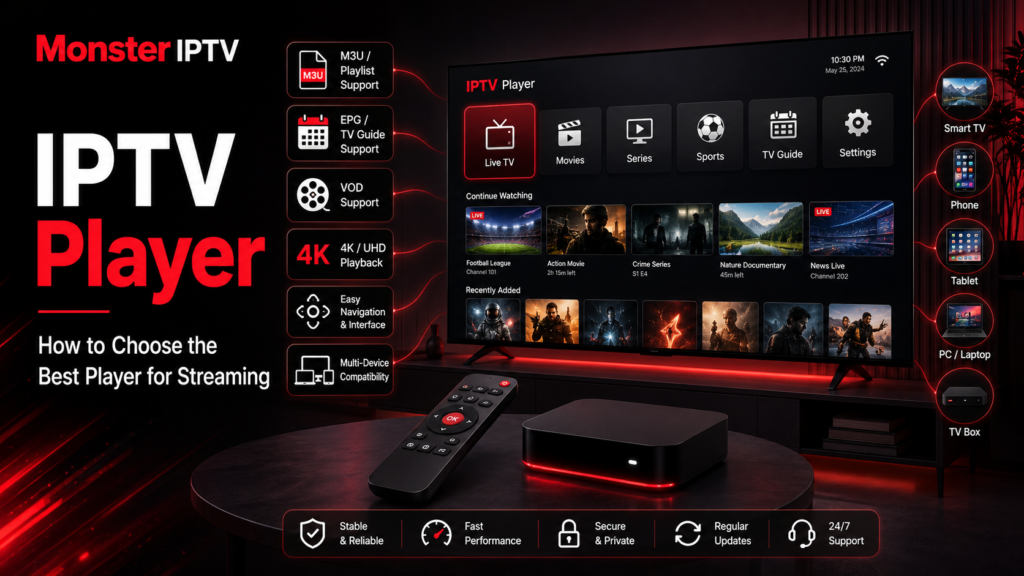
Choosing the right IPTV player can make a noticeable difference to how easy it is to browse live TV, use an EPG, manage playlists, and navigate content on your television or streaming device. The best option is not necessarily the same for everyone because IPTV players differ by operating system, playlist support, interface, and available features.
For users in Sweden, the first step should be choosing a player that works well on the device you already own. TiviMate, Smart TV players, mobile apps, and desktop media players can all serve different purposes.
What Is an IPTV Player?
An IPTV player is an application that reads IPTV connection information and plays the streams associated with it.
The important distinction is that a player normally does not provide the television content itself. For example, TiviMate’s official website states that TiviMate is a media player and does not provide channels, streams, or other media. Users must add their own playlists.
Depending on the application, an IPTV player may accept:
- M3U or M3U8 playlists
- Xtream-style login information
- Stalker Portal connections
- EPG data
- local media files
- direct stream URLs
The player then turns this information into an interface where you can browse available channels and other media.
This is why installing an IPTV stream player alone is not enough. You also need a compatible content source that you are authorized to use.
Which Is the Best IPTV Player?
There is no single best IPTV player for every device.
A better way to choose is to match the player to your hardware and viewing habits.
For example:
| Device or use | What to look for |
|---|---|
| Android TV or Google TV | Remote-friendly interface, EPG, favourites, playlist management |
| Samsung or LG Smart TV | Native TV app availability and easy remote navigation |
| iPhone or iPad | Mobile interface, playlist support, AirPlay where needed |
| Apple TV | tvOS support and television-friendly navigation |
| Fire TV or Firestick | Compatibility with the specific Fire OS device |
| PC or Mac | Flexible network-stream support and easy keyboard navigation |
Someone watching live TV every evening may value a polished EPG above everything else. Another person may simply need a lightweight player for occasionally opening an M3U stream on a computer.
The best choice is therefore the player that supports your device, connection format, and features without adding unnecessary complexity.
TiviMate IPTV Player: A Strong Option for TV Screens
TiviMate IPTV Player is one of the best-known options for Android TV-style devices.
Its official documentation says the application is intended for Android TV devices and is not optimized for phones or tablets. It supports common IPTV connection formats including M3U, Xtream Codes, and Stalker Portal.
TiviMate also lists features such as:
- multiple playlists
- favourite channels
- search
- EPG
- catch-up support
- recording
- multiview
- parental controls
- interface customization
Some functionality may depend on the app version or paid features, so check the current application information before choosing it.
For users who already plan to use this player, Monster IPTV has a dedicated TiviMate installation guide explaining how its setup works with Xtream-style credentials.
TiviMate is particularly relevant if your main viewing device runs Android TV or a compatible television-focused environment. For an iPhone or tablet, another application designed for touchscreens is usually a more logical choice.

Choosing an IPTV Smart Player for Samsung or LG TV
Smart TVs need a slightly different approach.
Samsung and LG televisions do not necessarily provide the same IPTV applications as Android TV devices. Available apps can also vary by model, operating system version, and regional app store.
When comparing an IPTV smart player for a television, check:
- whether it is available directly on your TV
- whether it supports your provider’s login format
- how easily you can navigate with the remote
- whether it displays an EPG clearly
- whether favourites and channel groups are supported
- how playlists are added and updated
Monster IPTV currently provides instructions for using IBO Player on compatible Smart TVs. The Smart TV IPTV setup guide explains the connection process used for that particular player.
Do not assume that an app mentioned in an online tutorial will automatically be available on every Swedish Samsung or LG television. Check the TV’s own app store first.
What About IPTV Players on Android Phones?
Android has a large selection of IPTV player applications, but their features vary considerably.
The Google Play listings supplied for this topic illustrate that difference. One IPTV PLAYER application supports M3U and M3U Plus playlists and allows users to manage their own channels. Another supports M3U and M3U8 playlists and includes playlist management and search features. Both explicitly state that the player itself does not supply IPTV content.
When comparing Android apps, avoid choosing purely by the app name. Many applications use similar terms such as:
- IPTV Player
- Smart IPTV Player
- IPTV Stream Player
- Live TV Player
- M3U Player
Instead, verify the developer, update history, supported formats, privacy information, advertising model, and current reviews in Google Play.
IPTV Player for iPhone and Apple TV
For iPhone, iPad, and Apple TV, look for an application specifically designed for Apple’s operating systems.
The Swedish App Store contains IPTV players that support functions such as M3U playlists, external EPG sources, favourites, AirPlay, and picture-in-picture, although exact features and availability can change.
Before installing one, check that the same application actually supports your intended device. An iPhone application is not automatically a full Apple TV application.
If you want to watch primarily on a television, a native tvOS interface is generally preferable to relying permanently on phone mirroring.
IPTV Player for PC and Mac
A computer gives you more flexibility because you can choose between dedicated IPTV software and general media players.
VLC is one example. VideoLAN describes VLC as a free, open-source, cross-platform multimedia player that supports network streams and various streaming protocols. Official versions are available for Windows, macOS, Linux, Android, iOS, and Apple TV.
VLC can be practical when you simply want to open a network stream or playlist, but it is not primarily designed around the television-style EPG and channel navigation found in dedicated IPTV applications.
For users who want a more traditional IPTV interface on a computer, a dedicated desktop IPTV app may be more convenient. Monster IPTV also provides separate PC and Mac installation instructions for its supported setup.
What Features Should a Good IPTV Player Have?
Before choosing an app, focus on features that affect everyday use.
Playlist and Login Support
Your first question should be whether the player accepts the connection method you have.
Common formats include:
- M3U
- M3U8
- Xtream-style credentials
- portal-based connections
A highly rated app is of little use if it cannot read your particular configuration.
EPG Support
An Electronic Program Guide makes live TV considerably easier to navigate.
A useful EPG lets you see what is currently playing and what is coming next without opening every stream individually.
Favourites and Categories
Large playlists are easier to use when you can organize favourite channels and browse categories.
This matters particularly on television screens where searching with a remote can be slower than using a keyboard.
TV-Friendly Interface
A good phone interface is not necessarily a good television interface.
For Smart TV, Android TV, or another living-room device, look for large menus, predictable remote navigation, and an EPG designed for a large screen.
Multiple Playlists
If you legitimately use more than one playlist or source, multiple-playlist support can make management easier. TiviMate, for example, lists multiple playlists among its supported features.
Updates and Developer Support
Streaming technologies and operating systems change over time. Check whether the app is still actively maintained rather than relying on an old recommendation.
Does the IPTV Player Affect Streaming Quality?
Yes, but only to a point.
An IPTV player is responsible for decoding and displaying a stream, so software compatibility and device performance can influence playback.
However, choosing a different player cannot fix every problem.
Buffering may instead come from:
- an unstable internet connection
- weak Wi-Fi
- home network congestion
- the original stream
- server-side problems
- device limitations
- network routing
Likewise, installing a player that advertises 4K support does not turn an HD source into 4K. The original stream, device, display, network, and player all need to support the required format.
If you are unsure how your particular device should be configured, review the Monster IPTV installation guides before changing advanced settings.
Does an IPTV Player Include TV Channels?
Usually, no.
This is one of the most common misunderstandings surrounding IPTV apps.
A player is comparable to a media interface. It may organize live TV, movies, series, EPG information, and playlists, but it does not necessarily supply those streams.
TiviMate explicitly states this distinction, and the Android player listings reviewed for this guide make similar disclosures.
The legality of IPTV use also depends on the underlying content source and whether the necessary rights exist, not simply on which player you install.
FAQ
Which is the best IPTV player?
There is no universal best player. TiviMate is designed specifically for Android TV devices, while Smart TVs, Apple devices, phones, and computers may be better served by applications created for those platforms.
Is TiviMate an IPTV provider?
No. TiviMate states that it is a media player only and does not provide channels, streams, or playlists.
Can an IPTV player use an M3U playlist?
Many can. M3U and M3U8 are common playlist formats, but you should verify support in the specific application before installing it.
Can I use the same IPTV player on every device?
Not necessarily. Applications can differ across Android, Smart TV platforms, iOS, Apple TV, Fire TV, Windows, and macOS.
Does changing IPTV player stop buffering?
Sometimes changing software can solve a compatibility problem, but buffering can also be caused by the internet connection, Wi-Fi, source stream, network route, or device.
Conclusion
The right IPTV player is the one that matches your device and the way you actually watch television. TiviMate offers a television-focused experience for compatible Android TV devices, Smart TVs often need platform-specific apps, and computer users have options ranging from dedicated IPTV software to VLC. Before choosing, check playlist compatibility, EPG support, remote navigation, updates, and device availability rather than relying on a single “best player” claim. If you are preparing an IPTV setup in Sweden and want to explore compatible installation options, visit Monster IPTV.
