 Skip to main content

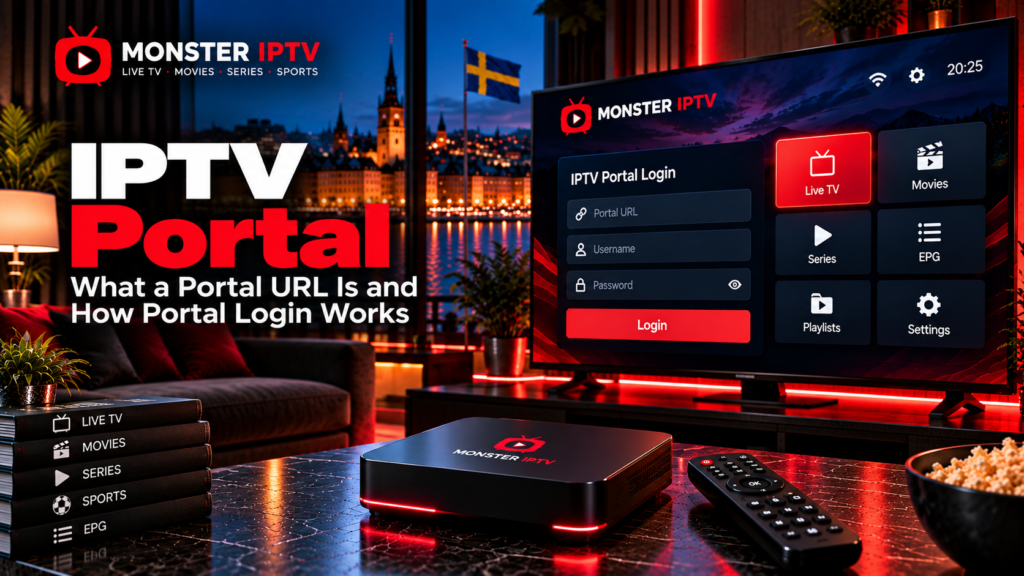
An IPTV portal is a connection point between a compatible IPTV device or player and the television service behind it. Instead of loading channels directly from a simple playlist, a portal can authenticate the device and then provide access to live TV, EPG data, movies, series, catch-up, and other features supported by the service.
A portal URL is not a universal IPTV address. It is normally supplied by the television provider and is associated with a specific account, device, MAC identifier, username and password, or another authentication method.
For users in Sweden, understanding the difference between a portal URL, M3U playlist, and Xtream-style login can make IPTV setup much easier.
What Is an IPTV Portal?
An IPTV portal is essentially the server address that a compatible application or set-top box connects to when it starts.
The portal can act as the bridge between:
- Your IPTV device
- Your account
- The provider’s middleware
- Channel information
- EPG data
- Movies and series
- Catch-up services
- Account permissions
Formuler’s current MYTVOnline documentation, for example, distinguishes a MAC-ID portal using Stalker middleware from XC and M3U connection methods. With its MAC-ID method, the provider supplies a portal URL and associates the subscription with the device’s MAC-ID.
The exact process varies between IPTV systems, so instructions for one box should not automatically be used on another device.
What Is an IPTV Portal URL?
An IPTV portal URL is the server address supplied by the IPTV or television service.
A compatible device sends a request to that address when connecting. The provider’s system then checks whether the device or account is authorized.
The portal address alone may not be enough. Depending on the system, authentication can involve:
- MAC address or MAC-ID
- Username and password
- Device identifier
- IP address
- Account token
The IPTVPORTAL middleware platform, for example, supports subscriber registration through login and password, MAC address, or IP address.
There is therefore no single portal URL that works with every IPTV service.
Never copy a random portal address from a forum or public playlist website. Use the information supplied for the service you are authorized to access.
How Does IPTV Portal Login Work?
Portal login normally follows one of several common methods.
MAC-Based Login
This method is commonly associated with portal-based boxes and Stalker middleware.
The general process is:
- Find the device’s required MAC-ID.
- Provide that identifier to the IPTV service if requested.
- Receive the portal URL.
- Enter the portal address into the device.
- Connect and allow the service to authenticate the device.
On supported Formuler devices, MYTVOnline uses a specific MAC-ID for Stalker portal connections. The service provider then supplies the matching portal URL.
Some MAG-style and other dedicated IPTV boxes use a similar concept.
Username and Password Login
Other portal systems use a more conventional account login.
You may receive:
- Portal or server URL
- Username
- Password
The player sends these details to the service and loads the account if authentication succeeds.
Automatic Device Registration
Some managed IPTV platforms can identify or register a device automatically using its MAC address, IP address, or another identifier.
IPTVPORTAL’s technical documentation describes terminal authentication using device information and a session identifier after successful authorization.
This type of backend process is mainly handled by the service rather than the viewer.
IPTV Portal vs Xtream Codes
The words “portal” and “server” are sometimes used loosely, which can cause confusion.
A true MAC-based portal commonly uses a portal URL associated with a device identifier.
An Xtream-style login generally uses:
- Server URL
- Username
- Password
Formuler treats these as separate connection types. Its documentation lists:
- MAC-ID for Stalker middleware
- XC for Xtream Codes API
- M3U for playlist connections
Some apps still label an Xtream server address as a “portal”, so always check which login fields your player asks for.
IPTV Portal vs M3U Playlist
An M3U playlist works differently.
Rather than connecting the device to a complete portal environment, an M3U URL primarily provides a list of streams and associated information.
| Portal connection | M3U playlist |
|---|---|
| Can authenticate a device or account | Loads a playlist URL |
| Often uses middleware | Uses playlist data |
| May use MAC-ID | Often contains account information in the URL |
| Can provide integrated EPG and VOD | Features depend on playlist and player |
| May control device access centrally | Usually more portable between compatible players |
Neither format is automatically better.
Use the method supplied for your account and supported by your device.
For guidance on different IPTV players and devices, see the Monster IPTV installation guides.

Which Devices Use IPTV Portals?
Portal-based IPTV connections are especially common on dedicated set-top boxes.
Examples can include:
- Formuler boxes
- MAG-style boxes
- TVIP devices
- Android IPTV boxes
- Compatible Smart TV players
- Middleware-specific applications
Formuler’s current MYTVOnline 2, 3, and 4 versions all support portal configuration alongside XC and M3U connections.
The exact menu varies by device and firmware.
A Smart TV application designed only for M3U playlists may not accept a MAC-based portal URL at all.
Before setting up a portal, confirm that the player specifically supports your provider’s connection type.
What Is the IPTVPORTAL App?
The term IPTV portal is generic, but there is also a specific product called IPTVPORTAL.
The current IPTVPORTAL Android application on Google Play is designed for viewing services supplied by television providers connected to the IPTVPORTAL platform. It is not a universal app where any random portal account will necessarily work.
The broader IPTVPORTAL platform supports functions including:
- Live television
- EPG
- VOD
- Timeshift and catch-up
- Multiple device types
- Subscriber authentication
- Parental controls
This distinction matters when searching for an “IPTV portal app”. The generic term and the named IPTVPORTAL platform are not the same thing.
Does a Portal URL Include Channels?
The portal URL itself does not guarantee a particular channel lineup.
Available content is determined by the account and service behind the portal.
A portal may load:
- Swedish channels
- Nordic channels
- International television
- Sports
- Movies
- Series
- EPG information
- Catch-up
But only if the provider has configured those resources for the account.
If you are comparing published channel options separately from the technical connection method, see the Monster IPTV channel information.
Why Is My IPTV Portal Not Loading?
Portal problems can have several causes.
Check the Portal URL
Enter the address exactly as supplied.
A missing character, incorrect port, or wrong path can prevent connection.
Check the Device Identifier
For a MAC-based service, confirm that the provider has the correct MAC-ID.
Some devices expose more than one hardware address, and the IPTV application may require its own specific identifier.
Check the Account
An expired or disabled account may prevent the portal from loading even when the URL is correct.
Restart the Player or Box
Restart the IPTV application and device after saving new connection settings.
Test the Internet Connection
Open another streaming service or website.
If nothing works, troubleshoot the internet connection before changing portal information.
Check With the Provider
A portal server can also be temporarily unavailable or changed by the service.
For broader IPTV troubleshooting, see the Monster IPTV FAQ.
Should You Share Your Portal URL or MAC Address?
Treat IPTV connection details as account information.
Do not publicly post:
- Portal URLs linked to your subscription
- Username
- Password
- M3U URL
- Device key
- Account token
A MAC address is not a password in the traditional sense, but some IPTV systems use a MAC-ID to associate a device with a subscriber account. IPTVPORTAL documentation also confirms that MAC-based authentication can form part of subscriber access systems.
If you need support, share account details only through the provider’s legitimate private support channel.
Does an IPTV Portal Affect EPG or Catch-Up?
It can.
A portal-based environment may deliver more than video streams. Depending on the middleware and account, it can also supply:
- EPG
- Catch-up
- Timeshift
- VOD
- User profiles
- Parental controls
The IPTVPORTAL platform, for example, includes EPG, VOD, timeshift, catch-up, multiscreen support, and parental controls in its platform features.
These features are not guaranteed simply because you have a portal URL. They must be supported and enabled by the television service.
IPTV Portals and Streaming in Sweden
The technology used to connect, whether a portal, M3U playlist, or XC login, does not by itself determine whether the television content is authorized.
For viewers in Sweden, the important copyright question is whether the content provider has the necessary rights to make the television, sports, films, or other material available.
Sweden’s Patent and Registration Office, PRV, provides guidance on legal streaming and encourages viewers to distinguish authorized streaming services from unlawful alternatives.
A technically functioning portal should therefore not be treated as proof that the content behind it is licensed.
FAQ
What is an IPTV portal?
It is a connection point that allows a compatible IPTV device or player to communicate with a television service’s server or middleware.
What is an IPTV portal URL?
It is the server address supplied by the IPTV provider for connecting a compatible device or application to the service.
Do I need a username and password for a portal?
Not always. Some portals use username and password, while others authenticate using a MAC-ID or another device identifier.
Is a portal URL the same as an M3U link?
No. A portal typically connects to middleware or an account system, while an M3U URL primarily provides playlist information.
Is an IPTV portal the same as Xtream Codes?
Not necessarily. Xtream-style login usually requires a server URL, username, and password. MAC-based Stalker portals are a different connection type.
Where do I get an IPTV portal URL?
It should come from the television or IPTV service you are authorized to use. Device manufacturers such as Formuler do not provide portal URLs themselves.
Why does my portal say access denied?
Possible causes include incorrect login information, an unregistered MAC-ID, an expired account, an incorrect portal URL, or a provider-side problem.
Conclusion
An IPTV portal connects a compatible device or application to an IPTV service through a portal URL and an authentication method such as MAC-ID, username and password, or another device identifier. It differs from an M3U playlist and may also differ from an Xtream-style login, so Swedish users should follow the connection method intended for their exact device and provider. Keep account details private, verify the content source, and troubleshoot the URL, account, device identifier, and network separately when a portal will not load. For more information about IPTV devices, setup, channels, and viewing options in Sweden, visit Monster IPTV.
