 Skip to main content

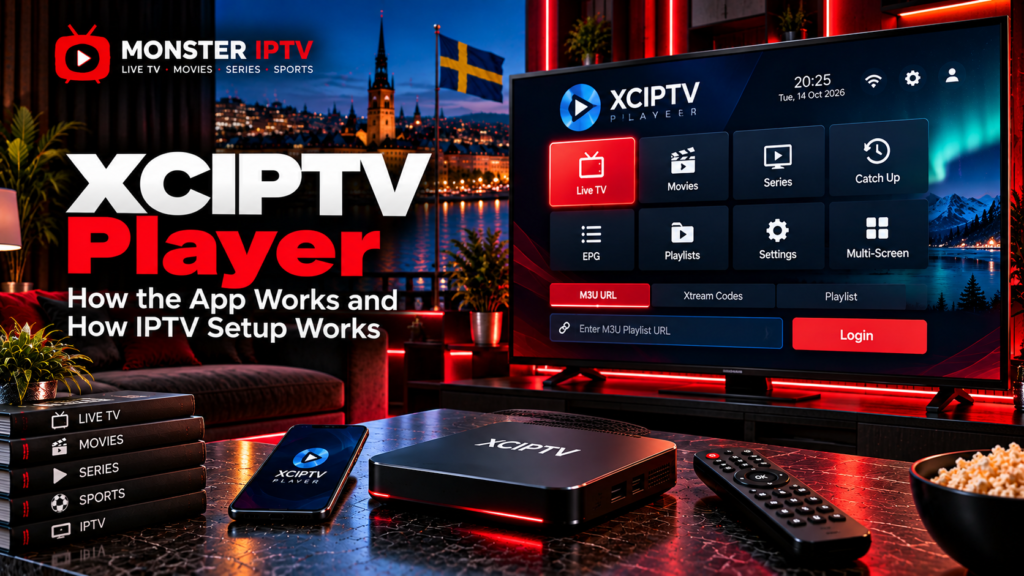
XCIPTV Player is an IPTV media player for Android-based devices. It can organize live TV, movies, series, EPG information, catch-up, favourites, and recordings when these features are supported by the IPTV source connected to the app. The player itself does not include television channels or an IPTV subscription.
There is also an important current branding detail. OTTRUN’s documentation now refers to the product as OTR Player, formerly known as XCIPTV Player, while Google Play continues to list the application under the XCIPTV PLAYER name.
For users in Sweden, the main things to understand are supported devices, M3U or Xtream-style login, EPG, catch-up, recording, and how the player differs from the IPTV service supplying the actual content.
What Is XCIPTV Player?
XCIPTV is playback software rather than a television provider.
The current Google Play listing identifies OTTRUN as the developer and describes the app as a media player for Android TV, Android phones, and Android tablets. It uses built-in ExoPlayer and VLC-based playback, so a separate external video player is not normally required.
Its current feature set includes:
- Live TV
- EPG support
- Catch-up with EPG
- Movies and VOD
- Series
- Favourites
- Backup and restore
- Scheduled recording
- Programme reminders
OTTRUN’s own documentation also lists support for Fire TV and several compatible IPTV account formats.
Installing XCIPTV therefore provides the interface, not the channels.
XCIPTV Player vs an IPTV Subscription
It helps to separate these two parts of the setup.
| XCIPTV Player | IPTV service |
|---|---|
| Provides the player interface | Provides the streams |
| Organizes live TV and VOD | Determines channel availability |
| Supports account login | Supplies account credentials |
| Displays EPG when available | Supplies programme-guide data |
| Can provide recording controls | Determines stream and feature availability |
Google Play explicitly states that the official XCIPTV app contains no media content and is not affiliated with content suppliers.
This means installing the app does not automatically give you Swedish channels, Nordic channels, sports, films, or series.
Which Devices Support XCIPTV?
The official Google Play listing currently focuses on:
- Android TV
- Android phones
- Android tablets
OTTRUN’s current documentation additionally lists Fire TV among the supported platforms.
For Android TV and Google TV devices that have access to Google Play, the official store listing is the simplest installation source.
Fire TV needs more care because Amazon’s device software differs between generations. Check the operating system and current app compatibility for your exact device instead of assuming that every Fire TV model can use the same Android installation method.
XCIPTV should also not be assumed to have native versions for Samsung Tizen, LG webOS, Apple TV, or iPhone simply because those devices support IPTV in general.
For alternatives on other platforms, see the Monster IPTV installation guides.
How Does XCIPTV Login Work?
The player supports several account systems. OTTRUN currently lists support for Xtream Codes, Xtream UI, Streaminy, EZHomeTech API, and M3U URLs.
For most home users, the two relevant methods are Xtream-style login and M3U.
Xtream Codes Login
A typical Xtream-style account requires:
- Server or portal URL
- Username
- Password
Open the option for an Xtream-compatible account, enter the details exactly as supplied by your authorized IPTV service, and wait for the account information to load.
If authentication fails, check spelling, capitalization, the server address, and whether the IPTV account is still active.
M3U URL
An M3U URL is a playlist address that contains information required to retrieve IPTV streams.
XCIPTV supports M3U URLs, including EPG integration where compatible information is supplied.
An M3U address can contain account credentials inside the URL, so keep it private and avoid publishing it in screenshots or forums.
How to Set Up XCIPTV Player
The exact interface may change between app versions, but the general process is straightforward:
- Install the official XCIPTV PLAYER from a trusted source.
- Open the app.
- Select the appropriate account or playlist method.
- Enter the server URL, username, and password, or your M3U URL.
- Allow the player to load your account.
- Open Live TV and test several channels.
- Check EPG, movies, and series if your source includes them.
- Configure favourites and parental controls as needed.
Because similar names can appear on IPTV websites, verify the developer before entering credentials. The current Google Play listing identifies the app as XCIPTV PLAYER by OTTRUN.
How Does EPG Work?
EPG stands for Electronic Programme Guide.
XCIPTV currently supports EPG information for Xtream-compatible APIs, EZHomeTech, and M3U URLs.
A working guide can show:
- Current programme
- Upcoming programmes
- Start and finish times
- Channel schedules
- Programme information
The player cannot generate correct schedules without suitable data from the connected service.
If live TV works but the EPG does not, refresh the account and check the EPG source before assuming that the player is faulty.
Swedish users should also verify the device time zone if programme times appear shifted.

Does XCIPTV Support Catch-Up TV?
Yes, XCIPTV lists catch-up with EPG among its current features.
However, the IPTV service must also provide an archive.
The app cannot create earlier broadcasts if your service does not retain them.
Catch-up therefore requires:
XCIPTV support + provider archive + correct EPG information
If replay works on some channels but not others, that can simply mean that only certain channels have catch-up enabled.
Can XCIPTV Record IPTV?
The current Google Play description lists scheduled recording to internal or external storage and recording directly from the EPG.
Actual recording can still depend on:
- Device storage
- Android permissions
- Stream format
- Account restrictions
- Available IPTV connections
- App configuration
For example, an IPTV subscription with only one simultaneous connection may create problems if the app tries to record one channel while another channel is being watched.
Check the rules of your particular IPTV service.
What Are the Built-In Players?
XCIPTV uses two built-in media playback systems, ExoPlayer and VLC Player, according to its current Google Play description.
Having multiple playback engines can be useful because IPTV streams may use different formats and codecs.
If a channel has playback problems, switching the internal player may sometimes help. However, changing players will not fix a stream that is unavailable at the source.
Favourites, Backup, and Multiple Devices
XCIPTV allows users to add live channels, VOD, and series to favourites.
The current app also includes backup and restore functionality for synchronizing settings, favourites, watched information, and related preferences across multiple devices.
Do not confuse synchronization with simultaneous IPTV connections.
The player may exist on several devices, but your IPTV subscription determines how many streams can run at the same time.
Why Is XCIPTV Player Buffering?
Buffering can originate from the player, device, home network, or IPTV source.
Check:
- Whether all channels are affected
- Whether another streaming app works normally
- Wi-Fi signal quality
- Whether Ethernet performs differently
- Available device storage
- Whether XCIPTV is updated
- Whether another internal player performs better
- Whether the IPTV source itself is having problems
If one stream fails while the rest work correctly, changing your entire network setup may not be necessary.
For additional troubleshooting, see the Monster IPTV FAQ.
What About Privacy and App Permissions?
Users should also review the current Google Play data-safety information before installing the application.
At the time of checking, Google Play states that the developer may collect categories including personal information, app activity, and device identifiers, and may share device or other identifiers with third parties. Google Play also currently states that the listed data is not encrypted and cannot be deleted through the mechanisms described in its data-safety section.
These disclosures can change with app updates, so review the current store information yourself before installation.
XCIPTV and IPTV Content in Sweden
XCIPTV does not determine which Swedish channels you receive.
That depends on the account or playlist connected to the player.
The same applies to:
- Swedish TV
- Nordic channels
- Sports
- Films
- Series
- HD or 4K streams
- Catch-up
- EPG
When comparing published television options separately from the player, see the Monster IPTV channel information.
Content Rights in Sweden
Using an IPTV player such as XCIPTV is not the same thing as determining whether the connected content is authorized.
Sweden’s Patent and Registration Office, PRV, explains that copyright rules can apply when television or films are streamed from unlawful sources. PRV also discusses an EU Court of Justice case involving streaming through a media player, while noting that the legal position has not been clarified for every possible streaming situation.
For Swedish users, the practical approach is to connect XCIPTV only to content and services you are authorized to access.
FAQ
Does XCIPTV Player provide IPTV channels?
No. The official Google Play listing states that XCIPTV contains no media content and users must provide their own content.
Does XCIPTV support M3U?
Yes. OTTRUN currently lists M3U URL support.
Does XCIPTV support Xtream Codes?
Yes. OTTRUN lists support for Xtream Codes and Xtream UI systems.
Can XCIPTV work on Android TV?
Yes. Android TV is explicitly supported by the current Google Play version.
Is XCIPTV now called OTR Player?
OTTRUN’s current documentation describes OTR Player as formerly known as XCIPTV Player. Google Play still lists the application under the XCIPTV PLAYER name.
Does XCIPTV support recording?
Yes, the current Google Play feature list includes scheduled recording to internal or external storage. Actual functionality depends on the device, stream, and account.
Conclusion
XCIPTV Player is an Android-focused IPTV media player that can connect to compatible M3U and Xtream-style sources and provide live TV, EPG, catch-up, VOD, favourites, and recording features. The player itself does not supply television content, so Swedish users should evaluate the app, IPTV source, device compatibility, account limits, and content rights separately. For more information about IPTV players, channels, installation, and viewing options in Sweden, visit Monster IPTV.
