 Skip to main content

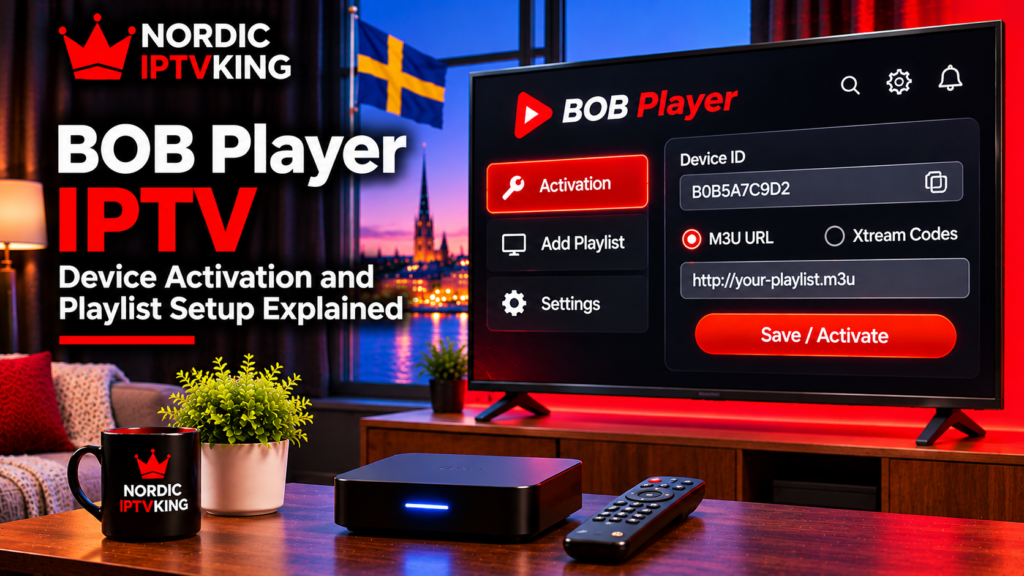
An IPTV MAC address is an identifier that some IPTV players, Smart TV apps, set-top boxes, and portal-based systems use to recognise a specific device or application. Instead of asking you to enter a username and password directly on the television, the player may display a MAC address or device ID that is used when connecting a playlist or portal.
This can be confusing because your TV, Wi-Fi connection, Ethernet connection, and IPTV app may all display different identifiers. The important rule is simple: use the MAC address or device ID requested by the IPTV player or setup method you are using.
This guide explains what a MAC address means in IPTV, why some apps require one, where to find the correct identifier, and what to check if your playlist does not appear.
What Is an IPTV MAC Address?
MAC stands for Media Access Control. A conventional network MAC address identifies a network interface, such as the Ethernet or Wi-Fi adapter inside a Smart TV, streaming box, or computer.
It is normally written as six groups of characters, for example:
A1:B2:C3:D4:E5:F6
In IPTV, however, the term can be used more broadly. Some players display their own MAC-style identifier, device ID, virtual MAC address, or app-specific identification code.
That distinction matters.
The IPTV device MAC required during setup is not always the same as the MAC address shown in your television’s network settings.
For example, you might have:
- a Wi-Fi MAC address for the television
- a different Ethernet MAC address
- a virtual MAC generated by an IPTV player
- a Device ID or App ID used instead of a traditional MAC
- a separate device key used together with the MAC address
If an app displays its own MAC address on its activation screen, that is usually the identifier you should use for that app.
Why Do Some IPTV Apps Require a MAC Address?
Not every IPTV player uses the same login system.
Many apps allow you to enter an M3U playlist or Xtream-style login directly. Other players use an external management page where you first identify the television or app and then associate your playlist with it.
In that type of setup, the MAC address IPTV workflow can look like this:
- Install and open the IPTV player.
- The app displays a MAC address, Device ID, or similar identifier.
- Open the player’s management website on your phone or computer.
- Enter the identifier displayed by the app.
- Add the required playlist or account information.
- Save the changes.
- Restart or refresh the player.
The MAC or device identifier therefore acts as a way for the player or portal system to determine which installation should receive the configuration.
It does not automatically mean that every IPTV service uses MAC-based authentication. Many modern players rely on usernames, passwords, M3U links, or other account systems instead.
Network MAC Address vs IPTV App MAC Address
One of the most common setup mistakes is copying the wrong MAC address.
Suppose your Samsung or LG Smart TV shows a network MAC under Settings. You then install an IPTV app that displays another MAC address on its welcome screen.
For the app’s playlist-management website, you normally need the identifier displayed inside the IPTV app, not necessarily the MAC found in the TV’s general network menu.
This is especially important when an application creates a virtual identifier.
The same issue can appear when switching between Wi-Fi and Ethernet. A device can have a separate MAC address for each network interface. Changing the connection method may therefore reveal a different hardware address.
When following a setup guide, check exactly which identifier the app requests rather than assuming every MAC shown on the device is interchangeable.
For device-specific instructions, Monster IPTV maintains an IPTV installation section covering different players and platforms.
Where Can You Find the IPTV MAC Address?
The exact location depends on the device and player.
Smart TV IPTV Players
On many Smart TV players, the required MAC address or Device ID appears when the app opens for the first time.
Check:
- the welcome screen
- Settings
- Account
- Device Information
- About
- Playlist Management
- Activation
Some apps display both a MAC address and a device key. If the management page asks for both, enter both exactly as displayed.
IPTV Boxes and Set-Top Boxes
Dedicated IPTV boxes may display a hardware MAC address in:
- system information
- network settings
- device information
- a label on the device
Portal-based boxes can use the MAC address as part of the device registration process.
However, do not assume that every box follows the same method. Always follow the instructions for the specific model and portal configuration.
Android TV and Fire TV Devices
Android-based IPTV applications frequently use account credentials, M3U playlists, or Xtream login details rather than the physical network MAC.
If an app does require a device identifier, use the one shown inside that application unless its official instructions specifically tell you otherwise.
Apple TV, iPhone and iPad
Many IPTV applications on Apple platforms use account-based or playlist-based configuration rather than requiring you to find the physical network MAC address.
If an app displays a Device ID or other activation identifier, treat that as an app-specific setup value and follow the player’s instructions.

Why Does My IPTV MAC Address Not Work?
If a player reports “Invalid MAC”, “Device not found”, “Playlist not found”, or loads without your playlist, several causes are possible.
You Entered the Wrong MAC Address
Check whether you entered the TV’s network MAC instead of the MAC or Device ID displayed by the IPTV player.
This is particularly common with Smart TV applications.
One Character Was Typed Incorrectly
MAC addresses contain similar-looking characters. Check every pair carefully and make sure you have not added spaces or omitted a separator.
Taking a photo of the activation screen can make comparison easier.
The App Also Requires a Device Key
Some IPTV players require two identifiers rather than one.
Entering the MAC address without the associated device key will not work if both fields are mandatory.
The Playlist Was Added to Another Device
If the playlist was associated with a different identifier, the current installation may not be able to locate it.
Verify that the MAC or Device ID entered on the management website matches the one currently displayed by the app.
You Reinstalled or Changed the App
An app update, reinstall, device reset, or migration to another television can sometimes result in a different app-specific identifier.
If your configuration previously worked but disappears after changing the installation, compare the current device information with what was originally registered.
For broader troubleshooting questions, the Monster IPTV FAQ provides additional information about devices, connections, and common viewing issues.
Does an IPTV MAC Address Reveal Your Home Address?
A MAC address is not the same thing as a postal address, email address, public IP address, or account password.
A normal network MAC is primarily used for identifying an interface on the local network. Devices on the wider internet do not normally receive your local Ethernet or Wi-Fi MAC simply because you connect through a household router.
An IPTV application can, however, transmit a device identifier as application data when that identifier is deliberately used for activation.
You should therefore treat device IDs and activation information sensibly. Only enter them into the official player management page or a service you intend to use.
More importantly, never publicly post complete portal credentials, playlist URLs, usernames, passwords, or other account details.
Do M3U Playlists Need a MAC Address?
Not necessarily.
M3U is a playlist format. Many IPTV players allow you to paste or import an M3U URL without registering a MAC address at all.
The exact setup depends on the player.
A typical M3U-compatible application may ask for:
- an M3U URL
- a playlist name
- an optional EPG URL
Another Smart TV player may require you to enter its displayed MAC or Device ID on an external website before uploading that same M3U playlist.
The content source can therefore be similar while the configuration process is different.
MAC Address vs M3U vs Username and Password
These terms describe different parts of an IPTV setup.
MAC address or Device ID: identifies an app or device in some activation systems.
M3U URL: provides playlist information to a compatible IPTV player.
Username and password: can be used by account-based systems to authenticate a subscription.
Server or portal URL: tells the application which server or portal it should connect to.
Your IPTV player determines which combination you need. Do not try to convert one login method into another unless the app or service specifically supports it.
FAQ About IPTV MAC Addresses
Is every IPTV MAC address the same as my TV’s MAC address?
No. Some IPTV applications display their own virtual MAC address or Device ID. When activating an app, use the identifier requested by that particular player.
Can my TV have more than one MAC address?
Yes. Wi-Fi and Ethernet interfaces can have separate MAC addresses. An IPTV application may also display an additional app-specific identifier.
Why does an IPTV player show both MAC and Device Key?
Some players use both values to identify or authenticate a particular installation on their playlist-management system. Enter both if the app’s activation page requires them.
Do all IPTV apps require a MAC address?
No. Many players use M3U links, usernames and passwords, or other account-based login methods instead.
Should I share my IPTV MAC address publicly?
It is better not to publish device identifiers or account configuration information unnecessarily. Keep playlist URLs, portal details, passwords, and subscription credentials private.
Understanding Which MAC Address Your IPTV Player Needs
An IPTV MAC address is mainly relevant when a player or portal uses a device-based activation system. The biggest source of confusion is that the network MAC in your TV settings may not be the same identifier displayed by your IPTV application.
Before entering anything, open the player and check its activation or device-information screen. If it shows a MAC address, Device ID, App ID, virtual MAC, or device key, use the exact information requested by that player’s setup process.
If you are configuring a compatible player in Sweden and want to review the available setup information before connecting your device, visit Monster IPTV for current service and installation guidance.
