 Skip to main content
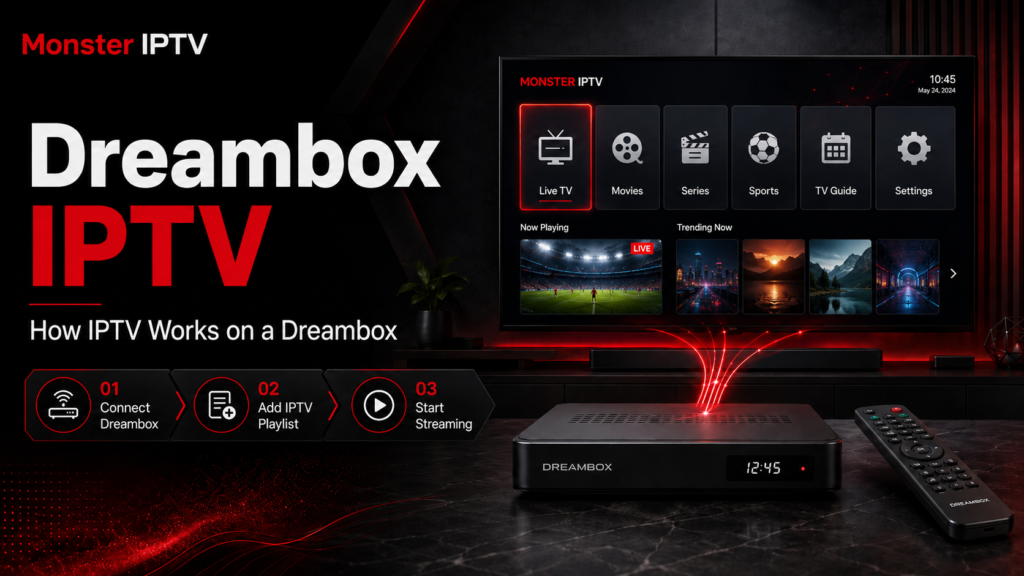
Dreambox receivers are best known as Linux-based satellite and television receivers, but compatible models can also handle television streams delivered over an internet connection. A Dreambox IPTV setup usually works differently from installing an IPTV app on a Smart TV or Android device. Instead of simply downloading an app, users commonly work with Enigma2 or DreamOS, channel bouquets, M3U playlists, plugins, and network configuration.
So, can you use a Dreambox for IPTV? In many cases, yes. The exact method depends on the Dreambox model, software image, available plugins, and the format supplied by your IPTV service.
How Does IPTV Work on a Dreambox?
IPTV delivers television streams through an IP network rather than relying only on a satellite, terrestrial, or cable tuner.
On a compatible Dreambox, internet streams can be integrated into the receiver’s existing channel interface. This is one reason Dreambox IPTV feels different from watching through a conventional IPTV app.
Enigma2 uses channel lists known as bouquets. Official Dreambox forum material shows that Enigma2 loads television bouquet files from its configuration and allows services to be organized into these channel lists.
When IPTV streams are added correctly, they can appear alongside other services in the Dreambox channel interface. Depending on the software configuration, you may also be able to use:
- channel groups
- favourites
- EPG information
- channel logos or picons
- remote-control navigation
- network streams
- multiple bouquets
The precise features depend on your receiver, software image, plugin, and IPTV source.
Dreambox, Enigma2 and DreamOS Explained
It is important not to treat every Dreambox as identical.
Many Dreambox receivers are associated with Enigma2, the Linux-based receiver interface developed for Dreambox hardware. Dream Property’s Enigma2 repository confirms the relationship between Enigma2 and Dreambox hardware.
Different generations can run different software environments, however. Dreambox models and third-party images may therefore use different menus, plugins, package versions, and installation procedures.
This is why an IPTV Dreambox tutorial written for one model should not automatically be followed on another.
Before changing anything, identify:
- Your exact Dreambox model
- The software image installed
- The Enigma2 or DreamOS version
- Whether the box is connected to your home network
- Which IPTV format your service provides
Knowing these details can prevent many setup problems.
What Do You Need for Dreambox IPTV?
A typical setup requires a few basic components.
A Compatible Dreambox
Your receiver needs software capable of handling network-based media streams. Compatibility should be checked for your exact model and installed image rather than assumed from the Dreambox name alone.
An Internet Connection
IPTV streams arrive through your network, so the Dreambox needs access to the internet through Ethernet or another supported network connection.
For a fixed television receiver, Ethernet can be useful because it removes Wi-Fi signal strength as a potential source of instability.
IPTV Connection Information
Depending on the service and configuration method, you might receive:
- an M3U playlist
- an M3U URL
- an XMLTV EPG source
- account credentials
- a configuration script
- another format supported by the selected plugin
Do not assume that every Dreambox installation accepts every format.
Suitable Software or Plugin
Some configurations convert an M3U playlist into Enigma2 bouquets. Other installations use dedicated plugins to manage IPTV streams and EPG data.
For example, Enigma2 community tools exist that read M3U data and create Enigma2 bouquets while associating channels with EPG information.
How to Set Up IPTV on a Dreambox
There is no single universal installation process, but most approaches follow the same overall sequence.
Step 1: Connect the Dreambox to Your Network
First, make sure the receiver has a working network connection.
Open the network settings on the Dreambox and confirm that it has received a local IP address. Testing ordinary network functionality before configuring IPTV helps separate internet problems from playlist or plugin problems.
Step 2: Identify Your Dreambox Software
Check your receiver information to determine which image and software version are installed.
This matters because menus and supported extensions vary between DreamOS, Enigma2 versions, and third-party images.
Do not install a plugin simply because it is described as an “Enigma2 plugin”. Confirm that its documentation specifically supports your software environment.
Step 3: Choose the Appropriate IPTV Method
Common Dreambox IPTV methods include:
- importing IPTV streams into bouquets
- converting an M3U playlist into Enigma2 channel lists
- using an IPTV-compatible Enigma2 plugin
- adding supported network stream services to existing bouquets
Older Enigma2 installation methods also use the /etc/enigma2 directory for bouquet configuration. Dreambox’s own forum documentation shows Enigma2 reading bouquet information from this location.
Manual editing is more advanced and should only be used when you understand the configuration. Back up existing settings before replacing or editing bouquet files.
Step 4: Add Your IPTV Information
Enter or import the information supplied by your IPTV service according to the method you selected.
If you are working with an M3U source, a compatible tool may convert the playlist into the bouquet structure expected by Enigma2.
Keep private playlist URLs and login credentials private. IPTV URLs can sometimes contain usernames, passwords, tokens, or other subscription information.
Step 5: Restart or Reload the Interface
After importing new bouquet information, the Enigma2 interface may need to reload before the new groups appear.
Depending on your configuration, this may involve restarting the graphical interface rather than performing a full factory reset.
Never reset the receiver simply because newly imported channels are not immediately visible.
For Monster IPTV’s available device and player guides, check the IPTV installation section before changing advanced receiver settings.

How M3U Playlists Work on Dreambox
M3U is one of the formats frequently associated with IPTV.
An M3U playlist is essentially a structured text file containing stream addresses and related information. On a conventional IPTV app, the application may display the playlist directly.
On an Enigma2 receiver, the playlist can instead be converted into bouquets, allowing streams to appear more like ordinary television channels in the Dreambox interface.
A playlist may provide information such as:
- channel name
- stream URL
- channel group
- EPG identifier
- channel logo reference
This separation is important. An M3U playlist organizes stream locations, while the Dreambox software determines how those entries are displayed and played.
How Does EPG Work on a Dreambox?
EPG stands for Electronic Program Guide.
An IPTV playlist can identify channels, while separate EPG data can provide programme names, schedules, descriptions, and broadcast times.
Some Enigma2 IPTV tools can create service references and EPG importer sources when converting an M3U playlist.
If channels play but programme information is missing, that does not necessarily mean the IPTV connection has failed. The problem may instead involve:
- missing EPG data
- incorrect channel identifiers
- outdated EPG information
- an EPG importer configuration issue
- a mismatch between playlist and guide data
Common Dreambox IPTV Problems
IPTV Channels Do Not Appear
First confirm that the bouquet or playlist was actually imported.
If configuration files were transferred manually, check that they were placed in the correct location for your software image and that the interface was reloaded afterwards.
Channels Appear but Do Not Play
This can indicate a stream, authentication, network, or format problem.
Check whether:
- your internet connection works
- subscription details are current
- the playlist address is complete
- the stream format is supported by your configuration
- another channel from the same source works
IPTV Freezes or Buffers
Do not immediately assume the Dreambox is responsible.
Potential causes include the home network, internet routing, the stream source, receiver resources, software configuration, or the connection between the Dreambox and router.
Testing with Ethernet can help rule out Wi-Fi as a factor.
EPG Does Not Match the Channels
This is commonly a data-matching issue. Channel identifiers in the IPTV bouquet must correspond correctly with the EPG source.
For general service and setup questions, Monster IPTV also maintains an IPTV FAQ.
Dreambox IPTV and Streaming Legality in Sweden
Dreambox is simply receiver hardware, and IPTV is a delivery technology. Neither automatically determines whether particular television content is authorized.
What matters is the source of the streams and whether the necessary rights exist.
Sweden’s Patent and Registration Office, PRV, explains that copyright-protected material requires permission from rights holders and distinguishes authorized services from illegal streaming services that make content available without the necessary permission.
This means that adding an M3U playlist or IPTV bouquet to a Dreambox does not itself establish whether the underlying content is licensed.
Swedish users should therefore evaluate the source of the IPTV service separately from the technical setup.
Is Dreambox Still Useful for IPTV?
A Dreambox can still make sense for users who already own compatible hardware and are comfortable with Enigma2-style receiver management.
Its main difference from devices such as Smart TVs, Android boxes, or Firesticks is the setup approach. A conventional streaming device generally revolves around apps, while a Dreambox often revolves around bouquets, plugins, receiver images, and configuration files.
For someone who wants the simplest possible IPTV setup, a modern app-based device may be easier. For an experienced Dreambox owner who understands Enigma2, integrating IP streams into the existing television interface can be practical.
Before choosing any method, compare it with the other platforms covered in Monster IPTV’s device installation guides.
FAQ
Can I use Dreambox for IPTV?
Yes, compatible Dreambox receivers can handle IPTV streams. The exact method depends on the model, software image, Enigma2 or DreamOS version, and IPTV format.
Does Dreambox support M3U playlists?
M3U content can be used in compatible Dreambox and Enigma2 configurations, often by converting playlist entries into bouquets or using a suitable plugin.
What is a bouquet on Dreambox?
A bouquet is an organized channel list within Enigma2. IPTV streams can be included in these lists when configured correctly.
Do I need a satellite dish for Dreambox IPTV?
IPTV itself uses an IP network rather than a satellite signal. A Dreambox may still have satellite tuners, but an internet-delivered stream does not require the stream itself to arrive through the dish.
Why is my EPG missing on Dreambox IPTV?
The stream and EPG are separate components. Missing guide information can result from an EPG source problem, incorrect identifiers, failed importing, or a mismatch between the channels and programme-guide data.
Conclusion
Dreambox IPTV combines internet-based streaming with the flexible channel-management environment found on compatible Dreambox receivers. Instead of relying solely on a conventional IPTV app, users may work with Enigma2 bouquets, M3U sources, EPG data, and plugins. The key is to identify your exact Dreambox model and software before following any installation method. If you are exploring IPTV for use in Sweden and want to review available setup information, devices, and service details, visit Monster IPTV.
