 Skip to main content

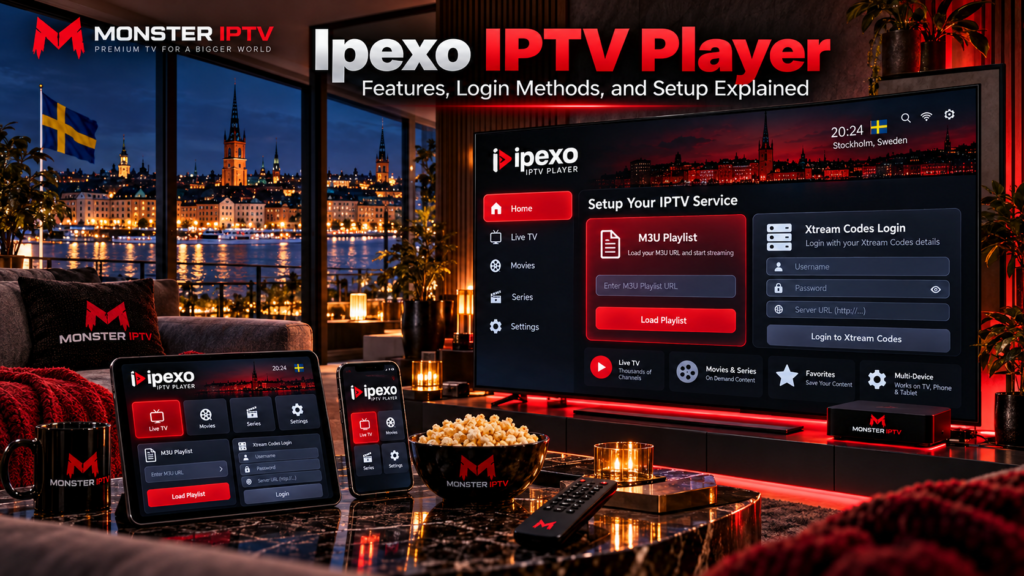
IPEXO IPTV Player is a media player for loading IPTV content from an external source. It supports M3U and M3U8 playlists as well as XC/XUI portal logins, allowing users to organize live TV, movies, series, and programme-guide information supplied by their own provider. IPEXO itself states that it does not provide television channels or streaming content.
For users in Sweden, the main things to check are the correct IPEXO application, device compatibility, login format, EPG configuration, and whether the IPTV source you connect to the player is authorized to distribute its content.
What Is IPEXO IPTV Player?
IPEXO is an IPTV and M3U player rather than an IPTV subscription.
Its job is to take account information or a playlist supplied by another service and turn it into an easier television-style interface.
Depending on the source you connect, the player can organize:
- Live TV
- Movies
- Series
- Channel groups
- Favourites
- EPG information
- Search
- Continue Watching
- Parental locks
The official IPEXO website currently provides links for Windows, macOS, and iOS. Sweden’s Apple App Store also lists IPTV Player (IPEXO) for iPhone, iPad, and Mac.
Installing the player alone does not provide Swedish channels, Nordic channels, sports, movies, or series.
IPEXO Player vs an IPTV Subscription
Understanding the difference between the player and the IPTV service prevents a lot of setup confusion.
| IPEXO Player | IPTV service |
|---|---|
| Provides playback software | Supplies television streams |
| Loads playlists | Provides M3U or account details |
| Organizes live TV and VOD | Determines available content |
| Can display EPG | Supplies programme-guide data |
| Offers player features | Determines stream quality |
You may therefore have separate costs for the player and the television service you connect to it.
Before entering credentials, make sure you know exactly which product you are paying for.
Which Devices Support IPEXO?
IPEXO’s current website prominently provides downloads for:
- Windows
- macOS
- iOS
The Swedish Apple App Store lists compatibility with iPhone, iPad, and Mac. The current listing requires iOS 13 or later for iPhone and iPad, while Mac compatibility begins with macOS 11 on supported hardware.
The IPEXO website also refers to Android in its promotional text, but its main download navigation currently highlights Windows, macOS, and iOS. Because app availability can change, Android users should verify the current official download source before installing an app with a similar name.
For IPTV setup on televisions, streaming boxes, and other platforms, see the Monster IPTV installation guides.
How Does IPEXO IPTV Login Work?
IPEXO currently supports several ways to connect IPTV content.
The main options are:
- M3U playlist
- M3U8 playlist
- XC API
- XUI API
IPEXO’s official instructions state that XC or XUI accounts use portal information together with a username and password.
M3U or M3U8 Playlist
An M3U playlist is usually supplied as either a file or a web URL.
A typical setup requires:
- Open IPEXO.
- Choose the option to add a playlist.
- Select M3U or M3U8.
- Paste the playlist URL or select a local file.
- Save the playlist.
- Wait for the channels and categories to load.
M3U URLs can contain account credentials, so avoid sharing the complete address publicly.
XC or XUI Login
XC and XUI login usually requires:
- Portal or server URL
- Username
- Password
IPEXO then retrieves the information associated with the account and organizes the available live TV, movies, and series.
This method can be easier than typing a long M3U link.
Can You Add a Playlist Remotely?
Yes. IPEXO currently lists remote playlist management as one of its features.
The official site says users can add a playlist through its web-based system and have that playlist appear inside the activated application. It also offers an option to hide the portal or DNS address from the normal app interface when using remote playlist management.
This can be convenient when setting up a computer or device where entering a long URL manually is difficult.
Always use IPEXO’s official management tools rather than entering account credentials into an unknown third-party playlist website.
Does IPEXO Support EPG?
Yes.
IPEXO lists support for an Electronic Programme Guide, commonly called EPG.
The guide can display information such as:
- Current programme
- Upcoming programme
- Channel schedule
- Programme start time
The official feature information says EPG data can come from an external source or through compatible XC/XUI portal information.
However, the player cannot create accurate programme information if the connected IPTV source does not supply suitable EPG data.
For Swedish viewers, also check your device’s date, time, and time zone if programmes appear at the wrong hour.
Favourites, Hidden Groups, and Parental Locks
IPEXO includes several tools for managing large IPTV playlists.
Its current feature list includes:
- Adding channels or content to favourites
- Locking groups with parental controls
- Hiding unnecessary groups or channels
- Pinning selected groups to the top
These features can make a large IPTV channel list easier to navigate.
For example, a Swedish household might keep Swedish and Nordic channels visible while hiding categories that are never used.
Parental locks can also provide an additional layer of control in households where children use the same device.

Search and Continue Watching
IPEXO also includes a universal search system.
According to its current feature documentation, users can search across television channels, movies, and series using information such as names, categories, or years.
The app also records viewing progress for supported movies and series so that playback can resume later.
Its home-screen shortcuts can surface recently added content and Continue Watching items for compatible XC/XUI playlists.
Whether useful information appears in these sections still depends on the metadata supplied by the connected IPTV service.
Does IPEXO Provide Swedish Channels?
No.
IPEXO is a media player and explicitly states that it does not supply streaming content.
The IPTV service you connect determines whether you receive:
- Swedish channels
- Nordic television
- Sports
- Movies
- Series
- International channels
- EPG data
This distinction matters because installing a different player does not automatically change the underlying channel lineup.
When comparing published television options separately from the player, you can review the Monster IPTV channel information.
IPEXO IPTV Player vs XCIPTV Player
The names can cause confusion, but IPEXO and XCIPTV are separate applications.
XCIPTV Player is currently published on Google Play by OTTRUN and is designed for Android phones, tablets, and Android TV devices. Its listing includes built-in players, EPG, catch-up, recording, favourites, and support for Xtream-compatible APIs and M3U URLs.
IPEXO, meanwhile, is published under the IPEXO Player identity and currently emphasizes Windows, macOS, and iOS downloads.
If a setup guide tells you to download XCIPTV, do not assume those instructions apply directly to IPEXO.
Always check:
- App name
- Developer
- Operating system
- Official website
- Login method
Why Is IPEXO Not Loading My Playlist?
If your playlist or account does not load, start with the login information.
Check the Server URL
Make sure the full server or portal address is correct.
A missing character, incorrect port, or extra space can prevent authentication.
Recheck Username and Password
IPTV credentials are usually case-sensitive.
Enter them exactly as supplied.
Test the M3U URL
If you use M3U, confirm that the URL is still valid and that the associated account is active.
Check Your Internet Connection
Try another online service on the same device.
If everything is offline or unstable, troubleshoot the home network first.
Refresh the Playlist
Reload the IPTV source if IPEXO provides that option.
If one channel fails but the rest work normally, the problem may be the individual stream rather than the entire player.
For broader troubleshooting, see the Monster IPTV FAQ.
Can IPEXO Improve Streaming Quality?
An IPTV player can influence playback compatibility and navigation, but it cannot improve the quality of the original source beyond what that source provides.
Actual streaming quality can depend on:
- Source resolution
- Bitrate
- Video codec
- Internet connection
- Wi-Fi quality
- Device performance
- IPTV server
- Player configuration
If the source is Full HD, using a 4K screen does not turn it into genuine 4K.
Similarly, repeated buffering does not automatically mean IPEXO is responsible. Compare several channels and another streaming service before changing player settings.
IPTV Players and Copyright in Sweden
Using an IPTV media player or an M3U playlist format is not automatically unlawful.
The important issue is the source of the content.
Sweden’s Patent and Registration Office, PRV, explains that streaming copyrighted television or films from unlawful sources can raise copyright issues, while the precise legal assessment depends on the circumstances. PRV also notes that EU case law has addressed streaming through media players from unlawful services.
For Swedish users, the practical approach is to use IPEXO only with content that you are authorized to access.
FAQ
Does IPEXO IPTV Player include channels?
No. IPEXO states that it is a media player and does not provide television or streaming content.
Does IPEXO support M3U?
Yes. It supports both M3U and M3U8 playlists from a local file or web URL.
Does IPEXO support Xtream login?
IPEXO supports XC and XUI API-style login using portal information, username, and password.
Can I use IPEXO on Windows?
Yes. The official website provides a Windows download and links to a Microsoft Store version.
Is IPEXO available for iPhone?
Yes. IPTV Player (IPEXO) is currently listed in Sweden’s Apple App Store for iPhone and iPad.
Does IPEXO support EPG?
Yes. The player supports EPG information from external sources and compatible XC/XUI APIs.
Is IPEXO the same as XCIPTV?
No. They are separate IPTV players from different developers. XCIPTV is currently published by OTTRUN, while IPEXO is distributed under the IPEXO Player identity.
Conclusion
IPEXO IPTV Player is a media player for users who already have an authorized IPTV source and want to connect through M3U, M3U8, XC, or XUI credentials. Its current features include EPG, favourites, parental locks, hidden groups, remote playlist management, universal search, and viewing-progress tools. Swedish users should verify the official app, device compatibility, login details, EPG source, and content rights before setup. For more information about IPTV players, channels, installation, and viewing options in Sweden, visit Monster IPTV.
