 Skip to main content

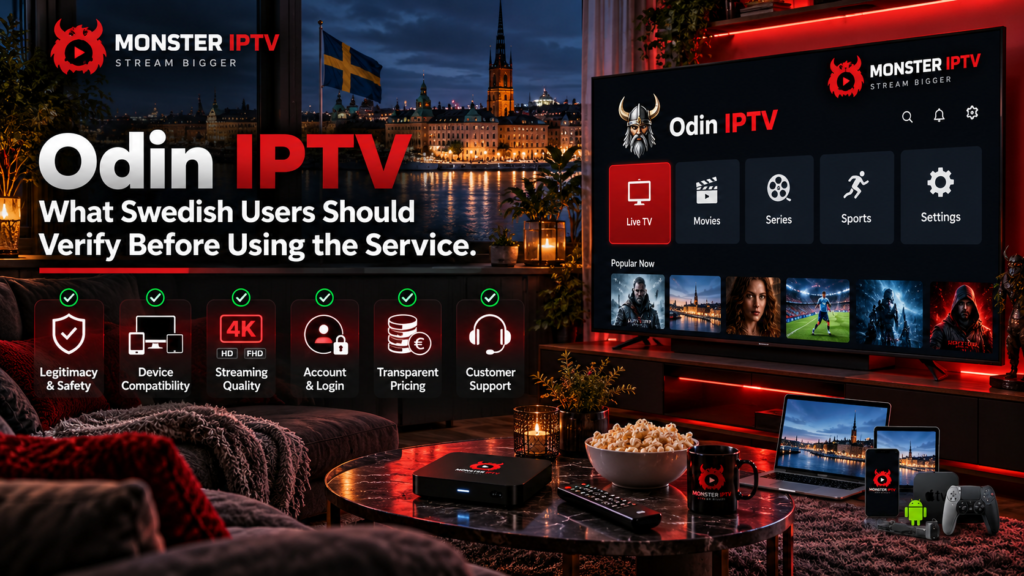
Odin IPTV, currently presented online as OdinTV, is a Sweden-focused television and streaming service that advertises live TV, sports, films, series, and access across Smart TVs, phones, computers, tablets, and dedicated TV boxes. However, its current shop lists several separately named television services rather than one single uniform Odin package, so users should check exactly which service they are purchasing before paying.
Swedish viewers should also verify the IPTV app required for their device, login format, simultaneous-stream rules, trial conditions, refund policy, payment method, channel availability, and content rights.
What Is Odin IPTV?
OdinTV describes itself as a streaming service and currently markets several subscription options through its website. Its shop lists services under names including NXT TV, N1 TV, Alien TV, Strong TV, and LiveGo TV, with different subscription periods and multi-connection options.
This means “Odin IPTV” should not automatically be treated as one technical platform with one fixed price, one channel lineup, or identical features across every package.
Before ordering, identify:
- Which named service is included
- Subscription duration
- Number of simultaneous connections
- Trial conditions
- Required IPTV player
- Login method
- Exact channels you need
This is especially important if you are comparing OdinTV with another IPTV service in Sweden.
Is There an Odin IPTV App?
OdinTV’s current setup documentation does not rely on one universal proprietary Odin IPTV app.
Instead, its instructions recommend different IPTV players according to the device being used. Current examples include TiviMate for Android TV and Google TV, iMPlayer for Android devices, MyTVOnline+ for compatible mobile setups, and several players for Apple devices. The site also provides guidance for dedicated boxes such as Formuler, TVIP, and MAG.
The correct application therefore depends on your hardware.
For example:
| Device type | Typical setup described by OdinTV |
|---|---|
| Android TV / Google TV | IPTV player such as TiviMate |
| Android phone or tablet | Compatible mobile IPTV player |
| Apple TV | Apple-compatible IPTV player |
| Smart TV | Compatible television application |
| Formuler | Portal or XC-based setup |
| TVIP / MAG | Box-specific connection method |
App availability can change, so confirm that the recommended player is currently available on your exact television or device.
For more general device guidance, see the Monster IPTV installation guides.
How Does Odin IPTV Login Work?
OdinTV’s current customer information says account details can include:
- Server URL
- Username
- Password
- M3U
- EPG information
The site says these details are available through the customer’s portal under account information.
For many IPTV applications, this means you will use either an Xtream-style login or an M3U playlist.
Xtream or XC Login
An XC login normally uses:
- Server or portal URL
- Username
- Password
OdinTV’s Android TV instructions currently show this method for players such as TiviMate.
M3U Playlist
An M3U link contains playlist and account information in a URL that a compatible IPTV player can load.
Keep both login formats private. An M3U address can contain account-specific credentials directly inside the link.
Which Devices Can Use OdinTV?
The current OdinTV documentation covers a broad range of device types.
These include:
- Android phones and tablets
- Android TV
- Google TV
- Apple TV
- iPhone and iPad
- Smart TVs
- Formuler boxes
- TVIP boxes
- MAG boxes
- Computers
The homepage also states that the service can be used on Smart TV, PC, tablet, Android, iOS, and dedicated TV boxes.
Do not assume that one set of installation instructions applies to every device.
A Samsung Smart TV, Apple TV, Android TV box, and Formuler device all use different operating systems and may require different IPTV players.
Can You Use One Odin IPTV Subscription on Several Devices?
OdinTV’s current FAQ states that a standard subscription can only be used on one device at a time. It warns that trying to use the same connection simultaneously on several devices can cause account or playback problems.
Its current shop separately lists Duo and Trio products for some services, providing two or three connections depending on the package.
This creates an important distinction:
Installed on multiple devices: You may have the account configured on more than one device.
Simultaneous viewing: The number of devices actually streaming at the same moment depends on the purchased connection allowance.
Households with several televisions should verify this before choosing a subscription.
Check the Exact Subscription Before Paying
OdinTV currently sells several different named services with different prices, periods, and connection options. The shop includes short periods, monthly subscriptions, longer plans, and multi-connection packages.
Because these details can change, avoid relying on an old review or screenshot.
Before payment, check:
- Service name
- Exact price in SEK
- Subscription duration
- Number of connections
- Whether renewal is manual or automatic
- Included trial
- Refund conditions
- Device requirements
The final checkout page should be treated as more current than an older third-party review.
Verify the Trial Period
There is a useful detail to check carefully.
The OdinTV homepage currently promotes a free 24-hour trial, while the shop displays 1-hour test options alongside several of its listed services.
Because these descriptions differ, confirm the actual trial period for the specific package you are considering.
A trial can help you test:
- IPTV player compatibility
- Channel loading
- EPG
- Wi-Fi or Ethernet performance
- Navigation
- Picture quality on your device
A technical trial does not, however, confirm content licensing or long-term channel availability.

Read the Refund Policy Before Ordering
OdinTV’s current FAQ states that it does not provide refunds after a purchase has been completed and recommends testing the service first.
Users should therefore read the current purchase terms and refund information before paying, particularly before selecting a longer subscription.
Keep your:
- Order confirmation
- Payment reference
- Product description
- Support correspondence
These records can be useful if there is later a disagreement about what was purchased.
Check the Payment Method
OdinTV’s current payment documentation includes detailed cryptocurrency payment instructions involving Bitcoin and third-party purchasing services. It also advises customers to retain transaction information such as the TXID.
Before making any payment, confirm:
- Which payment method applies to your order
- Who receives the payment
- Currency and final amount
- Refund conditions
- Transaction reference
- Customer support contact
Do not assume that every payment option shown in an older guide remains available today.
What Channels Does Odin IPTV Include?
OdinTV markets Swedish, Scandinavian, international, sports, movie, and entertainment content. Its website also makes large numerical claims about its channel offering.
Instead of choosing a service based on the total number alone, verify the individual channels you actually want.
For example:
- Specific Swedish channels
- Nordic channels
- Sports channels
- Football competitions
- Children’s programming
- News
- Movie channels
- Local-language broadcasts
Also ask whether your required channels include EPG, catch-up, or the picture quality you expect.
When comparing another published channel offering, you can review the Monster IPTV channel information.
EPG, M3U, and Player Features
OdinTV’s customer portal information indicates that users can access EPG data together with server, M3U, username, and password information.
EPG stands for Electronic Programme Guide and can show:
- Current programmes
- Upcoming broadcasts
- Start and finish times
- Channel schedules
Whether features such as catch-up, recording, subtitles, or multiple audio tracks work depends on the combination of the selected service, IPTV player, and individual stream.
Do not assume that every player feature is available on every OdinTV package.
How Much Internet Speed Does OdinTV Recommend?
The current OdinTV FAQ recommends at least 20 Mbps for its regular streaming setup and at least 10 Mbps when using mobile internet.
These figures should be treated as the provider’s recommendations rather than guarantees.
Actual performance can also depend on:
- Wi-Fi signal
- Router quality
- Other devices using the network
- Stream bitrate
- IPTV application
- Playback hardware
- Source-server performance
If every streaming app buffers, investigate your home network. If only one IPTV channel has a problem, the issue may be specific to that stream.
For additional troubleshooting, see the Monster IPTV FAQ.
Check Privacy and Account Data
OdinTV’s current privacy policy says it can process customer information including name, email address, account history, subscription status, IP address, device type, login logs, and transaction references.
Before registering with any IPTV service, review:
- Privacy policy
- Data controller
- Contact information
- Account deletion process
- Data retention
- Payment handling
You should also verify the legal business identity behind a service when entering into a longer subscription.
What About IPTV Legality in Sweden?
IPTV technology itself is not what determines whether a television service is authorized.
The key question is whether the provider has the necessary rights to distribute the channels, sporting events, films, and series it offers.
Sweden’s Patent and Registration Office, PRV, maintains guidance specifically intended to increase awareness around legal and illegal streaming and copyright.
Swedish users should therefore verify content rights independently rather than assuming that paying for a subscription automatically proves authorization.
FAQ
Is Odin IPTV an app?
Not primarily. OdinTV currently operates as a streaming and subscription storefront, while its setup guides recommend different third-party IPTV players depending on the device.
Does Odin IPTV support M3U?
Its current FAQ says customers can access M3U information alongside server URL, username, password, and EPG details in the customer portal.
Can I use OdinTV on Smart TV?
The service states that it supports Smart TVs, although the required application depends on your television platform and model.
Can two devices watch simultaneously?
A standard subscription is currently described as one simultaneous connection. Some products in the shop offer Duo or Trio connections.
Does OdinTV offer a trial?
Yes, but current pages describe different trial lengths. The homepage advertises 24 hours, while several shop packages show a 1-hour test, so confirm the trial attached to your chosen service.
Does OdinTV offer refunds?
Its current FAQ states that completed purchases are not refunded and recommends testing before ordering.
Conclusion
Odin IPTV is currently presented through OdinTV as a Sweden-focused streaming storefront offering several separately named television services, device guides, IPTV player options, and connection methods. Before subscribing, verify the exact package, required app, M3U or XC credentials, simultaneous connections, trial terms, refund policy, payment method, channels, privacy information, and content rights. For more information about IPTV setup, channels, players, and viewing options for users in Sweden, visit Monster IPTV.
