 Skip to main content

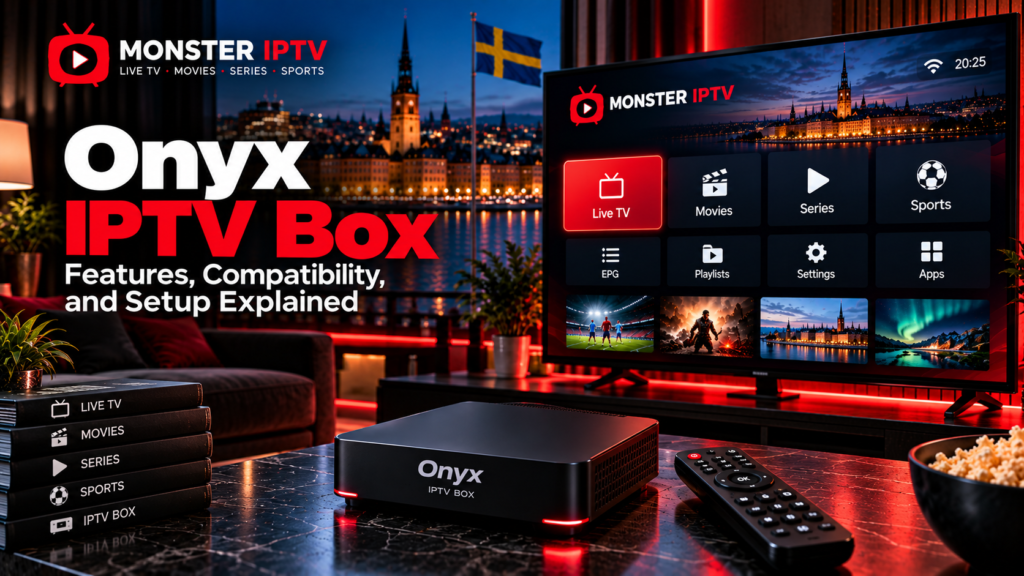
The Onyx IPTV Box is an Android-based streaming and media device that connects to a television through HDMI. It can be used with compatible IPTV services, streaming apps, live TV players, and other Android TV applications, depending on the software and subscriptions you choose.
For Swedish users, one of the currently available models is the Onyx Smart-TV Box E1. Swedish retailer specifications list Android TV, up to 4K Ultra HD output, WiFi 6, Bluetooth, Ethernet, 4 GB RAM, and 32 GB internal storage for the E1.
The important distinction is that the Onyx box is the hardware. It does not automatically mean that an IPTV subscription, Swedish channels, sports packages, movies, or series are included.
What Is an Onyx IPTV Box?
An Onyx box is a dedicated media player designed to turn a television with HDMI into a more flexible streaming system.
Instead of depending entirely on the television’s built-in Smart TV platform, the box provides its own operating environment, applications, remote control, and network connection.
A typical setup consists of:
- Onyx media box
- HDMI connection
- Television
- Internet connection
- Remote control
- IPTV player or portal
- Compatible streaming subscriptions
The official Onyx website describes the device as a 4K-capable streaming box with WiFi 6, Bluetooth 5.0, expandable storage, and its own NOX media environment.
What Are the Onyx E1 Specifications?
The current Swedish listing for the Onyx Smart-TV Box E1 provides the following specifications:
| Feature | Onyx Smart-TV Box E1 |
|---|---|
| Operating system | Android TV |
| Memory | 4 GB RAM |
| Internal storage | 32 GB |
| Resolution | Up to 4K Ultra HD |
| Wireless network | WiFi 6 |
| Bluetooth | Yes |
| Wired network | Ethernet LAN |
| TV connection | HDMI |
| USB | Yes |
| Remote control | Included |
Specifications are important when comparing an Onyx streaming box with older Android boxes or built-in Smart TV systems.
Do not assume that every Onyx-branded product has exactly the same hardware. Always check the model number before purchasing or following setup instructions.
What Is the NOX App?
Onyx uses an interface called NOX for media and television functions.
According to Onyx, NOX includes sections for live TV, series, search, programme information, playback controls, profiles, parental controls, language settings, and media sharing.
The interface provides two viewing layouts:
- Advanced layout for additional controls
- Simple layout for a cleaner television experience
NOX also includes a feature called NOX Sender for transferring compatible media and files from a mobile device to the television.
The NOX interface should not be confused with an IPTV subscription itself. The television content you can access still depends on the services, accounts, or playlists connected to the device.
Can You Use IPTV on an Onyx Box?
Yes, the box is designed to work with IPTV and streaming applications.
The NOX player can be used with IPTV account information, and Swedish setup guidance for Onyx describes Xtream-style login using credentials derived from an IPTV service.
A typical IPTV setup may require:
- Server URL
- Username
- Password
These are often referred to as Xtream or XC credentials.
Some services instead provide an M3U playlist URL.
For broader information about different IPTV setup methods, see the Monster IPTV installation guides.
How to Set Up IPTV on an Onyx Box
Exact menu names can change with NOX software updates, but the basic process is straightforward.
- Connect the Onyx box to the television through HDMI.
- Connect the power adapter.
- Connect the box to WiFi or Ethernet.
- Complete the initial Android TV setup.
- Install available software updates.
- Open NOX or another compatible IPTV player.
- Choose the appropriate login method.
- Enter the credentials supplied by your IPTV service.
- Allow the channel list and EPG to load.
- Test several channels before changing advanced settings.
Swedish Onyx guidance describes NOX login through either a QR-based process or Xtream credentials.
Keep your username, password, server URL, and M3U link private.
M3U vs Xtream Login on Onyx
Both methods can be used to connect IPTV services, but they organize account information differently.
Xtream Login
Xtream-style login normally requires:
- Server address
- Username
- Password
It can be easier to enter with a remote than a long playlist URL.
M3U Playlist
An M3U URL contains playlist and account information in one address.
Some M3U URLs visibly include the username and password, which is why they should never be shared publicly.
Swedish Onyx setup information shows that credentials can sometimes be extracted from an M3U URL and entered into NOX as Xtream login details.
Use the login method recommended by the service you are authorized to access.
Does the Onyx IPTV Box Support 4K?
The current E1 listing specifies video output up to 4K Ultra HD, while Onyx also markets its platform for 4K and HDR streaming.
However, a 4K-capable box does not mean that every IPTV channel will be shown in 4K.
Actual picture quality depends on:
- Original stream resolution
- Video bitrate
- Codec
- Television
- HDMI connection
- IPTV app
- Internet connection
- Content provider
A Full HD source remains a Full HD source even when played through a 4K-compatible streaming box.
WiFi 6 or Ethernet?
The Onyx E1 supports both WiFi 6 and an Ethernet LAN connection according to the current Swedish product specifications.
WiFi can be convenient when the router is located elsewhere in the home.
Ethernet may be useful if:
- WiFi signal is weak
- The router is close to the television
- Several devices share the wireless network
- High-bitrate streams are inconsistent
- You want to eliminate WiFi as a troubleshooting variable
Neither connection guarantees uninterrupted streaming because performance also depends on the original stream and internet connection.

Does Onyx Support EPG?
The NOX interface includes an interactive programme guide for compatible sources.
EPG stands for Electronic Programme Guide and can show information such as:
- Current programme
- Upcoming programme
- Start time
- End time
- Channel schedule
The box cannot create accurate EPG data if the connected IPTV service does not provide it.
If channels work but the programme guide is blank, check the IPTV account and EPG source before assuming the hardware is faulty.
Recording, Pause, and Rewind
Onyx describes NOX as supporting playback controls that can include pause, rewind, and recording functions.
Availability can still depend on the IPTV source, storage configuration, application version, and content restrictions.
A box supporting a recording button does not guarantee that every stream can be recorded.
The same principle applies to catch-up and replay. These functions require support from both the player and the content source.
Parental Controls on Onyx
NOX currently includes password-protected parental controls and content filtering features.
This can be useful in households where children use the same television.
Depending on the setup, parents may be able to restrict selected content and separate viewing through profiles.
Android TV’s own account and application controls can provide an additional layer, so families should review both the NOX settings and the device settings.
Can You Install Other Streaming Apps?
Because the current E1 is sold as an Android TV media player, it is intended to run compatible Android TV applications in addition to IPTV software.
App availability can still depend on:
- Android TV version
- Google Play availability
- Swedish app-store region
- Application developer support
- DRM requirements
- Device certification
Do not assume that every mobile Android app will work correctly on a television interface.
Check each streaming service separately before purchasing the box if a particular app is essential to you.
Does the Onyx Box Include Swedish Channels?
No specific Swedish channel lineup should be assumed simply because the hardware supports IPTV.
An IPTV box and an IPTV subscription are separate products.
The connected service determines whether you receive:
- Swedish channels
- Nordic channels
- Sports
- Movies
- Series
- International channels
- EPG information
- Catch-up
When comparing available content separately from the hardware, you can review the Monster IPTV channel information.
Why Is IPTV Buffering on an Onyx Box?
If playback becomes unstable, test the system methodically.
First check whether the problem affects one channel or everything.
Then try:
- Restarting the box
- Restarting the router
- Testing another channel
- Testing another streaming app
- Comparing WiFi with Ethernet
- Updating the Onyx software
- Closing unnecessary background apps
- Checking the original IPTV source
Onyx states that software updates can be installed through the device settings while the box is connected to the internet.
For more general playback troubleshooting, see the Monster IPTV FAQ.
What Comes With the Onyx Box?
Onyx currently lists the standard package contents as:
- Media receiver
- Remote control
- Power adapter
- HDMI cable
- Batteries
- Quick setup guide
Retail bundles can vary, so confirm the contents with the Swedish seller before ordering.
Is an Onyx IPTV Box Legal in Sweden?
The box itself is simply streaming hardware.
The relevant copyright issue concerns the content source rather than whether a television is using an Onyx box, Smart TV app, computer, or another media player.
Sweden’s Patent and Registration Office, PRV, explains that copyrighted streaming content should be provided with the necessary permission from rights holders.
Swedish users should therefore evaluate IPTV services independently and use authorized content sources.
FAQ
Is Onyx E1 an Android TV box?
Yes. The current Swedish E1 product specification lists Android TV as its operating system.
Does the Onyx IPTV Box support WiFi?
The E1 is currently listed with WiFi 6 as well as Ethernet LAN.
Does Onyx support 4K?
The current E1 specifications list output up to 4K Ultra HD. Actual stream quality still depends on the source.
Can I use M3U on an Onyx box?
Onyx-related Swedish setup documentation explains how credentials contained in an M3U URL can be used with the NOX player through an Xtream-style login.
What is NOX on the Onyx box?
NOX is Onyx’s media interface for television playback, programme navigation, profiles, search, parental controls, and related functions.
Does an Onyx box include IPTV?
The hardware should not be assumed to include an IPTV subscription. The content service and media box should be evaluated separately.
Conclusion
The Onyx IPTV Box is an Android TV media device designed for IPTV and general streaming, with the current E1 offering 4K output, WiFi 6, Ethernet, Bluetooth, 4 GB RAM, and 32 GB storage according to Swedish retail specifications. Its NOX interface provides television-focused features, while the actual channels, EPG, replay, and streaming quality depend on the service connected to it. Before buying, Swedish users should verify the exact model, required apps, connection method, network setup, and content source. For more information about IPTV devices, setup, channels, and viewing options in Sweden, visit Monster IPTV.
